Inspiring
June 16, 2020
Answered

Image rotating slightly when PDF opened on a laptop

  • June 16, 2020
  • 8 replies
  • 7590 views

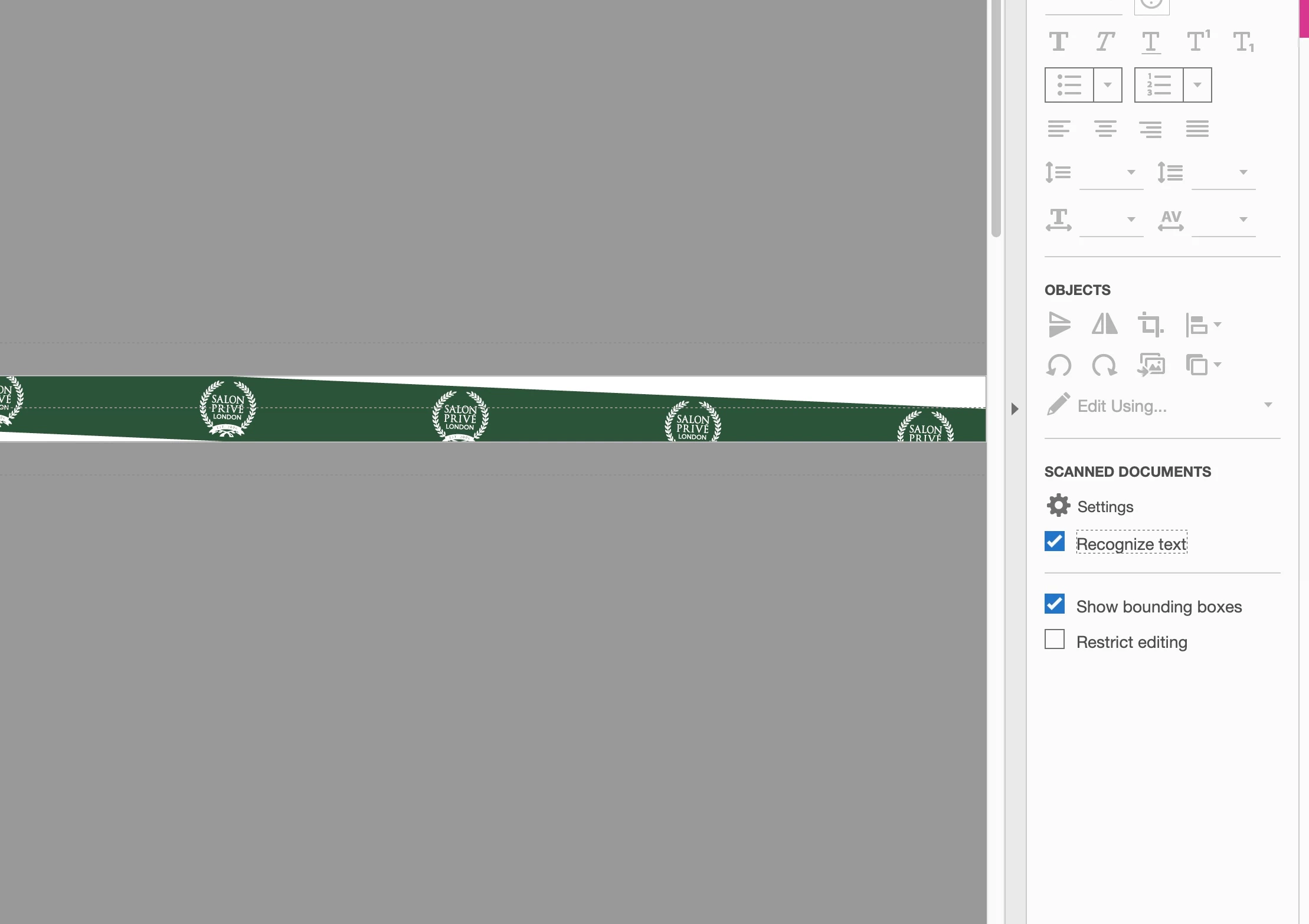
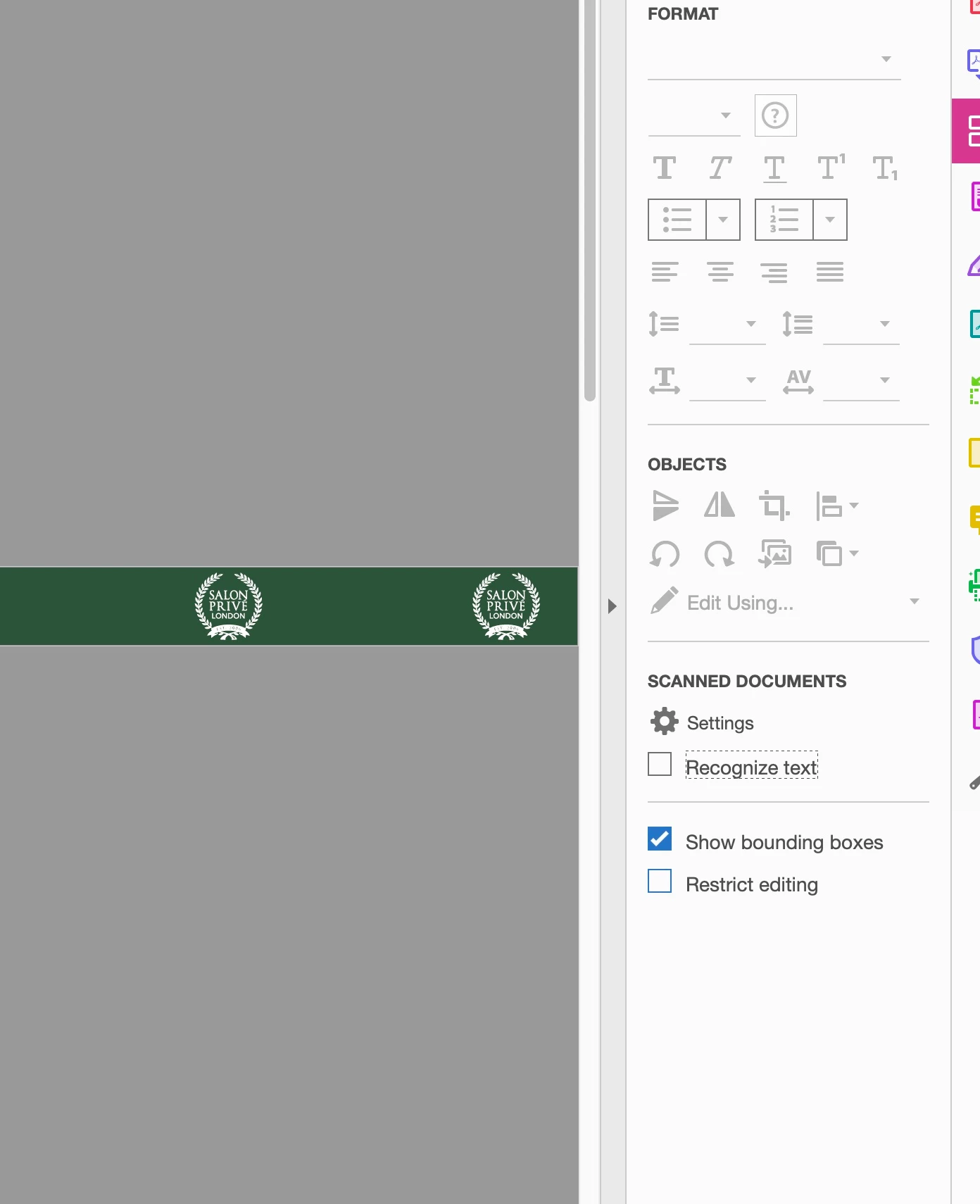
My boss has an issue that when he is opening PDFs made from Adobe inDesign some of the images rotate.  (See image attached.) Has anyone had this happen and any settings I can use at my end or his? 

I've never had this happen so at a loss as to what to suggest. He wonders if it is to do with pages viewed as a dps, but cant see why. I output as single pages viewd as 'two-up' in Acrobat.


I am running latest Adobe CC on an up-to-date iMac. 

He is opening using Adobe Acrobat PRO on a Windows laptop.


thanks
    Correct answer MartianGirlDesign

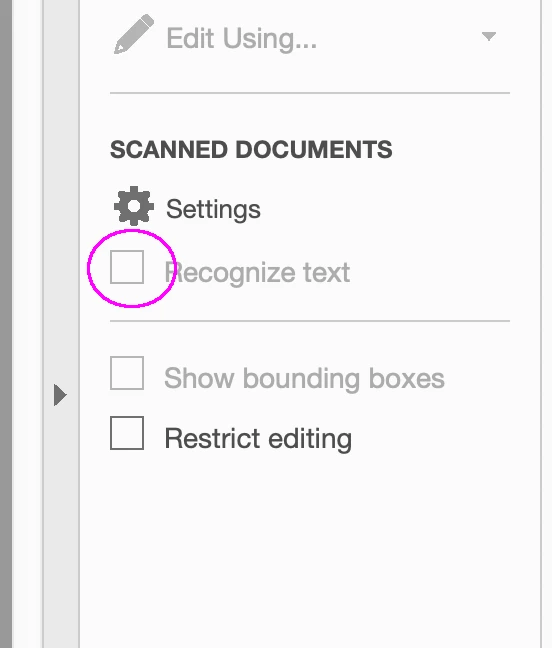
    Uncheck Recognize Text, if you're not planning to do OCR. What is happening: Acrobat is trying to auto-straighten the images so OCR works better (even though that's not at all what you want to do)


    This worked in a file today. Thank you @Brad @ Roaring Mouse 


    8 replies

    Participating Frequently
    August 29, 2023

    For those who may have trouble finding that checkbox, for me it was located under the "Edit menu" then clicking on the sprocket. 


    Brad @ Roaring Mouse
    Community Expert
    Community Expert
    August 31, 2023

    Indeed; the new layout of Acrobat has moved it to that location. Thanks for adding that.

    Mike Witherell
    Community Expert
    Community Expert
    March 28, 2022

    Totally outside, but why is the boss using a 2020 version of Acrobat DC?

    Just to rule out unknowns, could boss click on Acrobat DC > Help > Check for updates and update to the current 2022 version?

    Mike Witherell
    Inspiring
    March 28, 2022

    Look when I first posted about this issue! 

    I dont know why, but it's taken until now for this to be solved. For me the unchecking the recognize text box worked.

    Mike Witherell
    Community Expert
    Community Expert
    March 28, 2022

    Ah yes, I see your point. What I didn't read was your acknowledgment that the OCR peculiarity thing fixed your problem.

    Mike Witherell
    Community Expert
    March 25, 2022

    Brad said:

    "Uncheck Recognize Text, if you're not planning to do OCR. What is happening: Acrobat is trying to auto-straighten the images so OCR works better (even though that's not at all what you want to do)"


    Wow.


    Thanks for that observation, Brad!

    Nothing against what Acrobat has to do to get good OCR, but it should do this just in memory. Not on the document itself. Imagine you slightly rotated an image of a scanned text by purpose in your layout to compensate for not putting the sheet 100% straightened to the scanner. Would Acrobat also try to unrotate the image because of OCR?


    Regards,
    Uwe Laubender

    ( ACP )

    Brad @ Roaring Mouse
    Community Expert
    Community Expert
    March 25, 2022

    "Would Acrobat also try to unrotate the image because of OCR?"

    No, it bases its "guess" on what it "sees" as opposed to whether the object itself is rotated.

    That being said, say you have a layout that had two crooked items, each in different directions. It might actually apply the straightening to one correctly, but then try to apply the same rotation to the other, even though it's not appropriate. Since there are no options to be selective, it's all kinda willy-nilly.

    Try apply Edit PDF to the attached PDF. This is just a single page of two images, one rotated left, the other right. Watch what Acrobat does!

    Needless to say, if you DON'T need OCR, just permanently uncheck the Recognize Text. It will be default when first used, but should stick unchecked for the future, but I find I need to reset it every now and again.

    Obviously, standalone OCR apps are much more sophisticated, and I tend to use one of those when I need better recognition.

    Sheena Kaul
    Community Manager
    Community Manager
    June 26, 2020

    Hi there,


    I am hoping that your issue has been resolved till now. If not, please feel free to update this thread else let us know if any of the suggestions shared above helped you or not.


    Regards,

    Sheena

    Participating Frequently
    March 23, 2022

    I have this same problem and cannot fix it. One image, used in several locations rotates slightly when I open "edit PDF" in Adobe Acrobat. Were you able to find a solution?


    Thank you!

    Neila 

    at. 

    MartianGirlDesignAuthorCorrect answer
    Inspiring
    March 28, 2022

    Uncheck Recognize Text, if you're not planning to do OCR. What is happening: Acrobat is trying to auto-straighten the images so OCR works better (even though that's not at all what you want to do)


    This worked in a file today. Thank you @Brad @ Roaring Mouse 


    Community Expert
    June 18, 2020

    Hi MartianGirlDesign,

    Ideal or not ieal, I'd test turning off "Crop Image Data to Frames".

    If you check the result check especially if the image data is rotated and has moved.

    Perhaps we see a very special bug with PDF Export (Print) here…


    What you could also test:

    Instead of TIFF save the image to JPEG with PhotoShop and place the JPEG image.


    Regards,
    Uwe Laubender

    ( ACP )


    Community Expert
    June 18, 2020

    Hm. I'd like to see the settings in the Compression tab at PDF output.

    Maybe it will help if "Crop images" is disabled.


    Regards,
    Uwe Laubender

    ( ACP )


    Inspiring
    June 18, 2020

    I do use the "Crop images" feature as its a 68page doc, image heavy and needs to be as small as possible. Not ideal. It's basically a brochure designed for print now being used as a digital brochure. 

    Community Expert
    June 18, 2020

    Hi MartianGirlDesign,

    thank you for posting the screenshots.

    Hm. No idea what's going on. I'm a bit speechless…


    How did you export the page to PDF?

    Can you show the settings for that?


    Thanks,
    Uwe Laubender

    ( ACP )

    Inspiring
    June 18, 2020

    Just smallest size and modified in the 'view' panel. 

    I'm totally stumped and as its not a consistent error I struggle to see what is causing it. 

    The only thing I can hypothesize is a glitch when acrobat converts the one image across a DPS into tow seperate pages.

    Possibly it'd be safer to make two seperate image frames?

    Community Expert
    June 16, 2020

    Hi MartianGirlDesign,

    how about you?

    Can you see the rotated image when you opened the PDF with Acrobat Pro DC?


    Can you show a screenshot of the InDesign page with the image selected inside its graphic frame plus the Transformation panel? Frame edges showing as well.


    Thanks,
    Uwe Laubender

    ( ACP )

    Inspiring
    June 18, 2020

    Thanks for the reply. I have never experienced this issue /seen it when I open the file. 

    I've attached a screenshot in frame and one of the frame. Oddly the frame isnt showing 100%.

    Its one image across a DPS and exported as single pages displayed two-up.

    Inspiring
    June 18, 2020

    Just reposting the issue image.