
Inspiring
April 4, 2025
Question

Images Not Displaying Correctly After Opening Packaged InDesign File

  • April 4, 2025
  • 3 replies
  • 734 views

Hello, 
Can someone help me with this problem?
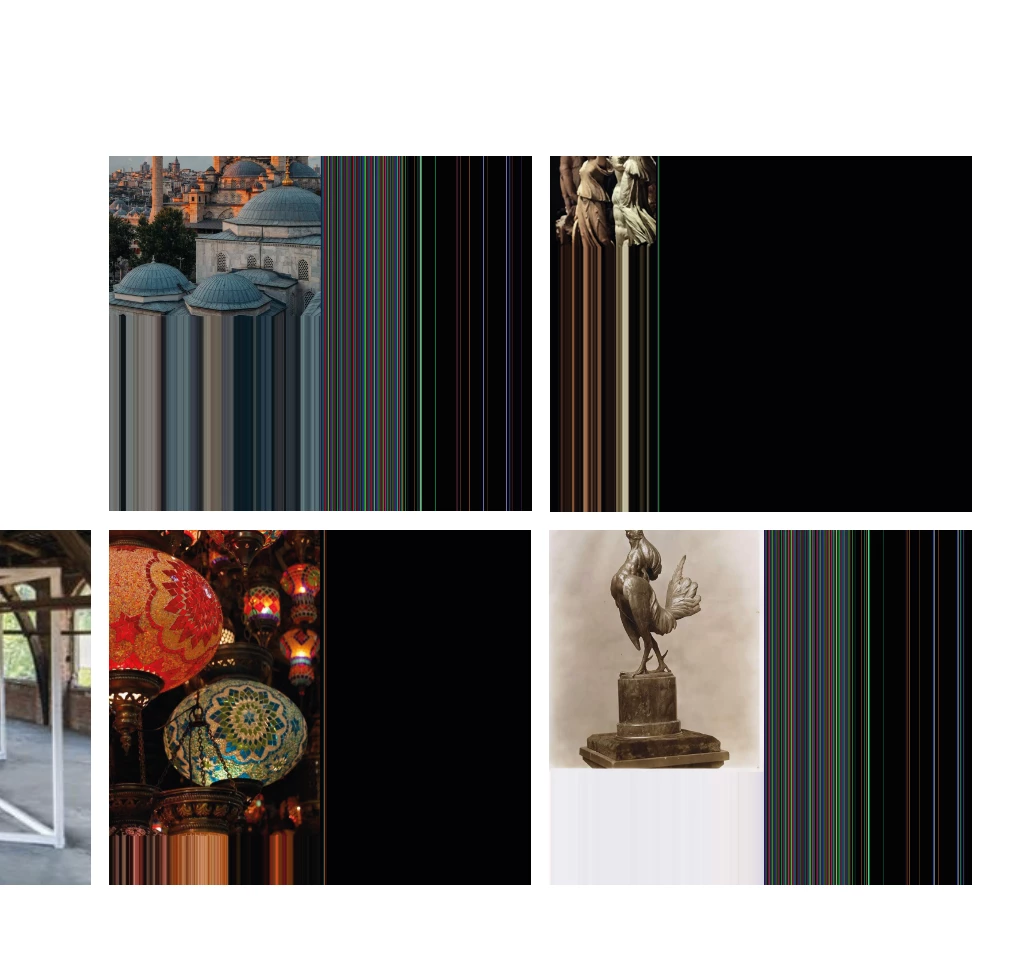
I have downloaded a package that my friend sent to me but I don't know why I'm seeign her images like that .


<Title renamed by MOD>


3 replies

Mike Witherell
Community Expert
Community Expert
April 4, 2025

Hey Smooth,

Are those linked graphics PNG files? Do they look the same if opened in Photoshop?

Mike Witherell
Inspiring
April 10, 2025

They look the same on photoshop.

Community Expert
April 10, 2025

Resave the files - the encoding is probably not supported by inDesign 

See if it helps - try a different fie format - and from Photoshop.

Robert at ID-Tasker
Legend
April 4, 2025

@smooth_Flamingo3363


Most of the time, Mac users report this problem -> toggle GPU Support in the preferences.


Inspiring
April 4, 2025

What I have to do? 

Robert at ID-Tasker
Legend
April 4, 2025
Abhishek Rao
Community Manager
Community Manager
April 4, 2025

Hi @smooth_Flamingo3363,


Could you check if all the linked images are properly relinked in InDesign? I mean, open the Links panel (Window > Links) and see if any images are missing or showing a warning icon. If they are, try relinking them to their correct locations. If the images aren’t included in the package, ask your friend to repackage the file and share it again. You can refer to this guide for packaging files: Adobe Help – Package Files.

Also, could you confirm which version of InDesign your friend used to create the file and which version you’re on? Please share your operating system details as well.

Let me know how it goes!


^
Abhishek

Inspiring
April 4, 2025

All links are fine and there are no warning icon.

She is using Windows and I have Macbook.

This is my operaitng system.