
Participant
May 10, 2021
Question

Importing images to InDesign changes the colour of my text

  • May 10, 2021
  • 2 replies
  • 3565 views

Hello Community, 


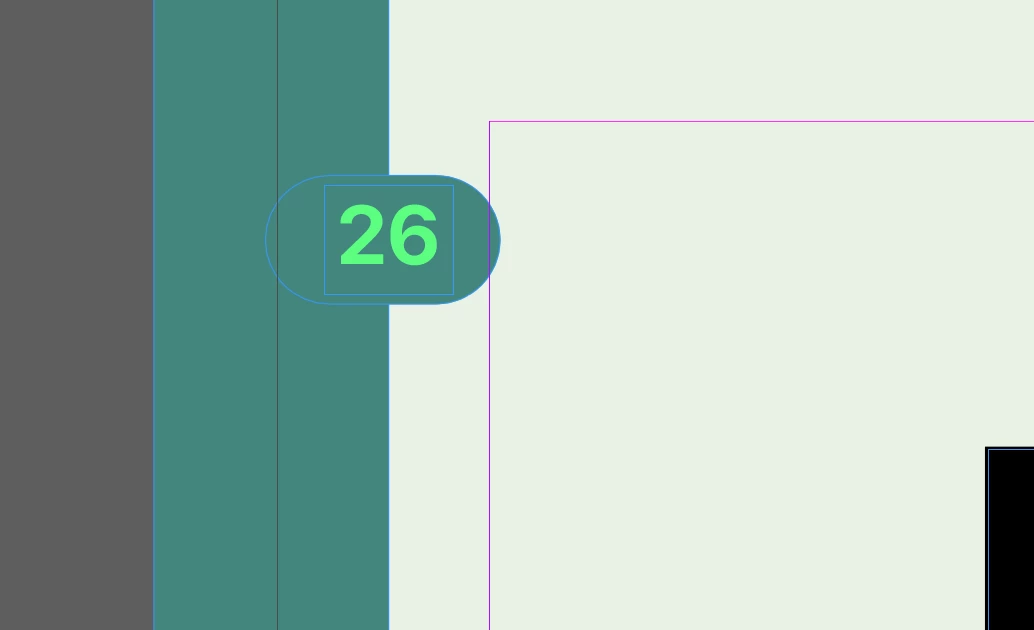
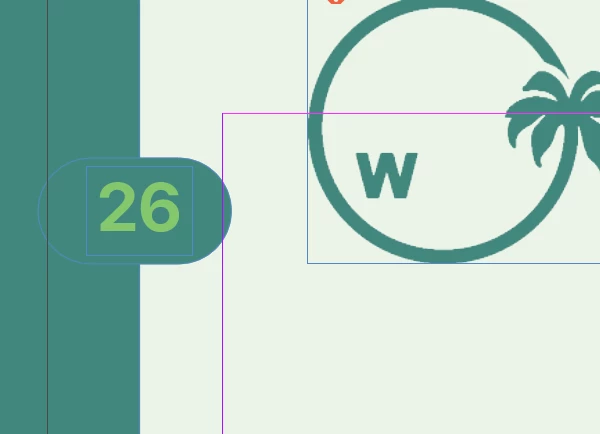
When I upload an image to my indesign file, all of the colors of the existing text in the indesign page gets more dull. If you take a look at the screenshots I uploaded, you'll notice the neon green in the "26" is way more neon before I add the image in the second screenshot. Why does this happen?
This topic has been closed for replies.

2 replies

rob day
Community Expert
Community Expert
May 10, 2021

The green is not printable. Set your Transparency Blend Space to RGB.

Participant
May 10, 2021

Yes that did the job! Thanks!

Community Expert
May 10, 2021

It's due to your image having transparency, and the transparency then has to be parsed through a transparency colour space. 

https://www.printingforless.com/Choosing-a-Transparency-Blend-Space.html


It's likely that your transparency blend space is CMYK - and your image is now forcing the spread into this view. 

The Neon Green probably is out of gamut for print - so the adjustment in the colour of the text shows a more realistic view of the CMYK. 


You should really check with your print provider if that Green can be reproduced in print using CMYK - if not you'll probably want to consider a different colour - or failing that you'll need to use the 5th colour and have a spot colour -but that's more expensive.


Either way - I'd be concerned over the colour of the neon-green text anyway - it probably can't be reproduced in print.


Participant
May 10, 2021

Amazing thank you so much!