
Known Participant
March 6, 2025
Answered

(Windows and Mac) Grey Lines and Discoloration Appear on Imported JPEGs in InDesign
  • March 6, 2025
  • 13 replies
  • 9281 views

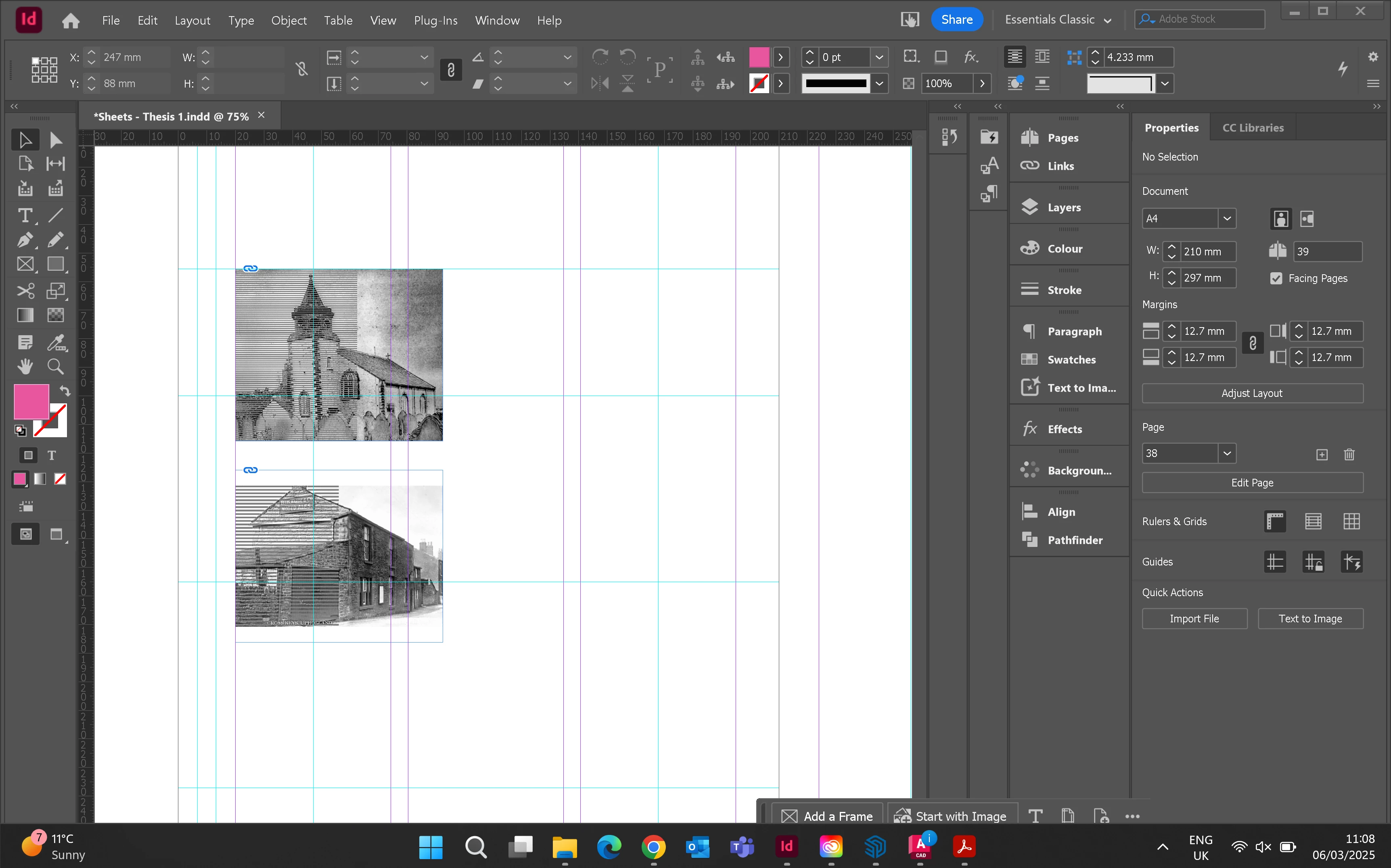
Hello. When I place jpegs into frames grey lines appear over half the box. I have the highest quality view setting on. Has anyone experienced this before? 


<Title renamed by MOD>

Correct answer gordonm83621500

I had the same issues. The workaround is to open the image through reveal in finder, then open in preview(mac) then resave  the image.

13 replies

Robert at ID-Tasker
Legend
March 6, 2025

@Alice373165806dlw


And which OS and InDesign versions?


Win 11 - might be a problem with latest KBxxxxxxx updates. 


InDesign 19.5.2 - downgrade to 19.5.1 


Peter Spier
Community Expert
Community Expert
March 6, 2025

Can you share that page? It looks like there might be some other object on a layer above that has a blending mode, perhaps, that makes it invisible without the background.

Known Participant
March 6, 2025

Hi, Please see image of the page. There shouldnt be anything on top. When I move the frame across the page its still got the lines


leo.r
Community Expert
Community Expert
March 7, 2025

Very Strange. I think this is corrupted scanner data, but I was able to repair the file by opening in Windows Photos, where it displayed correctly, and saving as .tif/


Yes, I can confirm a similar behavior on Mac:


When opening the original JPEG, there are lines in Photoshop and InDesign, but NOT when opening in Preview (or previewing in the Finder). Resaving as TIFF (or PNG) from Preview solves the problem.

Known Participant
March 6, 2025

after exporting it still has the lines