muskoka lake
Inspiring
May 7, 2019
Answered

Importing Word doc with footnotes

  • May 7, 2019
  • 2 replies
  • 24670 views

I read Randy's note

Alternately, you can use InDesign's footnote functions to generate the independent element information above, cutting and pasting the text itself from your Word document into the appropriate function edit boxes to preclude transcription errors.

I have tried several ways to import.

1 Using Custom Preset 2 using Word Import Preset 1

I get only one footnote imported. It has been renumbered as #1. None of the others appear. Footnote superscript also does not appear except for that one miraculous import.

I feel like I must be close if it finds one, but repeated tries have the same result.

I have a whole book to do and hope someone can help me do it as efficiently as possible

Is the cut and paste method above still the best option?

    This topic has been closed for replies.
    Correct answer Barb Binder

    Thank you very much for your kind offer. It is such a blessing to have

    the forum to connect with knowledgeable people. I have searched for

    classes but none are available in my small town.

    I am trying to write my footnotes and endnotes in Word and then import

    that section into InDesign to replace the existing section which has only

    a few comments in the outside columns.I realize I hurried too much in my

    choice of screenshot I put on the forum so it was unclear. So I have

    attempted to be more organized in my choices.

    Here's the situation. I have a file called**/first draft  

    https://adobe.ly/2Vukwyx/  thttps://adobe.ly/2Vukwyxhat is the

    combination of text and photos. I have learned that I need to enlarge

    the photos. Since that will affect the layout I want to also include the

    footnotes and endnotes  as I make choices about enlarging photos.

    I have a file called///Chapters combined

    text/***https://adobe.ly/2Vuy9hc https://adobe.ly/2Vuy9hc *with all the

    word files combined and a Contents added. I have added footnotes, in

    1,2,3 numbers and end notes in Roman numerals. I intend to move the

    footnotes to the outside column on the page so that they can be lengthy

    or short.

    So I tried a test to see if I had imported the footnotes correctly. That

    file is called///test 3 one footnote/*. https://adobe.ly/2VRkYGo *Only

    one of my footnotes from the Word file came into Indesign as you will

    see in test 3 file. That footnote was number 7 in the Word file but is

    renumbered to number 1.

    I spent the last few days learning to use the Creative Cloud. I had been

    using it for backup only. So I hope I can now share these files with you.

    I appreciate your time in looking at my files.

    Sincerely,

    Grace Taylor


    Hi Grace:

    I'm not sure what is going on with that Word file—InDesign is ignoring both the footnote and the endnotes me as well when I place it in its entirety.

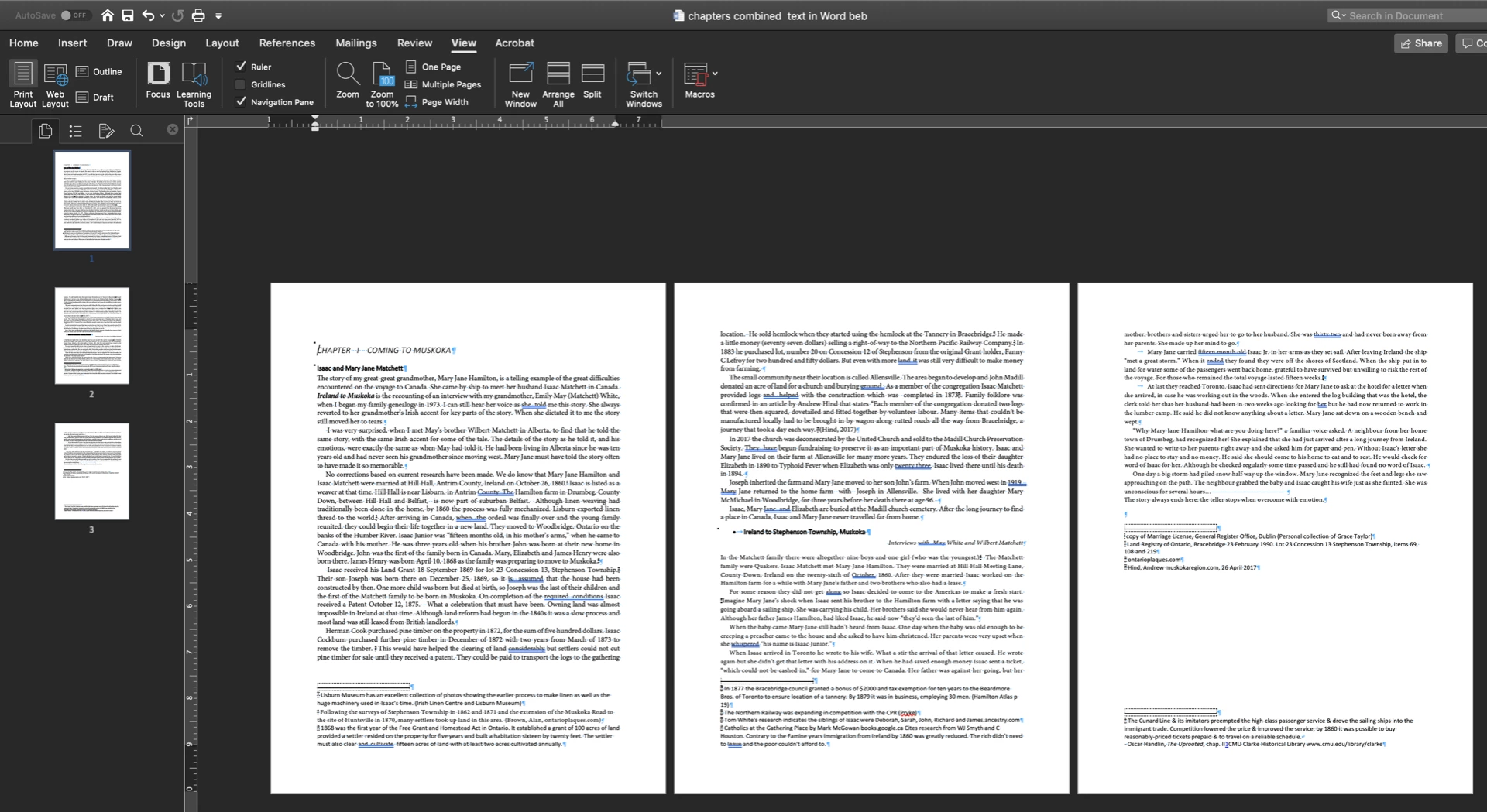
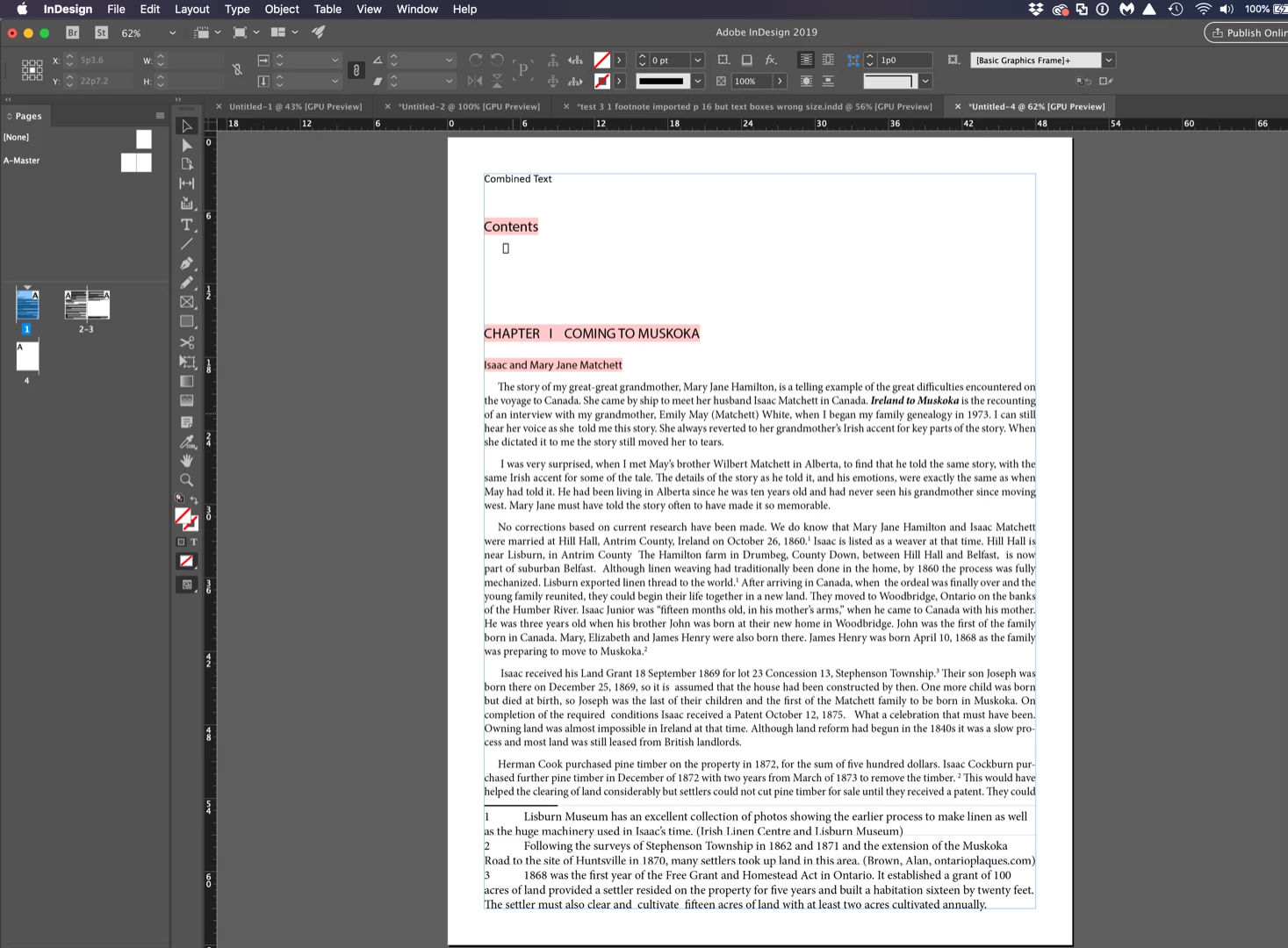
    My suggestion is that you break it up into smaller segments. For example, I deleted everything after the first section break and was able to import the footnotes and endnotes normally. Keep dividing up the sections and placing those into InDesign. This is important anyway if you want the endnotes at the end of each section and not at the end of the entire story.

    Word:
    InDesign:
    ~Barb

    2 replies

    Steve Werner
    Community Expert
    Community Expert
    May 8, 2019

    You have storage (files.adobe.com) through your CC Subscription. You should go to the Creative Cloud forum and look thru the Tutorials and Help files. These files can be shared.

    Barb Binder
    Community Expert
    Community Expert
    May 7, 2019

    Hi muskoka lake:

    I read Randy's note

    Alternately, you can use InDesign's footnote functions to generate the independent element information above, cutting and pasting the text itself from your Word document into the appropriate function edit boxes to preclude transcription errors.

    I'm not clear who "Randy" is or where you are getting that information. Was this post moved from another post so that it is now lacking context?

    I work with footnotes regularly, and simple use File > Place with Footnotes checked in the Import Options dialog box (see image below). One of my legal journals has 200–450 footnotes per article and they all flow in at once. You should not have to copy/paste them individually.

    Were the footnotes added to the Word file correctly? Reference > Insert Footnote:

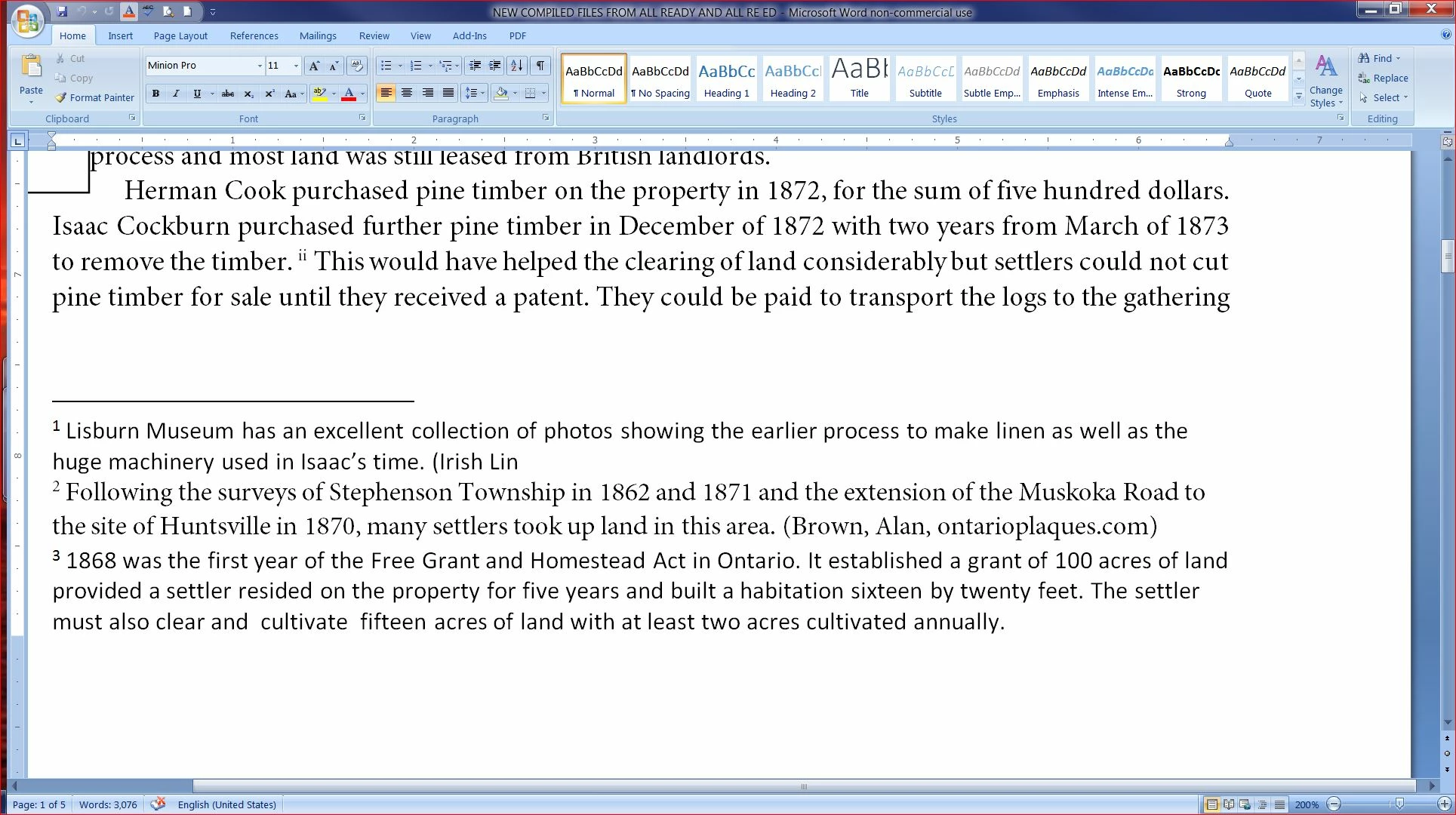
    It's odd that I see footnote reference "ii" and then 3 notes numbered 1,2 and 3 in your Word screenshot. Where is footnote ii? Are there references to 1, 2 and 3 that were cut off by your screen shot?

    ~Barb

    ~Barb at Rocky Mountain Training
    muskoka lake
    Inspiring
    May 7, 2019

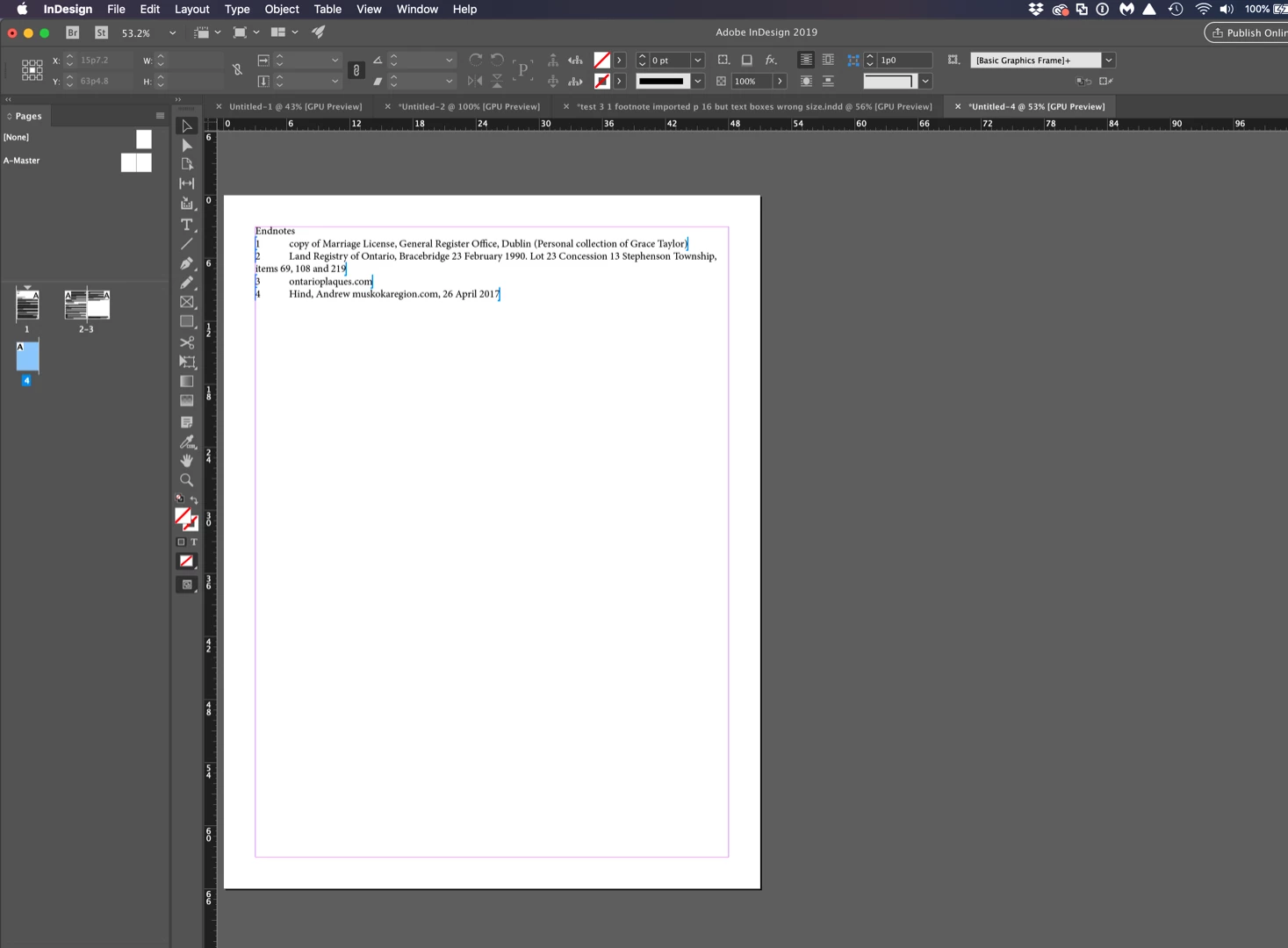
    I am still having trouble I do not see the bar that allowed me to add a screenshot now. When I tried again I made sure to have Footnotes and Endnotes checked. Set as Custom for Preset.

    The text is now coming in and somehow making larger text boxes. Even when I apply the A master to the pages the text box size does not return to the original on the master.

    For some reason I can no longer include a screen shot

    Thanks for trying to help, I'll give it one more trial starting from scratch on a new document and see if that helps.

    Barb Binder
    Community Expert
    Barb BinderCommunity ExpertCorrect answer
    Community Expert
    May 14, 2019

    Thank you very much for your kind offer. It is such a blessing to have

    the forum to connect with knowledgeable people. I have searched for

    classes but none are available in my small town.

    I am trying to write my footnotes and endnotes in Word and then import

    that section into InDesign to replace the existing section which has only

    a few comments in the outside columns.I realize I hurried too much in my

    choice of screenshot I put on the forum so it was unclear. So I have

    attempted to be more organized in my choices.

    Here's the situation. I have a file called**/first draft  

    https://adobe.ly/2Vukwyx/  thttps://adobe.ly/2Vukwyxhat is the

    combination of text and photos. I have learned that I need to enlarge

    the photos. Since that will affect the layout I want to also include the

    footnotes and endnotes  as I make choices about enlarging photos.

    I have a file called///Chapters combined

    text/***https://adobe.ly/2Vuy9hc https://adobe.ly/2Vuy9hc *with all the

    word files combined and a Contents added. I have added footnotes, in

    1,2,3 numbers and end notes in Roman numerals. I intend to move the

    footnotes to the outside column on the page so that they can be lengthy

    or short.

    So I tried a test to see if I had imported the footnotes correctly. That

    file is called///test 3 one footnote/*. https://adobe.ly/2VRkYGo *Only

    one of my footnotes from the Word file came into Indesign as you will

    see in test 3 file. That footnote was number 7 in the Word file but is

    renumbered to number 1.

    I spent the last few days learning to use the Creative Cloud. I had been

    using it for backup only. So I hope I can now share these files with you.

    I appreciate your time in looking at my files.

    Sincerely,

    Grace Taylor


    Hi Grace:

    I'm not sure what is going on with that Word file—InDesign is ignoring both the footnote and the endnotes me as well when I place it in its entirety.

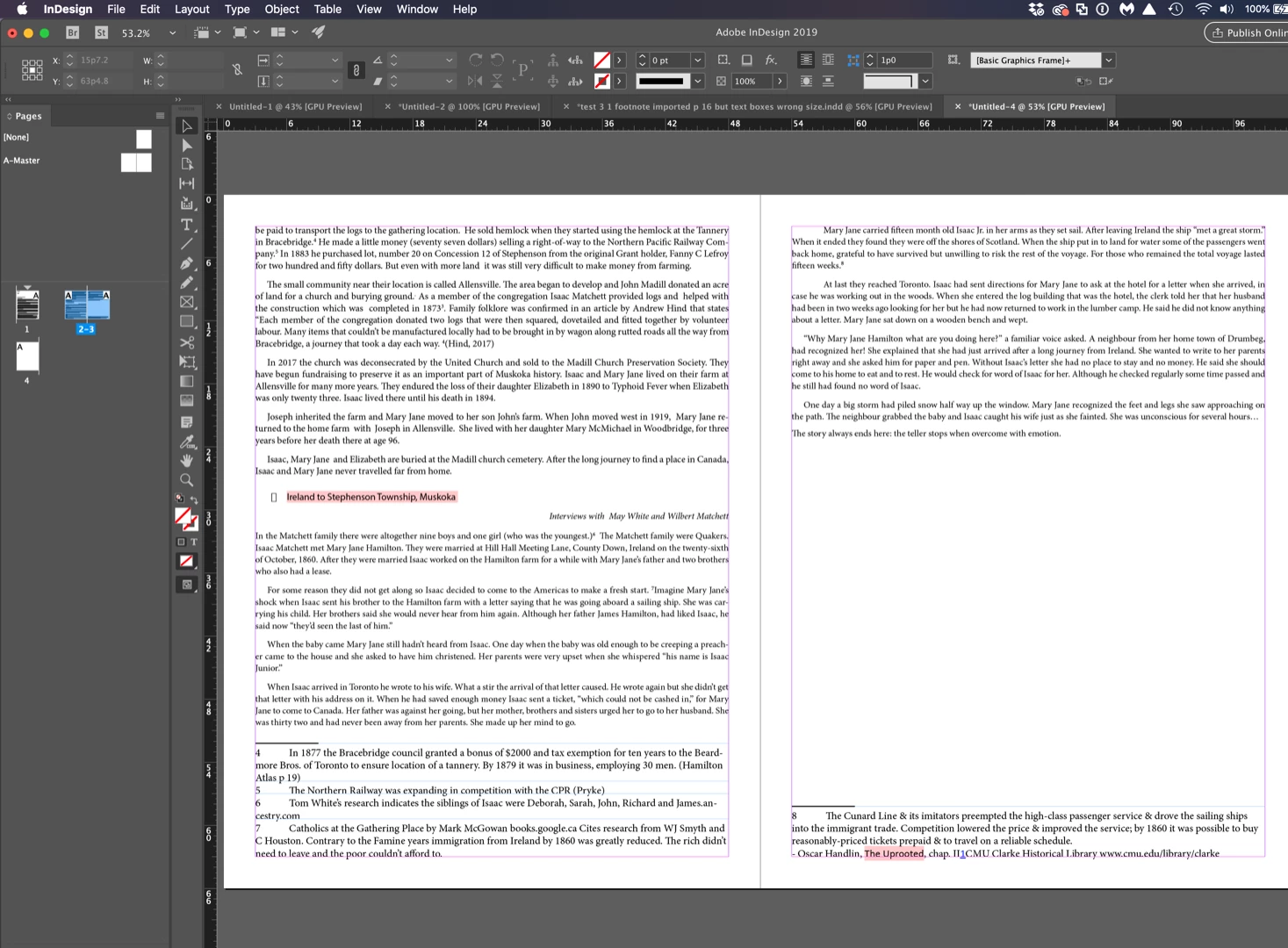
    My suggestion is that you break it up into smaller segments. For example, I deleted everything after the first section break and was able to import the footnotes and endnotes normally. Keep dividing up the sections and placing those into InDesign. This is important anyway if you want the endnotes at the end of each section and not at the end of the entire story.

    Word:

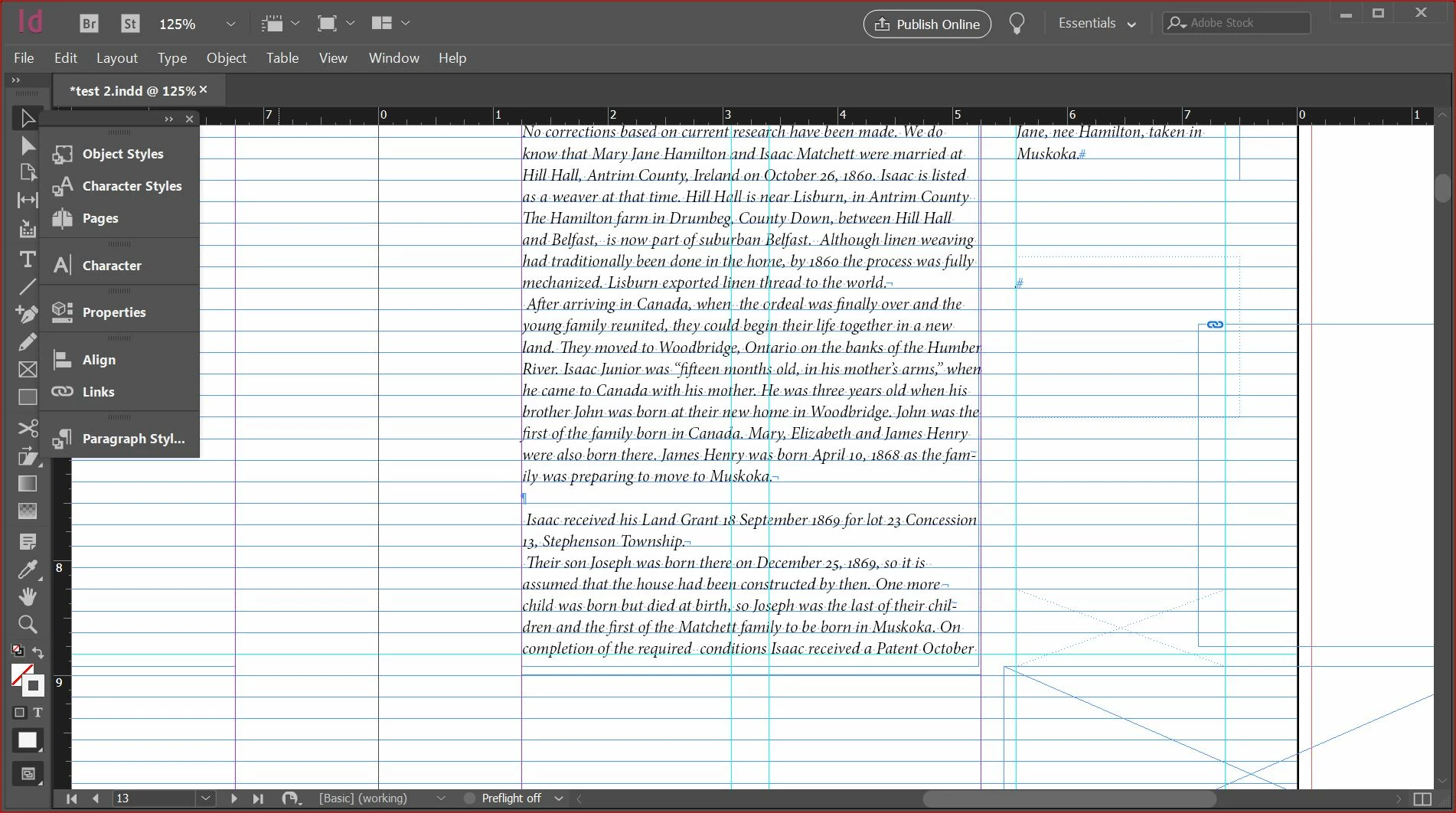
    InDesign:
    ~Barb

    ~Barb at Rocky Mountain Training