corinnne_arws
Participating Frequently
June 14, 2017
Answered

Inconsistent Line Spacing in Text Boxes

  • June 14, 2017
  • 3 replies
  • 4214 views

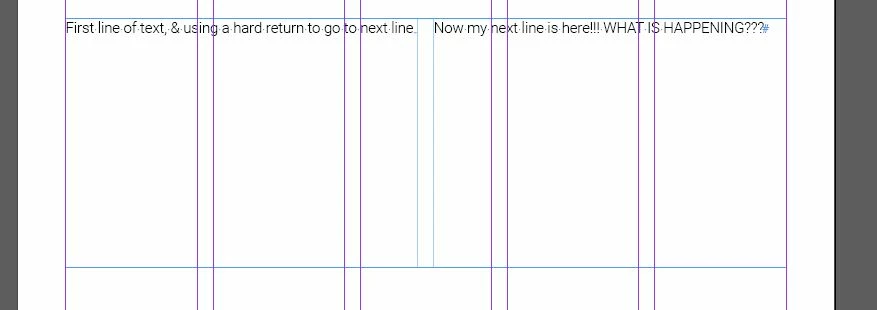
In using the current version of InDesign on a PC. When  I create a new text box and apply any paragraph styles (either programmed or manually set) to to the text, if I use return to start a new line, it is WAY outside the box area and gives me an error. There are no line spacing settings in place. If I expand the text box, I can't even see the text and the error cannot be cleared without deleting everything. I've built the exact same boxes on my laptop (Mac) and never encountered this problem. I have no idea what is happening. The image shows what is happening in a text box using columns (the only way to visually show what is happening). This is driving me CRAZY!

Thanks in advance for any insight!!
This topic has been closed for replies.
Correct answer Barb Binder

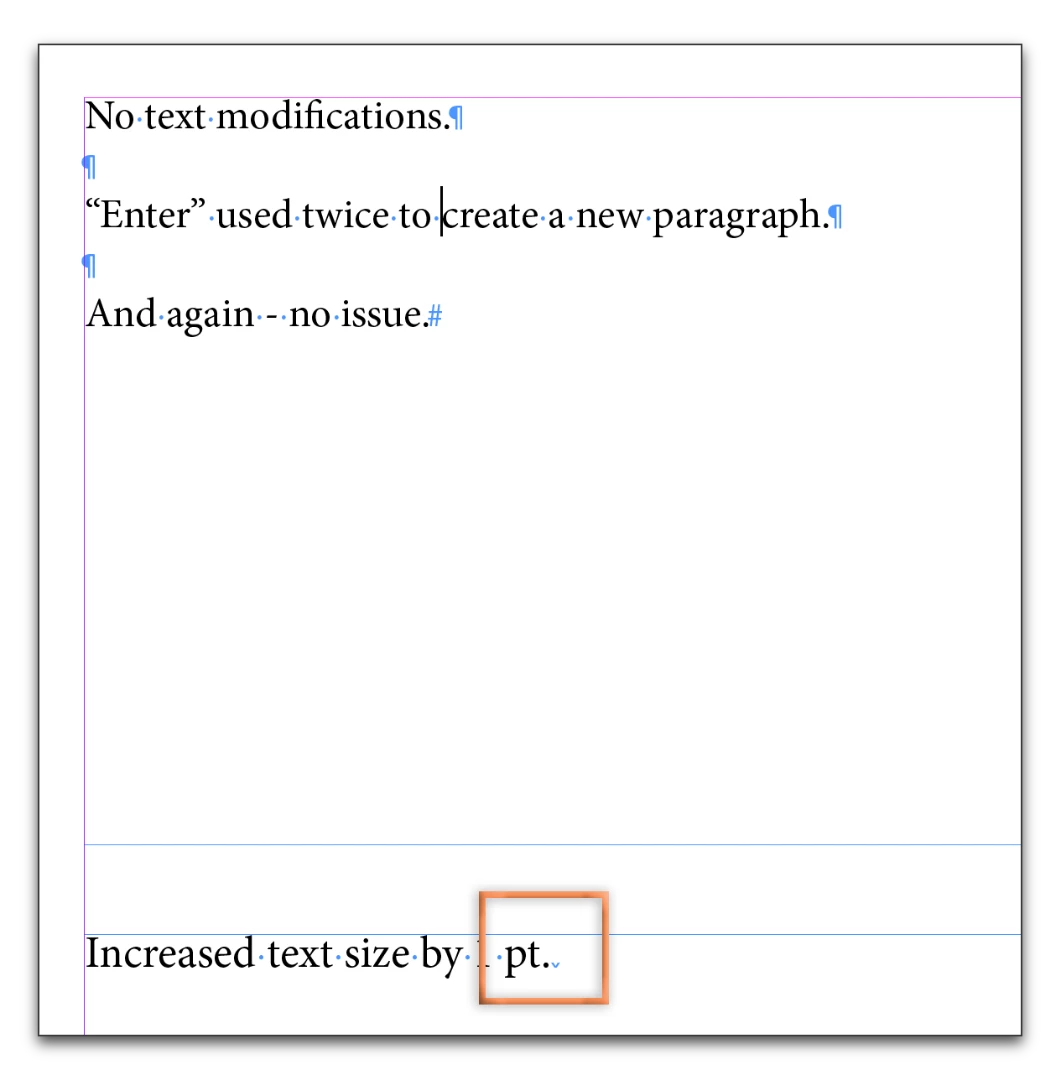
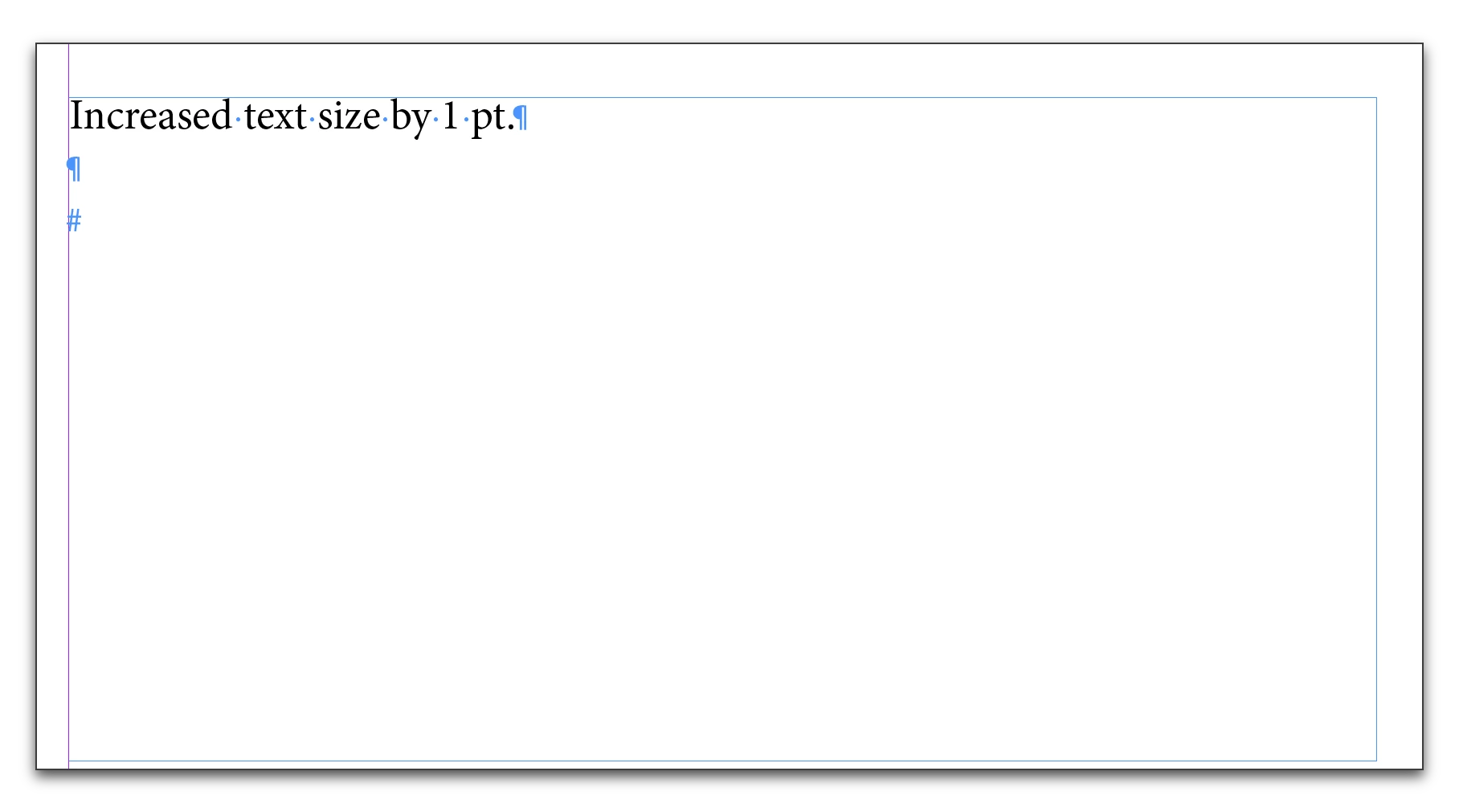
Ok, Corinne! Use Type > Show Hidden Characters to see what is happening at the end of each line. You have hard return symbols at the end of the text in the first frame, but a column break at the end of the text in the 2nd frame. That's why the text disappears after you add it.

There are two ways to add column breaks: either use Type > Insert Break Character > Column Break or press the Numeric Enter key. The first one requires thought, the second is an accident waiting to happen. When I delete the Column Break character (it's a blue down pointing caret), the text returns. Try it on your file.

3 replies

Barb Binder
Community Expert
Barb BinderCommunity ExpertCorrect answer
Community Expert
June 14, 2017

Ok, Corinne! Use Type > Show Hidden Characters to see what is happening at the end of each line. You have hard return symbols at the end of the text in the first frame, but a column break at the end of the text in the 2nd frame. That's why the text disappears after you add it.

There are two ways to add column breaks: either use Type > Insert Break Character > Column Break or press the Numeric Enter key. The first one requires thought, the second is an accident waiting to happen. When I delete the Column Break character (it's a blue down pointing caret), the text returns. Try it on your file.

~Barb at Rocky Mountain Training
corinnne_arws
Participating Frequently
June 14, 2017

THANK YOU!!!

I could see those marks there, but for the life of me could not delete them (my mouse is on it's last leg). I'll be putting a piece of red tape on that numeric enter key - apparently I use it and never notice it.

Thanks again for your help!!

Barb Binder
Community Expert
Community Expert
June 14, 2017

You are so welcome, Corinne!

It's actually an awesome shortcut for the column break, once you know it's there. But a lot of my students struggle with the two Enters/Returns until we get a chance to talk about it in class.

~Barb at Rocky Mountain Training
Barb Binder
Community Expert
Community Expert
June 14, 2017

It's been a long day. Now I see that it is overset. So start with preferences. If it is still happening after that, would you share a file with me via dropbox so that I can take a look?

~Barb at Rocky Mountain Training
corinnne_arws
Participating Frequently
June 14, 2017

I am using a full keyboard, but I've been using my primary "enter" key (the middle one) - at least I think I have. I never use the other one, not consciously at least. It's been a long day here, too.

Here is one of the test files that I did that shows the problem.

https://www.dropbox.com/s/f8n63zoa2zw31l6/Text%20modification%20issues%20-%20sample%20document.indd?dl=0http://

Barb Binder
Community Expert
Community Expert
June 14, 2017

So we are in the same boat!

OK, play with the two enter keys to see what I mean, and I'll take a look at your file now.

~Barb at Rocky Mountain Training
Srishti Bali
Legend
June 14, 2017

Hi corinnne.arws,

Please check the same behavior in new document, if that works fine try moving the pages to new document

Manage pages and spreads in InDesign

Regards

Srishti

Barb Binder
Community Expert
Community Expert
June 14, 2017

Based on your screen shot, I'd guess you have Balance Columns on as a(n unintended) default. Select the frame and turn it off and see if that restores the expected behavior. If that's the issue, come back and let us know and we can help you turn off the default. Type > Text Frame Options on a selected frame.

~Barb at Rocky Mountain Training
Barb Binder
Community Expert
Community Expert
June 14, 2017

After I modify any text element (size, spacing, color, justification - anything) and I use "enter" to start a new line of text, the new line of text drops WAY down in the box. So far that even resizing the text box to be the entire page - or work board, for that matter - I cannot see it. The column example was to showed that the next line was started in the next column, even though there was plenty of room left. The problem is consistent across all of my text boxes, even in new documents created with standard preferences - nothing custom. The minute any sort of modification is made to the default text options and I use enter to start a new paragraph/line, the new paragraph/line is not visible and I have a text error.


Are you on a full keyboard, with a numeric keypad? Could you be alternating between the primary enter key and the one on the keypad? The one in the main part of the keyboard is a hard return, the one on the keypad is a column break. (This is a Mac keyboard, but a Windows keyboard works the same way.)

~Barb at Rocky Mountain Training