
Known Participant
November 8, 2019
Answered

InDesign 15.0 Preflight panel not showing overset text

  • November 8, 2019
  • 3 replies
  • 1254 views

Since I upgraded to ID 15.0 (on MacOS 10.15.1), the preflight panel is failing to indicate overset text. Fortunately, it gets picked up when I attempt to save to PDF but it is a little irritating and I wonder what else is not being shown in the Preflight panel.
This topic has been closed for replies.
Correct answer hammer0909

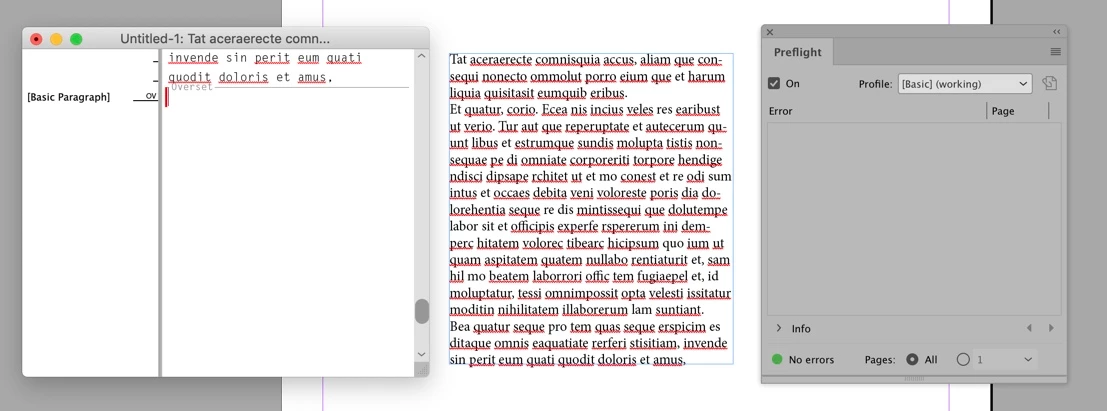
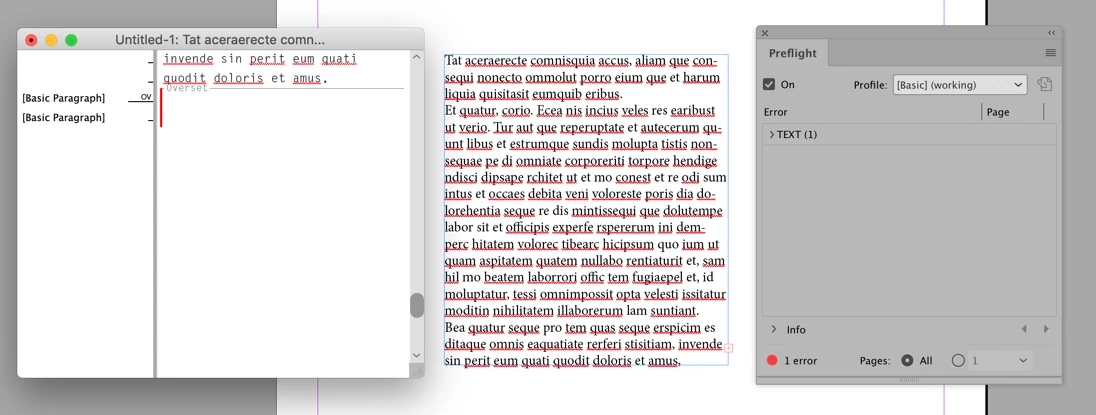
Ok Uwe, now you made me dig a bit deeper 😉 It turns out that a single return is not registering for me as overset text. Hoever as soon as I enter another return, the Preflight panel does indeed show overset text. So the OP's original post is intriguing. Now I'm leaning towards Jane's point about which preflight profile danckwerts is using. Is it showing the Basic profile at the top of the Preflight panel?


3 replies

Community Expert
November 8, 2019

Hi Chad,

the single return at the end of a story does not count as overset. And that's ok:


Only the Story Editor thinks there is overset because the end of story mark cannot show in the text frame.


Regards,
Uwe Laubender

( ACP )


EDITED: Added a screenshot

hammer0909
Community Expert
Community Expert
November 8, 2019

Hi Uwe, it is OK. But I would think that 10 returns would be ok too. Has this always been the behavior and I just didn't notice it?


Community Expert
November 8, 2019

Hi Chad,

cannot see this with InDesign 2020 version 15.0.0.155 on Windows 10.

Clearly my German InDesign preflight is able to detect overset text of any kind.

Could be empty paragraphs as well:


So for me nothing changed.


Regards,
Uwe Laubender

( ACP )

hammer0909
Community Expert
hammer0909Community ExpertCorrect answer
Community Expert
November 8, 2019

Ok Uwe, now you made me dig a bit deeper 😉 It turns out that a single return is not registering for me as overset text. Hoever as soon as I enter another return, the Preflight panel does indeed show overset text. So the OP's original post is intriguing. Now I'm leaning towards Jane's point about which preflight profile danckwerts is using. Is it showing the Basic profile at the top of the Preflight panel?


Known Participant
November 8, 2019

No, it's not the basic profile but one I created several years ago. However, looking at it, I see that the overset text option is no longer ticked. This was working in the previous version of ID so must have somehow been reset in the new version. Sorry to waste people's time.

hammer0909
Community Expert
Community Expert
November 8, 2019

Hmmm. I just ran a quick test and ID 2020 is showing overset text in the preflight panel on all frames. Now, what I am noticing is that if you just have empty returns as overset, InDesign 2020 isn't indicating it as overset which I actually see as a good thing as those empty returns aren't really a problem. Now as soon as you type a character in that overset, the Preflight panel immediately indicates overset text. Is that what you're seeing?

Known Participant
November 8, 2019

Sadly that's not what I am experiencing. I had several pages of overset text and it wasn't showing up at all. 

jane-e
Community Expert
Community Expert
November 8, 2019

Hi,

To rule out the most likely issue, are you using the Basic Profile or a custom profile that doesn’t include looking for overset text? 

https://helpx.adobe.com/indesign/using/preflighting-files-handoff.html


Interesting about the blank Returns, Chad! 😊


~ Jane