
Carol F Metzger
Inspiring
April 6, 2021
Answered

InDesign 16.1 Hidden Characters stayed hidden until . . .

  • April 6, 2021
  • 2 replies
  • 4052 views

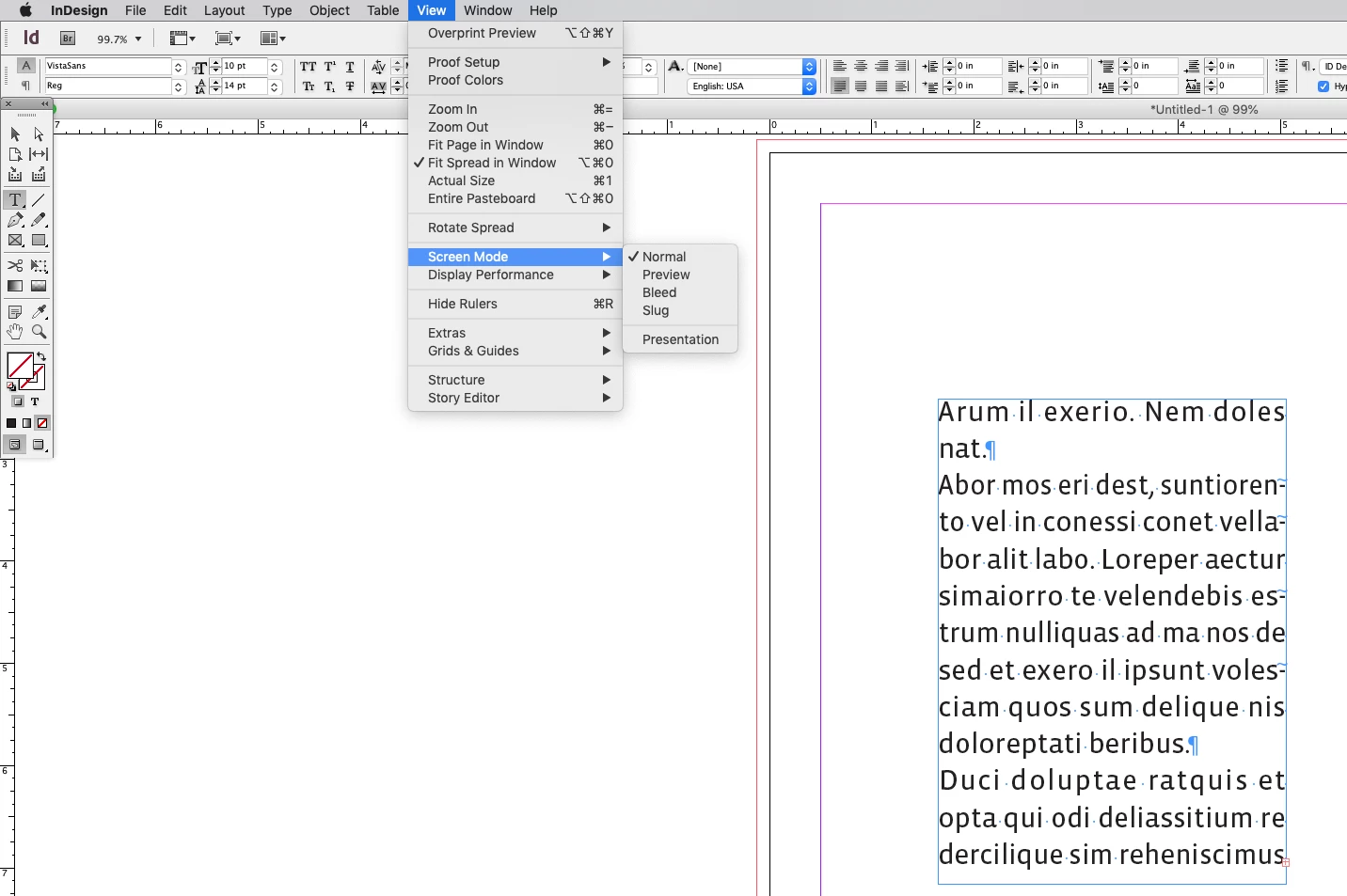
Show Hidden Characters would not turn on. According to the menu bar View, I am NOT in Overprint Preview. I toggled that on and off again to make sure. The check mark went on with the first click and and then it went off when I clicked it again. Still no hidden characters. Then I searched the Interwebs. You guys have TWO TOGGLES. One in the View menu and one in the toolbar palette. But the one in the View menu apparantly does not work as a toggle. And the two are not communicating between themselves.

Why????? Why are there two, and why is the one that works a teeny icon and never mentioned?
 

This topic has been closed for replies.
Correct answer Carol F Metzger

It’s always worked that way—this is from CS6:


Thanks. I see my problem. I was not looking down past "Overprint Preview." 

2 replies

rob day
Community Expert
Community Expert
April 7, 2021

You guys have TWO TOGGLES.


Also, there is View>Overprint Preview and View>Screen Mode>Preview (which is also in the Tool bar). Both will hide invisibles, but they have different functions. Overprint Preview shows a print soft proof with all color displaying in the document’s CMYK color space, Preview hides the pasteboard, frames and guides, but has no affect on color. To see invisibles you have to have both turned off. Separation, Bleed, and Slug Preview will also hide invisibles.

Carol F Metzger
Inspiring
April 7, 2021

It makes sense in terms of functionality but wow. Sure has changed a lot since Beta 1.

rob day
Community Expert
Community Expert
April 7, 2021

It’s always worked that way—this is from CS6:


Brad @ Roaring Mouse
Community Expert
Community Expert
April 7, 2021

Check your viewing mode. If you are in Preview mode, Hidden Characters are hidden regardless of the setting, along with grids/guidelines.