
dijonaise
Known Participant
June 7, 2019
Question

InDesign 2019 Swatches Panel Does Not Show PMS swatch names in tool tip.

  • June 7, 2019
  • 2 replies
  • 532 views

Hi All,

I have a document with lots of PMS spot colors that are very similar in color but not the same PMS #.

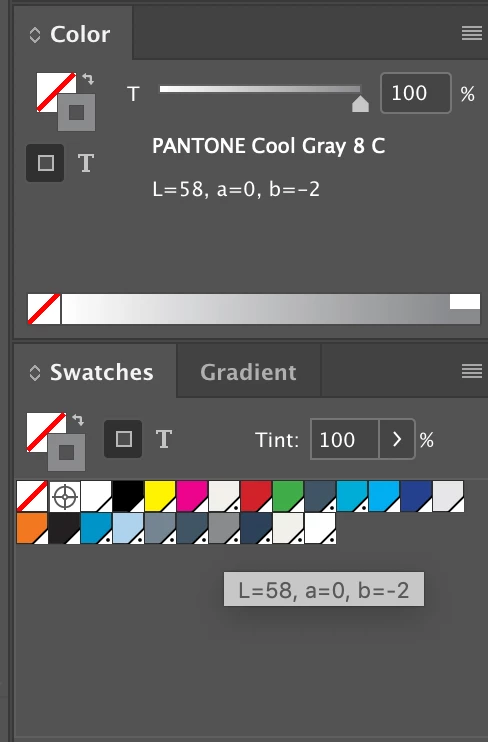
When I hover over a swatch, it shows either CMYK or LAB values as the name of the swatch, not the PMS name.

I have too many swatches to use the "List" mode, and I just want the old functionality back!

Image attachment 1: how it's done in Illustrator 2019.
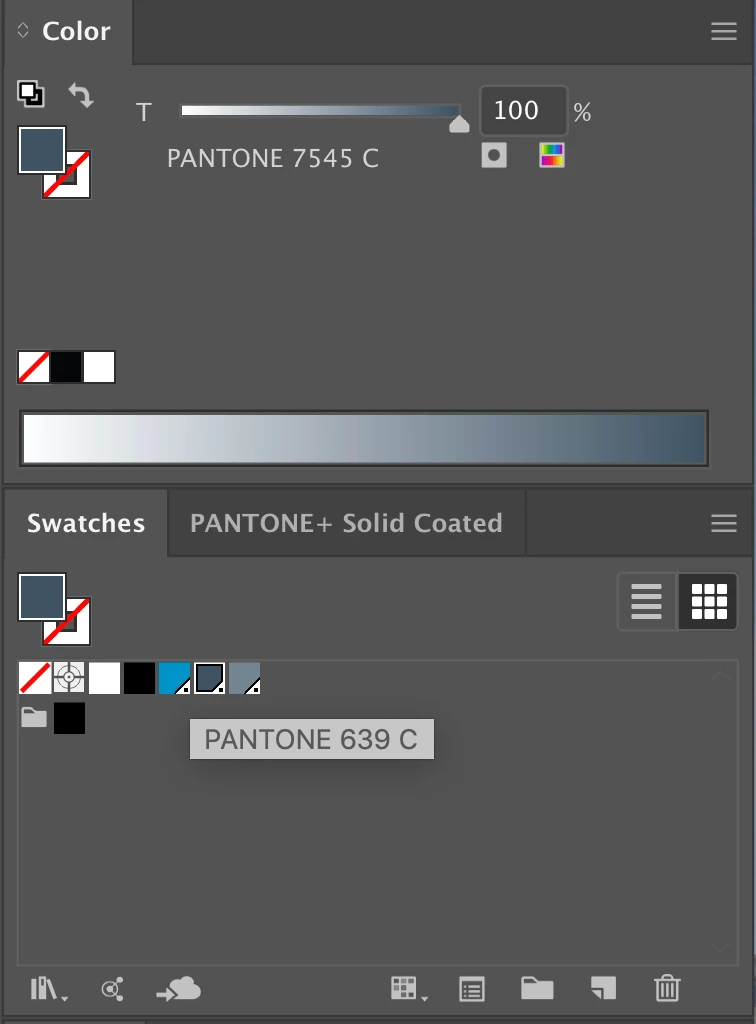
Image attachment 2: How it looks in InDesign 2019.
    This topic has been closed for replies.

    2 replies

    rob day
    Community Expert
    Community Expert
    June 8, 2019

    I have too many swatches to use the "List" mode, and I just want the old functionality back!

    At least since CS6, InDesign has always shown the process equivalent.

    Couldn't you sort the swatches into collapsed folders by number or hue, and then use Name or Small Name?

    Bill Silbert
    Community Expert
    Community Expert
    June 8, 2019

    As far as a I can tell it is not possible to use the Swatches Panel in the manner you're looking for. The different engineering teams on the two programs often handle similar panels differently. You can submit this as a feature request at: Adobe InDesign Feedback .