
inkling23
Participant
July 9, 2020
Answered

InDesign 2020 (15.1.1) stuck while "activating font" on macOS Catalina

  • July 9, 2020
  • 23 replies
  • 111028 views


CC reports a font could not be activated due to a conflict, yet the "Activating Font" task is stuck until I quit InDesign. When I try to export a PDF, it is stuck behind these never-ending tasks in the queue, thus preventing me from exporting it. Bug?

(MacOS Catalina 10.15.4, Indesign 15.1.1)
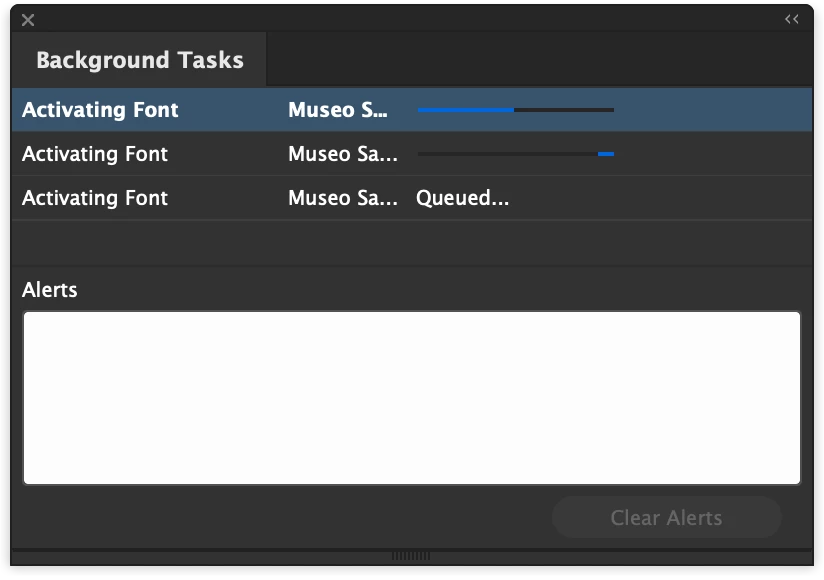


{Renamed by MOD}


Correct answer paulb6672322

I was also stuck in an endless loop of "activating font" - in this case default Minion Pro.


My workaround:

Ctrl + Alt + Delete > End Task

Update Creative Cloud

Update InDesign to 16.0.1


Solved! 

23 replies

sadie_lofi
Participant
July 29, 2020

I am also having this issue woth 15.1.1. Tried the help link steps with no avail. Must be a google font syncing issue. Went back to v15.1 from 15.1.1 and works fine. 

Sheena Kaul
Legend
July 20, 2020

Hi there,


I'm hoping that the issue is resolved for you. 

If the above-mentioned solution or suggestion helped, please mark it correct.

If not, do let us know so that we can assist you further.


Regards,

Sheena

Srishti Bali
Legend
July 11, 2020

Hi there,


Sorry to hear about this trouble. Looks like there is some issues with Font syncing. Please try steps share on this help article (https://helpx.adobe.com/in/fonts/kb/troubleshoot-font-activation.html) and let us know how it goes.


Regards,

Srishti

Participant
October 20, 2020

Thank you this helps! 


My issue was the fonts were already somewhere in my computer. I hunted them down, deleted them, dis-activated from Creative cloud, and then reactivated my font family, and Voila!