Inspiring
October 24, 2022
Answered

Indesign 2022 not showing items in the layer panel?

  • October 24, 2022
  • 4 replies
  • 1008 views

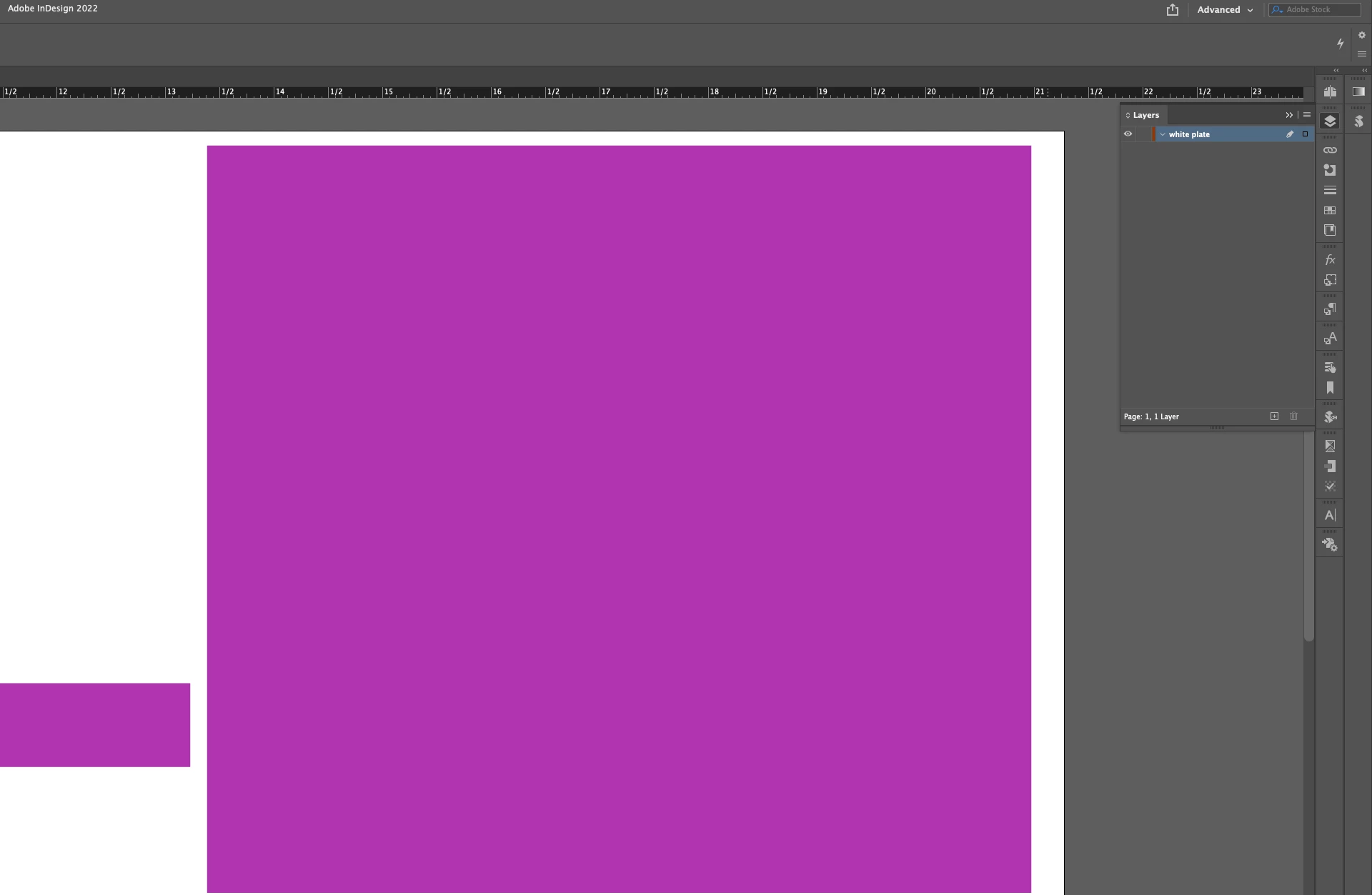
I clearly have stuff in there but it doesnt show up on the panel. So I cannot change the setting on the items in there. please help!
Thanks

CHris

This topic has been closed for replies.
Correct answer BobLevine

I see your control panel is empty, too. I wonder if this isn't a case of corrupt preferences. Have you tried resetting them?

4 replies

cbishop01Author
Inspiring
October 24, 2022

Thank you everyone!

Community Expert
October 24, 2022

Try resetting your preferences and if that does not work then try resetting the cache. See instructions at the link below

https://www.rockymountaintraining.com/adobe-indesign-rebuilding-preferences-cache/

-Manan

-Manan
BobLevine
Community Expert
BobLevineCommunity ExpertCorrect answer
Community Expert
October 24, 2022

I see your control panel is empty, too. I wonder if this isn't a case of corrupt preferences. Have you tried resetting them?

cbishop01Author
Inspiring
October 24, 2022

I just did this and nothing helped. it acts like there is nothing in that layer. I can hide it by clicking the eyeball but that's it. Cant select anything

BobLevine
Community Expert
Community Expert
October 24, 2022

Are they on a master/parent page?

cbishop01Author
Inspiring
October 24, 2022

They are master pages.

Dave Creamer of IDEAS
Community Expert
Community Expert
October 24, 2022

Are you looking at a based-on master, with the items on the parent?


David Creamer: Community Expert (ACI and ACE 1995-2023)