
Participant
December 30, 2023
Answered

InDesign 2024 not opening old files

  • December 30, 2023
  • 3 replies
  • 809 views

Hi, I got a new laptop which is using adobe 2024 however on my old laptop it was using 2023, when i downloaded it onto this laptop (from my old laptop) it does not open, does that mean that i won't be able to access my work? (it is my course work and is very important!) Thanks
This topic has been closed for replies.
Correct answer Derek Cross

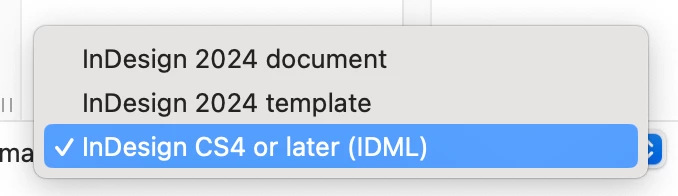
If the other solutions suggested don't work try saving a copy of the the earlier version as an IDML version and try opening that as an new InDesign document in your latest version of InDesign.

By the way, always keep regularly incrementally named copies of your work so you can revert to an earlier version should the recent version become corrupt or lost.

3 replies

Derek Cross
Community Expert
Derek CrossCommunity ExpertCorrect answer
Community Expert
December 31, 2023

If the other solutions suggested don't work try saving a copy of the the earlier version as an IDML version and try opening that as an new InDesign document in your latest version of InDesign.

By the way, always keep regularly incrementally named copies of your work so you can revert to an earlier version should the recent version become corrupt or lost.

Community Expert
December 31, 2023

The question is not very clear to me. So you have 2024 on your new laptop and 2023 on your old laptop and when you download/transfer your files from old laptop to new they don't open. Right? If so then please let us know the following

  • What error do you get when you try to open the files?
  • How did you donwload/transfer the files from old to new laptop?
  • Check the file size on both laptops is it the same? If not then you might have downloaded an incomplete version of the file

-Manan

-Manan
AnviiAuthor
Participant
January 1, 2024

Hi Manan, thank you very much I have resolved the problem by deleting it and redownloading it. Thanks for your time.

G_Man
Inspiring
December 30, 2023

Hi Anvii. Unintsall (via Adobe Cloud) Indesign 2023 and 2024 from your laptop, then reinstall 2024 version and it will be the default aplication. I had same issue and it worked.