
Exit
  • Global community
    • Language:
      • Deutsch
      • English
      • Español
      • Français
      • Português
  • 日本語コミュニティ
  • 한국 커뮤니티
2

InDesign 2024 - Post Export Dialog Box actions and Freezes

New Here ,
Mar 15, 2024 Mar 15, 2024

Hello the past few days, I have been having an issue with my Adobe Indesign 2024 app, which has been hindering me with workflow.


When I try to export a file, I get this export dialog box (see image below) but once I press enter or hit the save button, nothing happens. I check my task manager right after the export, it shows "Adobe Indesign 2024" is not responding.


I have updated to current Indesign version (19.3). I have uninstalled and reinstalled the Indesign app through Creative Cloud. And I still have this issue. I work on Windows
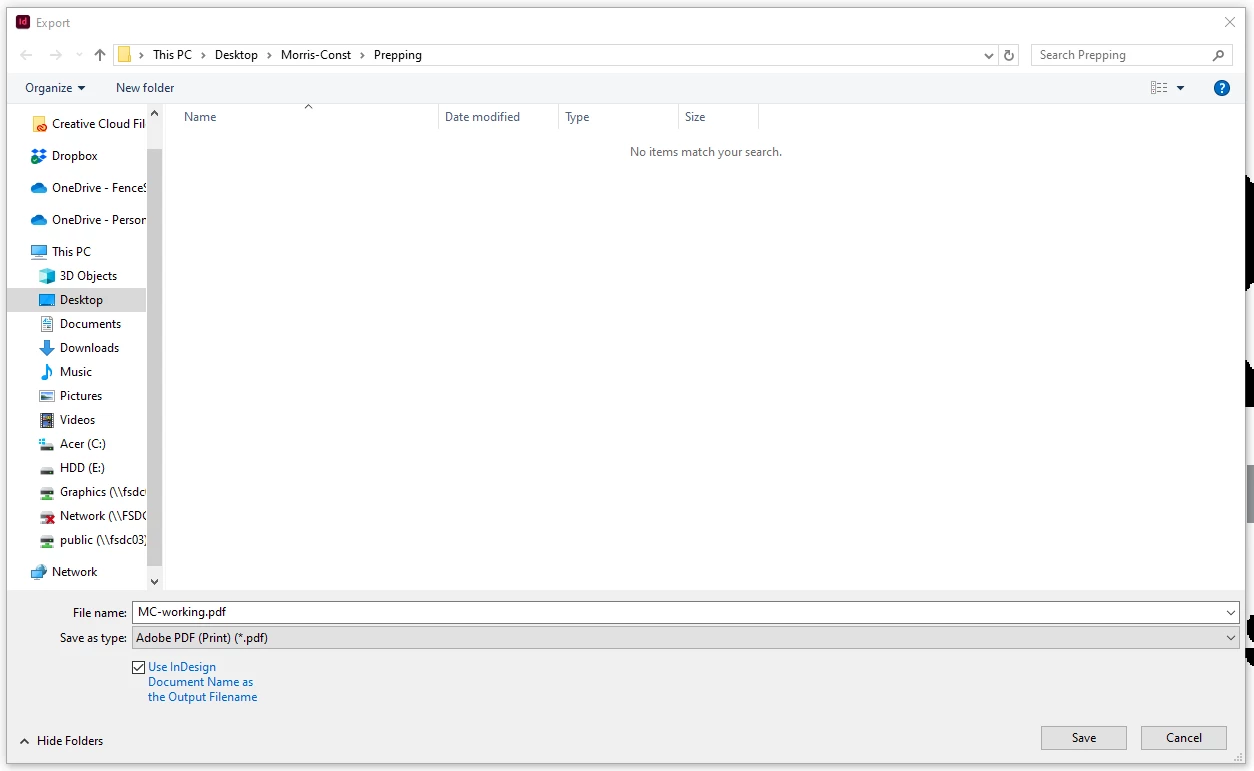
 

indesign-export-dialog-box-img1.PNG

TOPICS
Bug , Import and export
311
Translate
Report
Community guidelines
Be kind and respectful, give credit to the original source of content, and search for duplicates before posting. Learn more
community guidelines
Adobe Employee ,
Mar 15, 2024 Mar 15, 2024

Hi,


Sorry to hear about the trouble. Please try the suggestions shared in this discussion and let us know if this helps or if you need further assistance.


Thanks

Rishabh

Translate
Report
Community guidelines
Be kind and respectful, give credit to the original source of content, and search for duplicates before posting. Learn more
community guidelines
Community Expert ,
Mar 15, 2024 Mar 15, 2024

If a document is not behaving well then try 

File>Export 

Choose IDML

Open the IDML in InDesign
Save the file as a new InDesign file with a new name
See if the issue persists.


=======

Try resetting your preferences:

Windows: Start InDesign, and then press Shift+Ctrl+Alt. Click Yes when asked if you want to delete preference files.
macOS: While pressing Shift+Option+Command+Control, start InDesign. Click Yes when asked if you want to delete preference files.
A dialog will appear asking to delete the InDesign Preferences, select 'Yes' on this dialog.
Further info and instructions here if needed:
https://helpx.adobe.com/in/indesign/kb/indesign-preferences-support-file-locations.html


============

Reinstalling rarely fixes everything - you can do a complete reinstall using the
Creative Cloud Cleaner Tool https://helpx.adobe.com/creative-cloud/kb/cc-cleaner-tool-installation-problems.html


Translate
Report
Community guidelines
Be kind and respectful, give credit to the original source of content, and search for duplicates before posting. Learn more
community guidelines
Adobe Employee ,
Apr 12, 2024 Apr 12, 2024
LATEST

Hi @UbeIceCream,

Hope you're doing well!

We would like to follow up on the issue. Are you able to resolve the issue by following the suggestion shared in the thread? Please feel free to update the discussion if you need further assistance from us.


We would be happy to help.


Thanks,

Harshika

Translate
Report
Community guidelines
Be kind and respectful, give credit to the original source of content, and search for duplicates before posting. Learn more
community guidelines