Participating Frequently
April 24, 2018
Answered

Indesign adaptable storyboard template?

  • April 24, 2018
  • 1 reply
  • 3179 views

Hello

I work as a storyboard artist and bought Indesign CS6 recently in the hope of creating a storyboard template.

I need a template that will allow me to move images (with their notes attached) around within a sequence - and for the numbering system to adjust accordingly.

Ie. If I remove frames, the sequence doesn't suddenly have missing numbers within it.

I have used an app called Storyboard Pro in the past but it has a very limited choice of layouts when exported.

Any help/ suggestions would be much appreciated. It isn't a complicated function, so I am surprised that it isn't widely available.

Thanks in advance.

Jake
    This topic has been closed for replies.
    Correct answer Laubender

    Hi Jake,

    the solution implies one text frame that is threaded from page to page.

    That frame is holding the contents in paragraphs. Every entry—paragraph numbering, the image and the side notes.

    The image and the side note can reside either in a group of two frames, a graphic frame and a text frame. That group will be anchored to the paragraph.

    The paragraph numbering is done automatically.

    If you want to move an entry to a different position you can simply cut and paste a whole paragraph.

    The numbering will be reordered.

    Some screenshots showing this below.

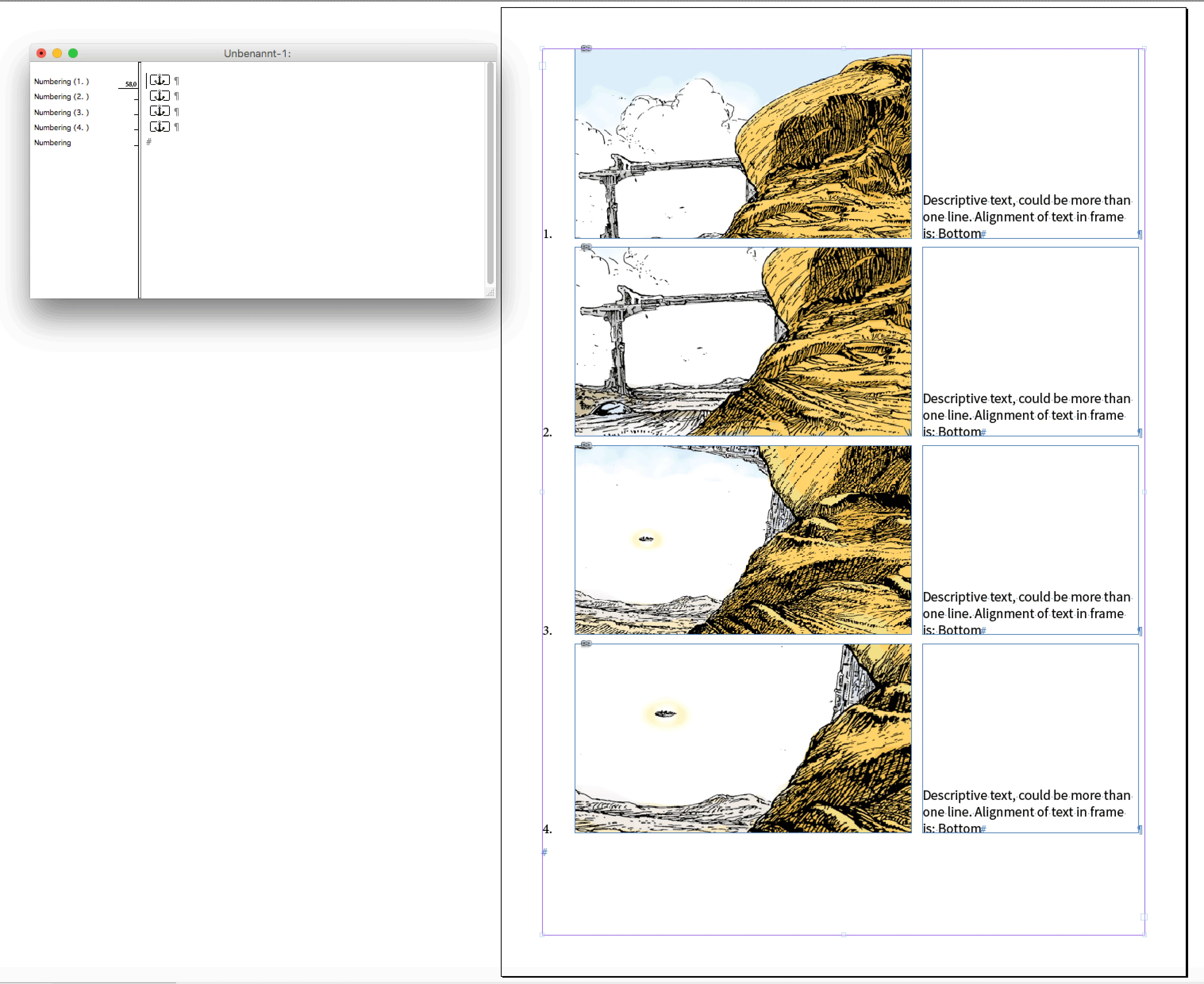
    Text frame selected. In the Story Window you'll see 4 anchored objects. One in every paragraph:

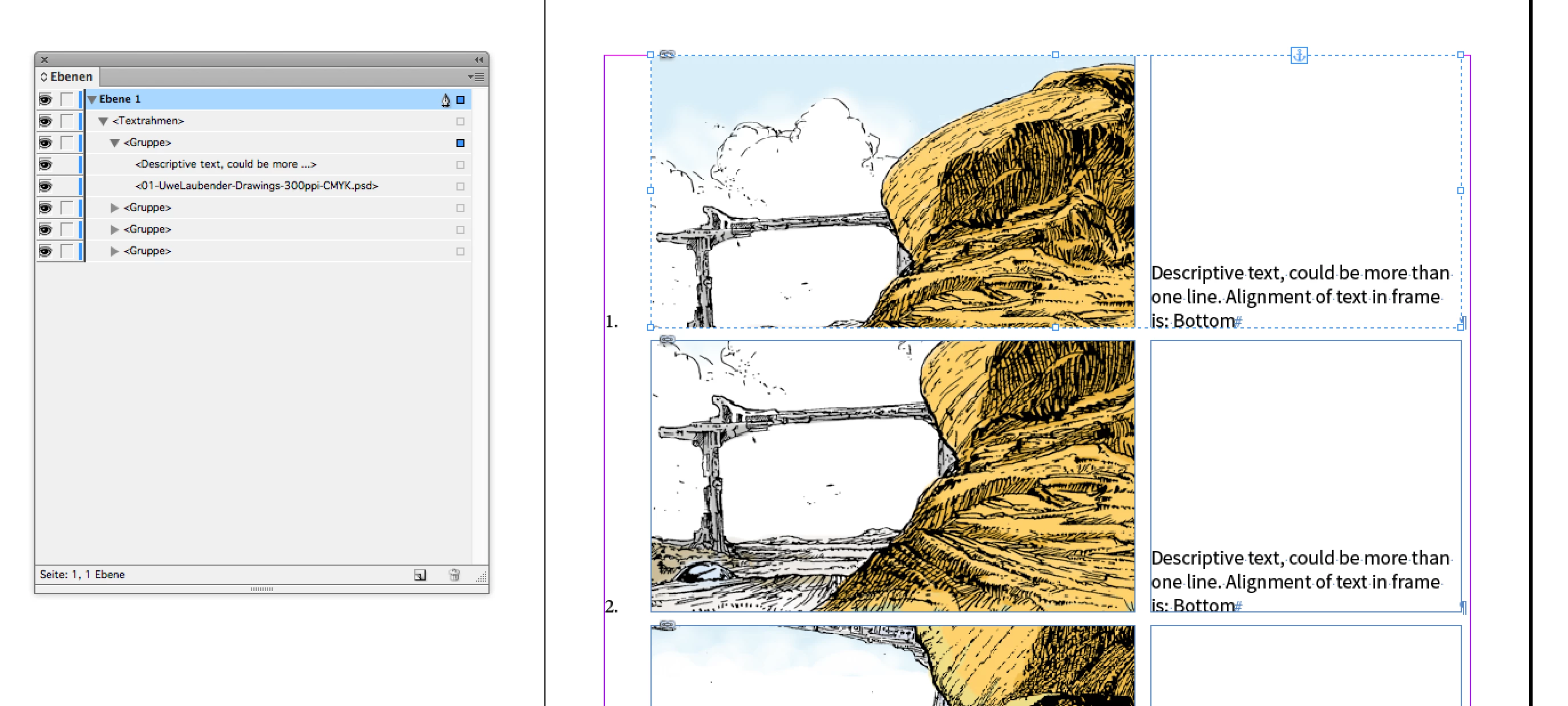
    Here on of the groups selected and the Layers panel opened:

    Text frame of the group selected. The group consists of two objects, left the graphic frame with an image, right a text frame:

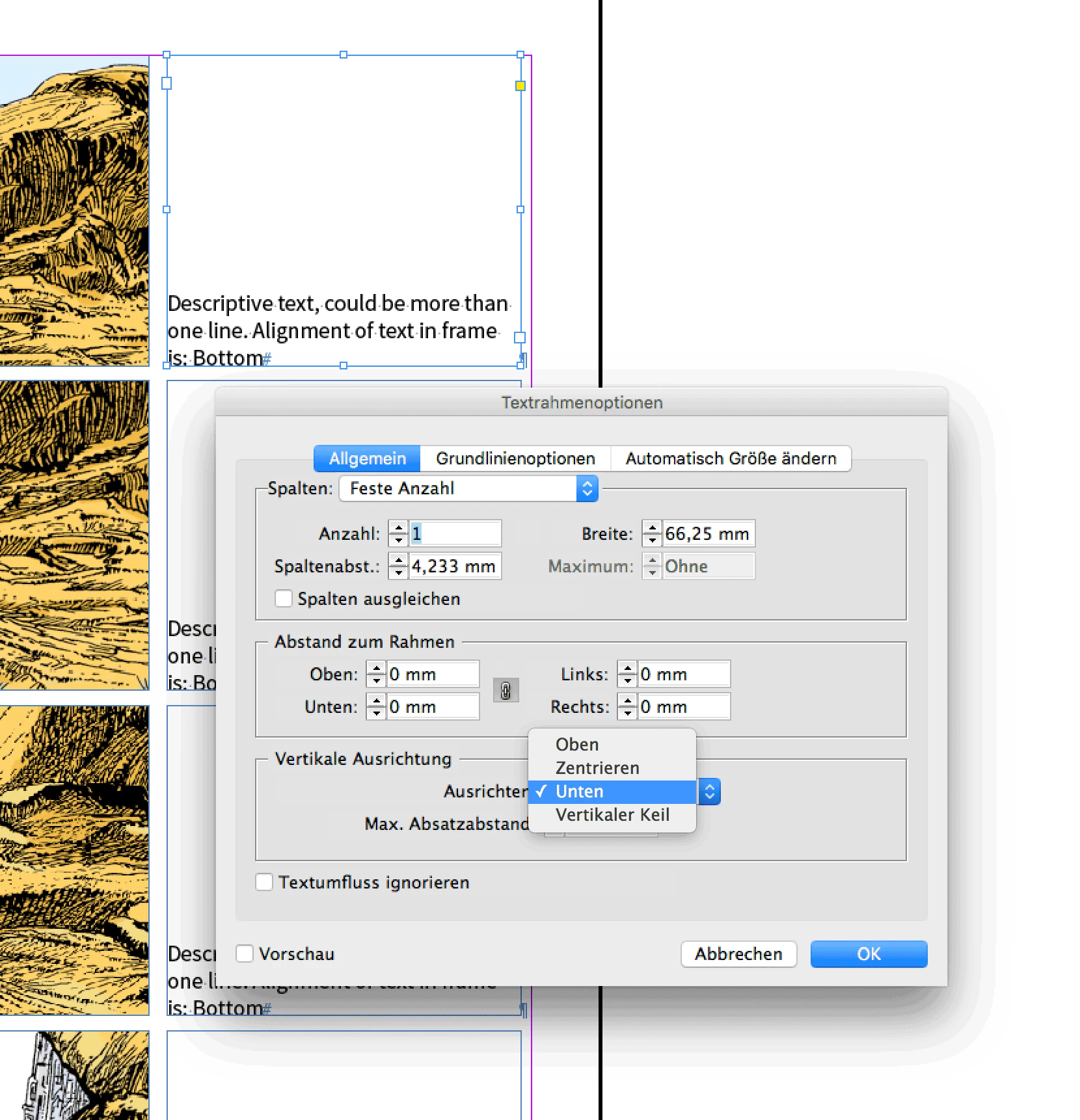
    Text frame options for alignment of text inside the frame is set to Bottom alignment:

    And finally the paragraph marker selected and the paragraph style options that is doing the automatic numbering of the paragraphs:

    Regards,
    Uwe


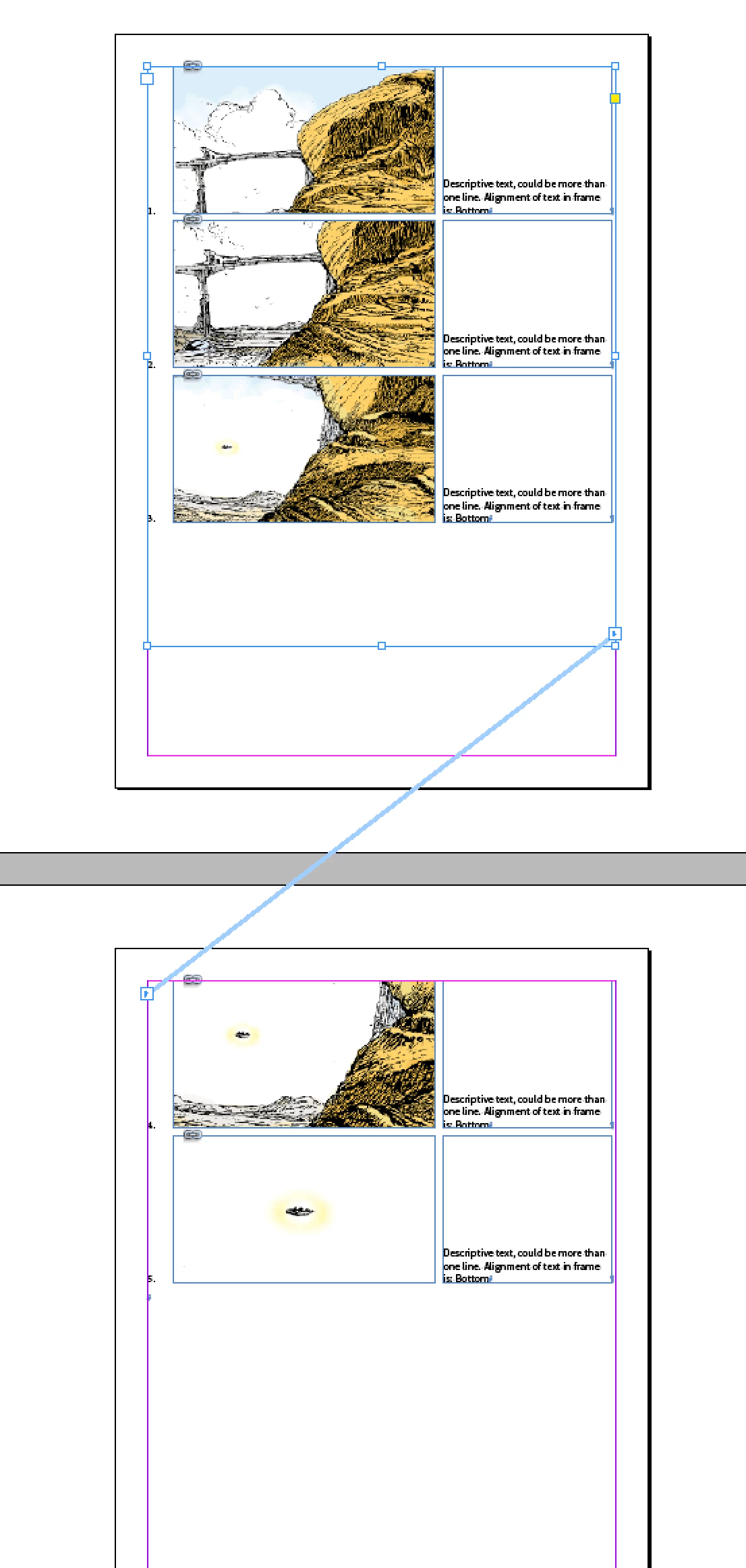
    Forgot the view on two text frames threaded over different spreads:

    You could always add paragraphs or remove whole paragraphs:

    The numbering will change accordingly.

    Regards,
    Uwe

    1 reply

    Community Expert
    April 25, 2018

    Hi Jake,

    can you show a screenshot of one of your pages?

    I'm sure there is a solution, but before suggesting something I have to see the layout.

    Regards,
    Uwe

    jakesjazzAuthor
    Participating Frequently
    April 25, 2018

    Hi Uwe

    Thanks for the response.

    Here is a sample sheet. It would also have scene numbers alongside each panel - information that would not move with the panel image.

    All the best.

    Jake

    mattrittman
    Known Participant
    April 16, 2024

    Hi Jake,

    doing the group you could first create an empty graphic frame, then change the frame fitting options for the frame to automatically center the incoming image and with fill frame proportionally with image. Then do the text frame that should hold the notes next to the graphic frame. Select both and do "Group". Next step is to copy the group to the clipboard. Select an insertion point with the Type Tool in the big text frame you want to thread through the pages and paste the contents to the selected insertion point. Make sure, that the group's width is less wide than the big text frame! Otherwise you create permanent overset.

    Best,
    Uwe


    @Laubender, are you able to provide a template file for your solution? I'm really struggling to get this to work.