


dzgnr89
Inspiring
April 18, 2017
Question

Indesign adding blank wireframe page on left of two spread, not allowing the pages to flow easily

  • April 18, 2017
  • 2 replies
  • 2310 views

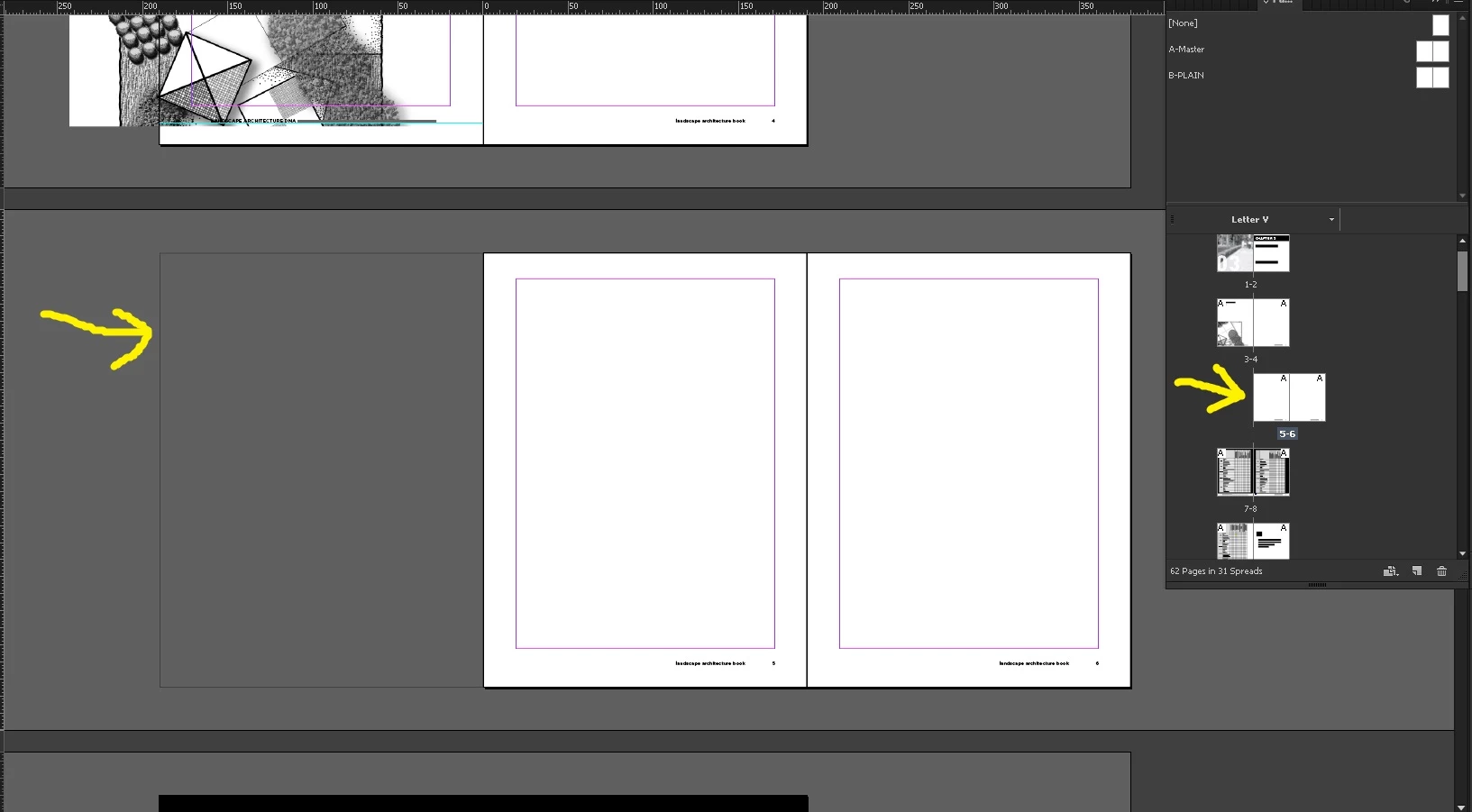
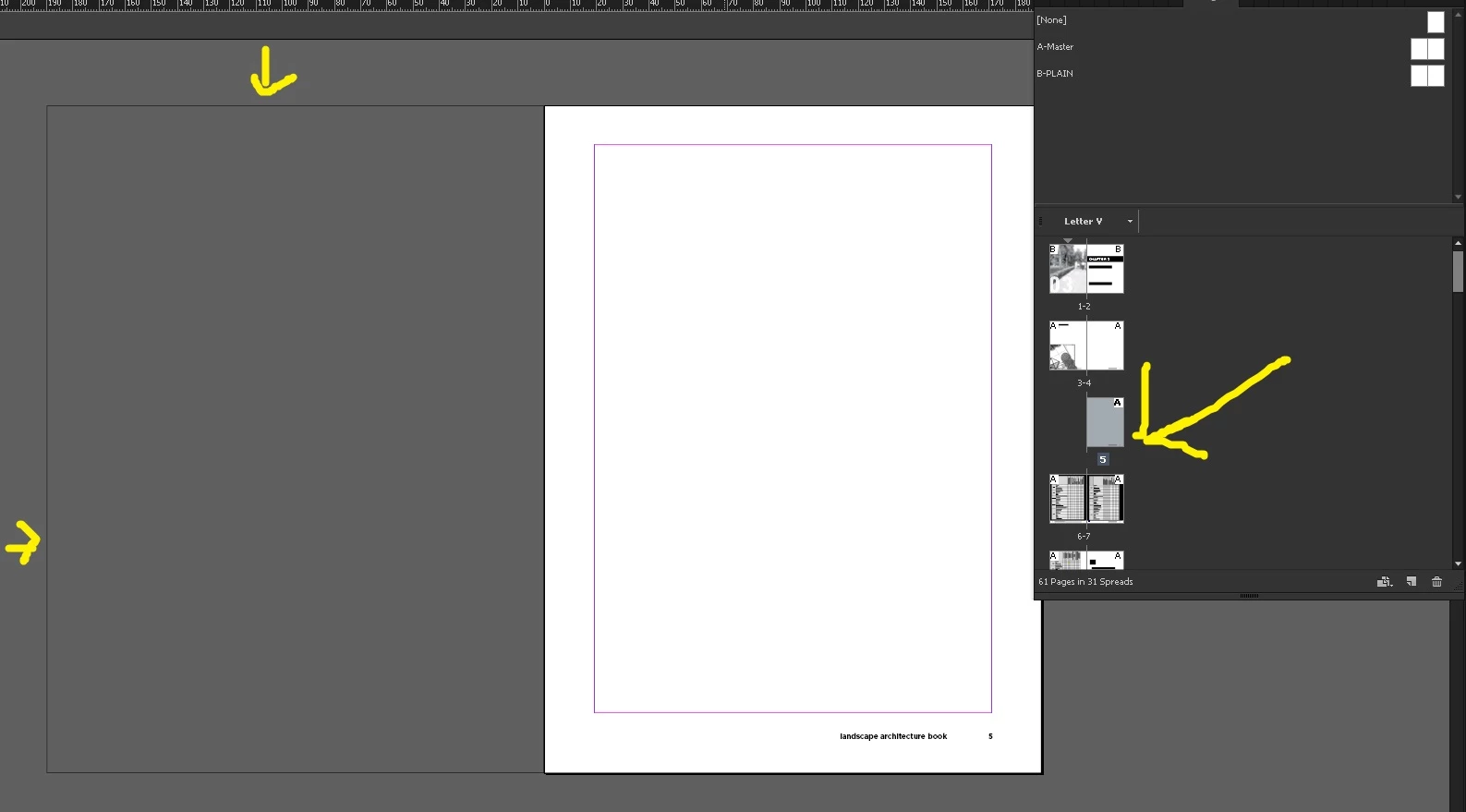
I started my document in such a way that page number one was on the left side. I don’t know what happened today. I was adding a page within the document and indesign is adding new page on the right side and a blank rectangular line page on the left. I have tried fiddling with allow document pages to shuffle but I am not able to figure out the problem. I want the pages to flow easily. What should I do?
    This topic has been closed for replies.

    2 replies

    vinny38
    Legend
    April 18, 2017

    Hi

    Do you really need to start your document with page 1 on left side?

    Odd pages are meant to be always on right side and disabling auto shuffling, just like you did, may be fine for a small document, but will give you headache for larger ones.

    So I advise you start with an even page number if possible...

    dzgnr89
    dzgnr89Author
    Inspiring
    April 18, 2017

    vinny38  wrote

    Hi

    Do you really need to start your document with page 1 on left side?

    Odd pages are meant to be always on right side and disabling auto shuffling, just like you did, may be fine for a small document, but will give you headache for larger ones.

    So I advise you start with an even page number if possible...

    Actually I am working on a book. The chapter has a two page spread cover page. Then the chapter begins.

    Hence, I have page one on left, two on the right. These have a big photograph. On page three, my chapter text starts. I have till now only made first chapter and working on the second chapter. Those chapters have separate .indd files.

    vinny38
    Legend
    April 18, 2017

    Okay, but this could be achieved in a regular way.

    Set your "cover pages" as pages 2 and 3, then text start on page 4...

    No problem whatsoever ^^ Or did I miss something?

    dzgnr89
    dzgnr89Author
    Inspiring
    April 18, 2017

    Even if I adjust the spread by dragging it to left, on going at the end of the document and adding more pages, the problem still comes. In the end of the document, on adding new pags, Indesign adds these black rectangle pages on left and pushes my layout to the right.

    Barb Binder
    Community Expert
    Community Expert
    April 18, 2017

    That wireframe is odd, but let's give it a go. Open the Pages panel menu. Are both Allow Pages to Shuffle and Allow Spreads to Shuffle enabled? If not, turn them both back on. Does that take care of it? If not, try dragging the pages around in the Pages panel. With both Shuffles on, they should snap back into place then, if they didn't already.

    ~Barb at Rocky Mountain Training
    dzgnr89
    dzgnr89Author
    Inspiring
    April 18, 2017

    BarbBinder  wrote

    That wireframe is odd, but let's give it a go. Open the Pages panel menu. Are both Allow Pages to Shuffle and Allow Spreads to Shuffle enabled? If not, turn them both back on. Does that take care of it? If not, try dragging the pages around in the Pages panel. With both Shuffles on, they should snap back into place then, if they didn't already.

    I have disabled allow document pages to shuffle. There is no option in the pages panel menu that says "allow pages to shuffle". If I enable this option, my page one goes to right and the problem is resolved. I want my page one to be on the left side.