

angelos1974
Inspiring
October 10, 2023
Answered

InDesign alternating Parent/Master pages

  • October 10, 2023
  • 2 replies
  • 1988 views

Just wondering if anyone has a quick solution to this. 

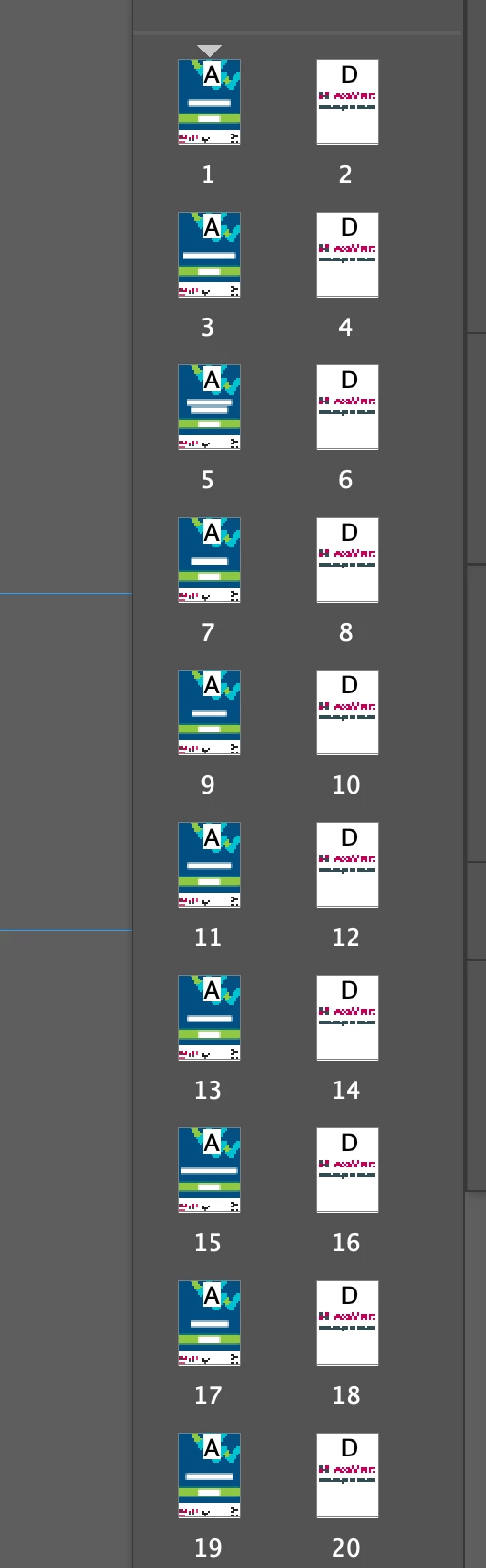
I have 550 unique pages in InDesign and all 550 pages share the same common back, 1100 pages all up. I’ve created a master/ Parent page for the Common Back so it can be placed into the document without any further work to be done to it. My printer has requested that he wants the front and the back in a sequence ie Front unique page on page 1 and then on page 2 the Common Back, then Unique page on page 3 and then the Common Back on page 4 and so on....

My question is is there a quick way of applying the common Back page without having to do all 550 pages individually? 

See exapmle below

If anyone can help soon it would be much appriciated.

thanks

Angelos
 

Correct answer Willi Adelberger

THe solution would be to work correctly: Set up the document with facing pages.

2 replies

Inspiring
March 17, 2025

I know this is an older post, but today I found a video that does this two different ways, and someone (else) might still be searching for a quick answer.

Mike the Printman Video 

Willi Adelberger
Community Expert
Willi AdelbergerCommunity ExpertCorrect answer
Community Expert
March 17, 2025

THe solution would be to work correctly: Set up the document with facing pages.

Dan Rodney
Community Expert
Community Expert
October 10, 2023

From what I understand you want to apply a parent page to either all odd or even pages. In that case, there are some solutions mentioned here https://indesign.uservoice.com/forums/601021-adobe-indesign-feature-requests/suggestions/31018072-applying-master-pages-to-all-even-or-all-odd-p


Check out the idea from Bob Woodruff about using Layout > Pages > Apply Parent to Pages feature using a list of even or odd numbers.

— Adobe Certified Expert & Instructor at Noble Desktop | Web Developer, Designer, InDesign Scriptor
angelos1974
Inspiring
October 10, 2023

Hey Dan thank you for your reply/sugestions. I was really pushed for time so ended up splitting the document in 4 sections so it was much easier to handle and and did it manually. I will try the sugestions in later time.

thanks again