Answered
InDesign and EPS icons changed to AI
A few weeks ago, all my Adobe icons have changed to AI. So EPS and InDesign files, all have AI icon which makes it hard to find the correct file! Any reason why?

A few weeks ago, all my Adobe icons have changed to AI. So EPS and InDesign files, all have AI icon which makes it hard to find the correct file! Any reason why?
Windows
"Windows" *which version? 10? 11?
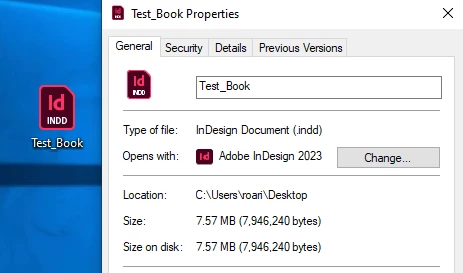
First thing is check your file associations. For example, right click on an InDesign file in File Explorer and make sure the default application is InDesign. If not, change it in Properties. If it is correctly set, then something else is at play,
Already have an account? Login
Enter your E-mail address. We'll send you an e-mail with instructions to reset your password.
 AdChoices