Participant
December 10, 2023
Answered

InDesign app does not allow me to save to the cloud. Nor does cloud let me upload .indd docs.

  • December 10, 2023
  • 3 replies
  • 574 views

When I click "save as" in InDesign, the app is supposed to give me the option to save to the cloud. It does not do that. On the cloud website, when I try to upload my .indd files, I get red exclamation error that says, "file type not supported."

Is this a setting somewhere? How do I fix this?
This topic has been closed for replies.
Correct answer rob day

When I click "save as" in InDesign, the app is supposed to give me the option to save to the cloud


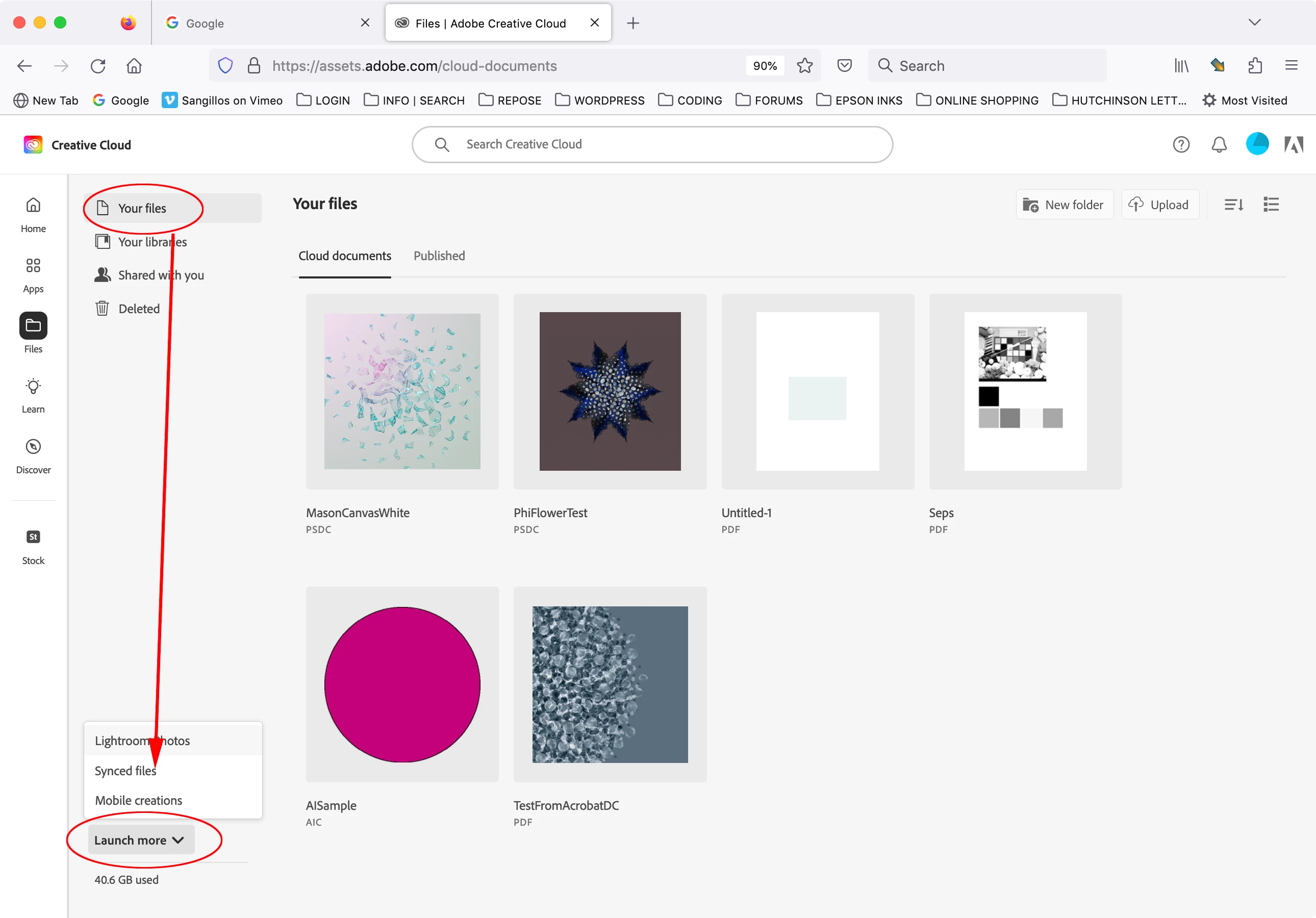
Hi @Karl32289576gxxf , InDesign does not have a dedicated cloud format—currently there is no InDesign equivalent to Photoshop’s .PSDC and Illustrator’s .AIC cloud formats.


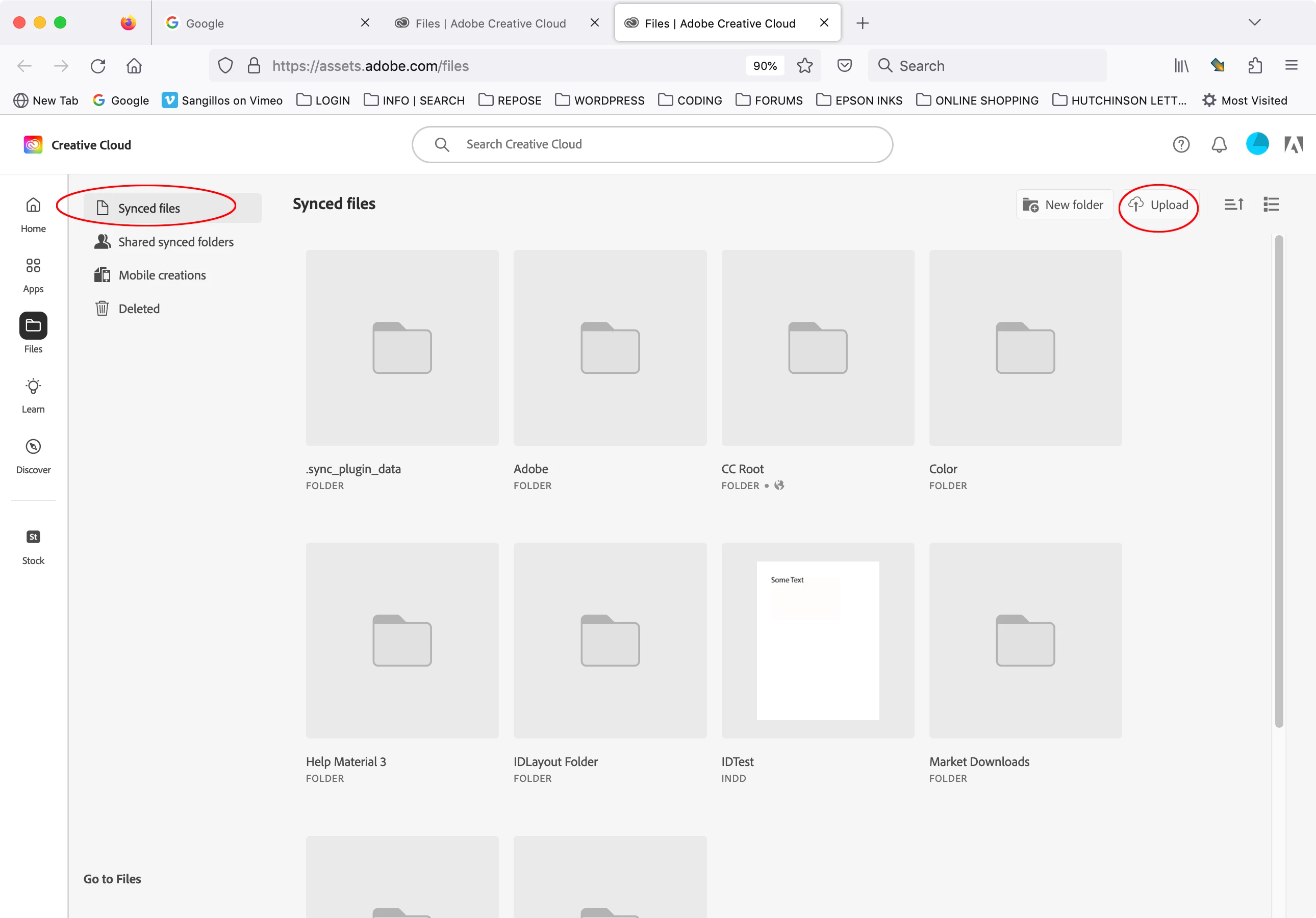
If you want to save InDesign files to your Adobe cloud account the only option is syncing—either save your .INDD files to your local user Creative Cloud Files folder where they will automatically sync to your cloud account, or manually upload them to the CC website’s Synced files folder (not the Cloud documents folder):


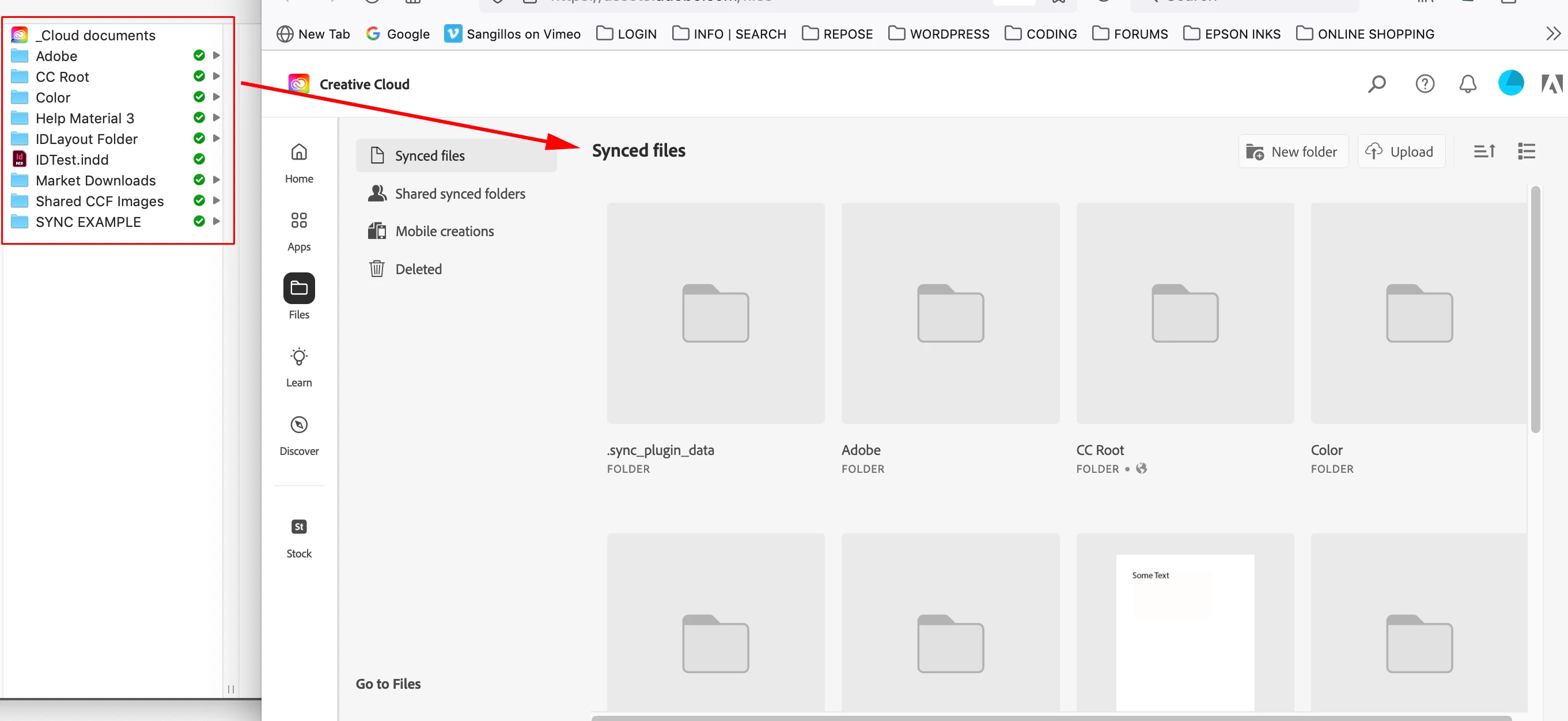
The local Creative Cloud Files folder automatically syncs to the cloud when file syncing is turned on:


3 replies

rob day
Community Expert
rob dayCommunity ExpertCorrect answer
Community Expert
December 10, 2023

When I click "save as" in InDesign, the app is supposed to give me the option to save to the cloud


Hi @Karl32289576gxxf , InDesign does not have a dedicated cloud format—currently there is no InDesign equivalent to Photoshop’s .PSDC and Illustrator’s .AIC cloud formats.


If you want to save InDesign files to your Adobe cloud account the only option is syncing—either save your .INDD files to your local user Creative Cloud Files folder where they will automatically sync to your cloud account, or manually upload them to the CC website’s Synced files folder (not the Cloud documents folder):


The local Creative Cloud Files folder automatically syncs to the cloud when file syncing is turned on:


Bill Silbert
Community Expert
Community Expert
December 10, 2023

Have you recently updated your InDesign to CC 2024? If so then it is possible that whatever cloud server that you are using has not yet been made compatible with CC 2024. This often is the case since due to security protocols many times servers are left unupdated for as long as possible. As Willi suggested check with your System administrator.

Willi Adelberger
Community Expert
Community Expert
December 10, 2023

You should ask your tech support for your cloud service. Nothing what InDesign cann change. Maybe your System administrator does not know InDesign’s file types and has blocked them.