Participant
October 23, 2024
Question

InDesign Beta 20.1 Freezes on Launch – Surface Laptop 7 Issue

  • October 23, 2024
  • 3 replies
  • 1867 views

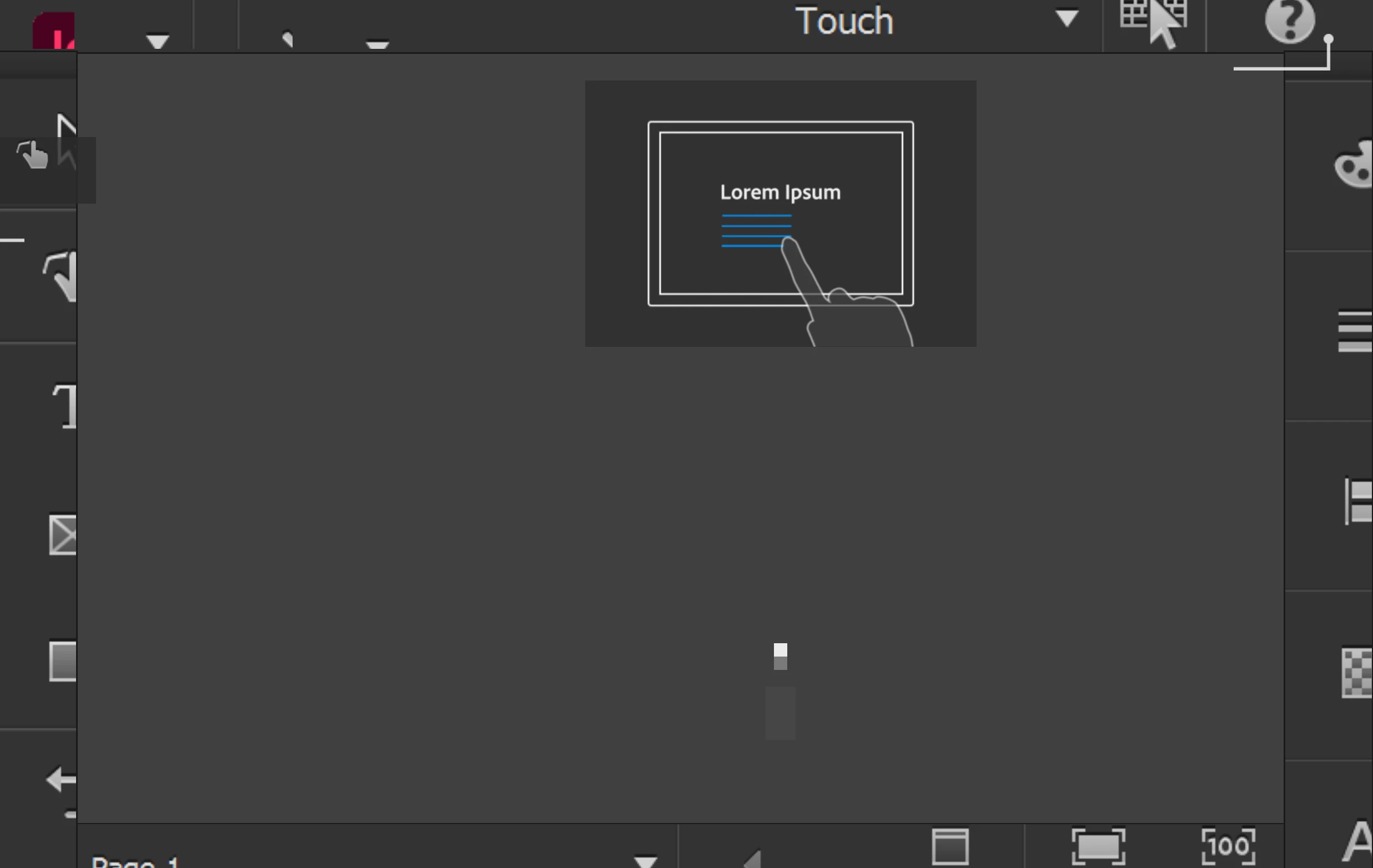
When I bring up InDesign, I get this the screen shown below. Nothing is responsive on the screen.


<Title renamed by MOD>

This topic has been closed for replies.

3 replies

Frans v.d. Geest
Community Expert
Community Expert
November 20, 2024

Hou're in the touch screen Workspace, an annoying Windows laptop thing. Change it to something like Advanced an restart InDesign

RodlksAuthor
Participant
October 23, 2024

I had the same problem this morning, about four hours ago. Then, when I tried opening it to record for you about 45 minutes ago it opened correctly. Previously the screen appeared correct for 1-2 seconds and then changed to the screen I clipped. When the screen appreared correctly I tried to click on the menu but got no response, it just went on to the frozen screen. A half-hour ago I set Snip to record, clicked on Start, the clicked on Creative Cloud, then clicked on "Open" to open beta 20.1 x64 (Mainline CI #040a3c3), I closed the color management error window, and Indesign opened normally. I have loaded a 13MB file and edited with no problem, closed the program and reopened again with no problem. Having InDesign working on this Surface Laptop 7 will allow me to keep this laptop. Thank you for your work porting InDesign to ARM.

Abhishek Rao
Community Manager
Community Manager
October 24, 2024

Hi @Rodlks,


Thanks for the update! I'm glad to hear that InDesign is working for you now. It sounds like the issue may have been intermittent. If you encounter any further problems or if the freezing happens again, please share the screen recording when you can. 

Your feedback about running InDesign on ARM devices is valuable, and I appreciate your patience during this process. If you need any more assistance or have questions, feel free to reach out!


Best,  
Abhishek Rao

Abhishek Rao
Community Manager
Community Manager
November 11, 2024

I am using a Microsoft Surface 7th Edition. Indesign Beta program will not open when I click on it via Creative Cloud or when I try to open and indesign file,


Hi @mcqueen18,


Thanks for the details! Could you please share a screen recording demonstrating what happens when you click on the InDesign Beta icon in the Creative Cloud app or try to open a document? This will help us better understand the issue and assist you more effectively.


Looking forward to your response!


Thanks, 

Abhishek Rao


Abhishek Rao
Community Manager
Community Manager
October 23, 2024

Hi @Rodlks,


Could you please share a screen recording of the entire workflow leading up to the freeze? This will help us identify any specific actions that might be triggering the issue. If possible, start the recording from the moment you launch InDesign until the freeze occurs.

Additionally, if you get the chance before the freeze occurs, could you try switching the workspace type? You can do this by going to Window > Workspace and selecting a different workspace (e.g., "Essentials" or "Typography"). Let me know if that makes any difference.

Thank you! I look forward to your response!


Thanks, 

Abhishek Rao


Frans v.d. Geest
Community Expert
Community Expert
November 20, 2024

The OP is in the Touch screen workspace. Correct advice would have explained that and indeed would advice to get out of that.