


InDesign button opens multiple tabs
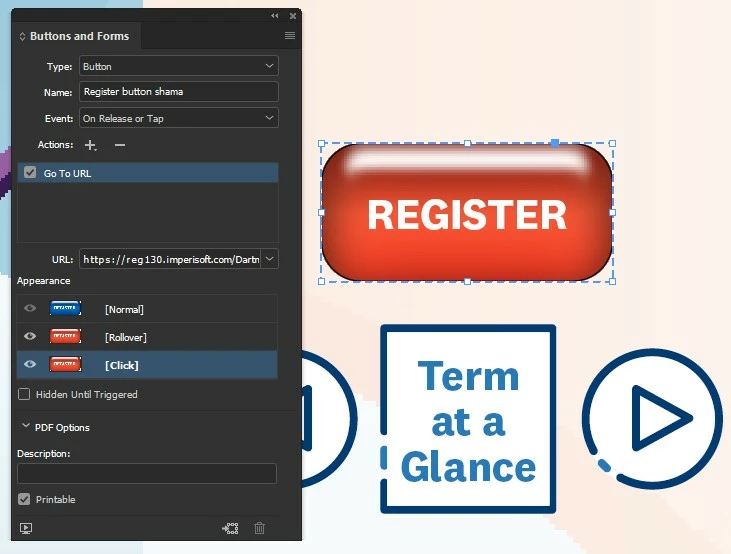
I recently created and published a course catalog online via InDesign (v 16.0 on Windows). Each course listing includes a "Register" button designed to open a new tab and take the user to the page for that specific course. After receiving a heads-up about a problem, I checked the online catalog and found that when accessed via Firefox (I tested using Firefox v 83.0 in Windows 10), each Register button opens the desired page in two new tabs. This doesn't happen in Chrome (using in Windows 10, Chrome v 87.0.4280.66) or in Safari (using on Mac, Safari v 13.1.3) - the button opens the desired page in a single new tab in both browsers. (No problems when accessing via iPad on Safari or Chrome - single tab opens as intended.) I'm including a screenshot of one of the buttons below - they all use the same settings, different URLs. (And I tested multiple buttons, all with the same results.) Any ideas why this happens in Firefox, and any suggestions on how to correct it?
 AdChoices