Pariah Burke
Community Expert
Community Expert
January 2, 2025
Question

InDesign can't read metadata from multiple images

  • January 2, 2025
  • 5 replies
  • 526 views

macOS 15.2, InDesign 20.0.1


Problem: Metadata inside an image not being recognized by InDesign 2025.


Details:

  • Multiple images from different sources containing metadata that InDesign doesn't recognize
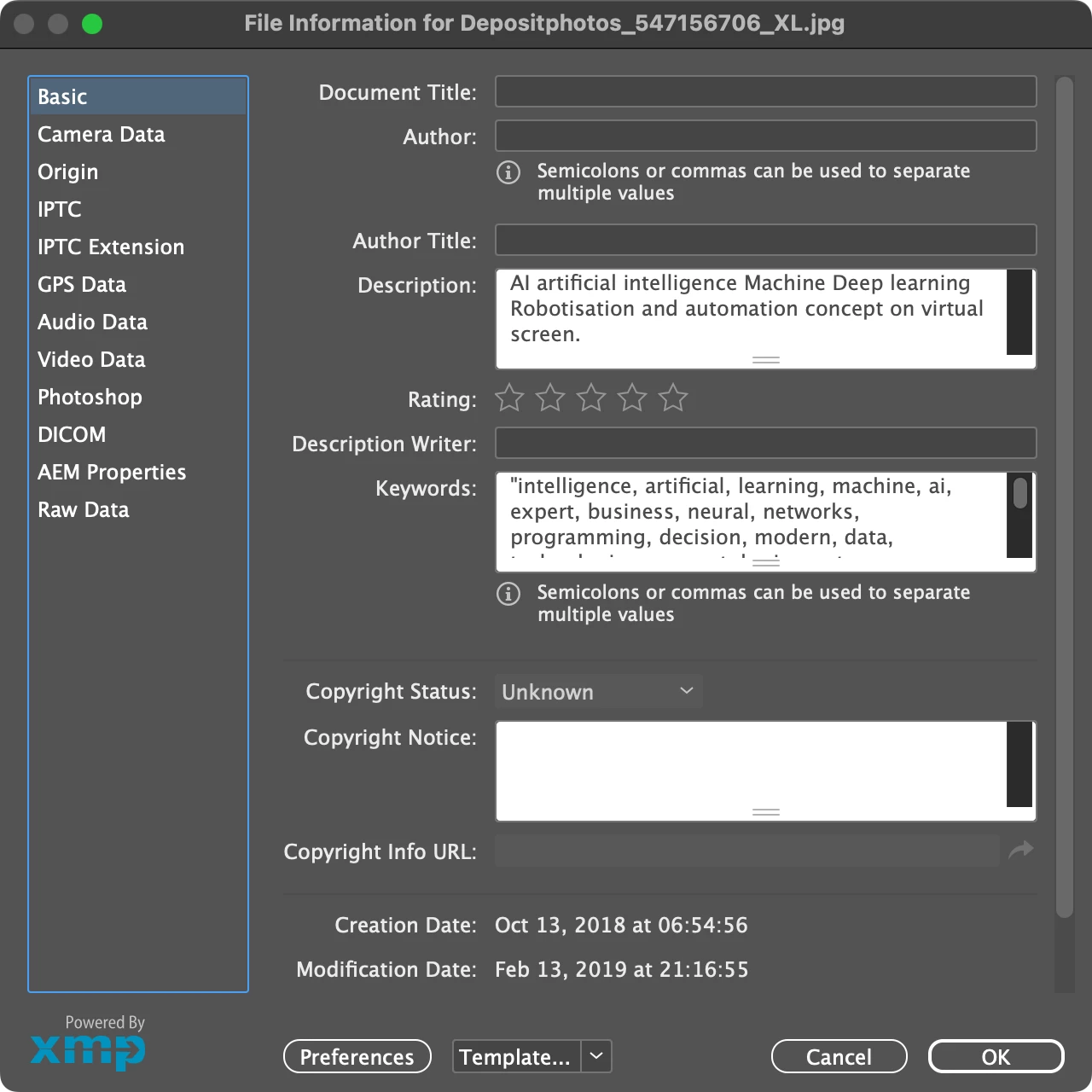
  • Presence of metadata in XMP Description field verified in Bridge and via InDesign's Links panel XMP File Info command.
  • Generating a Live Caption or Static Caption when using the Description field returns "<No data from link>".
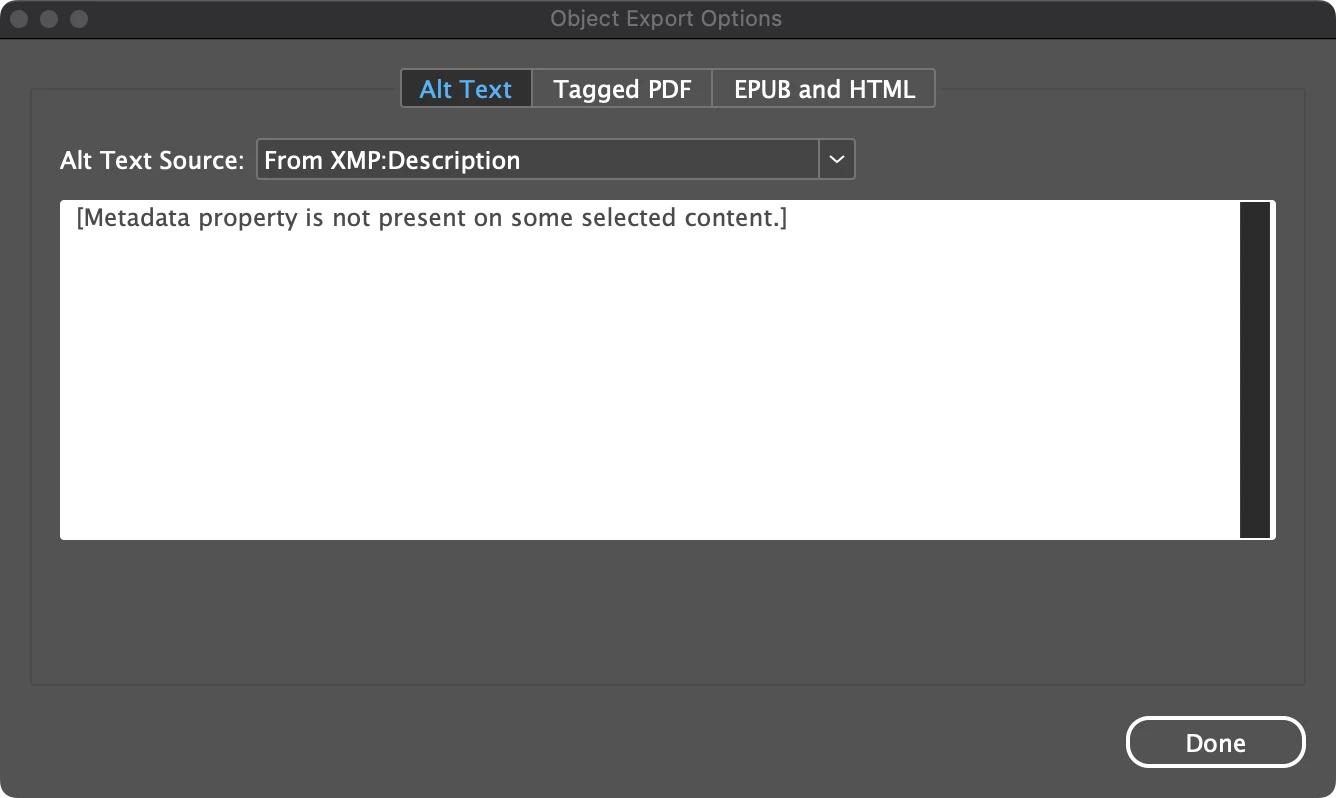
  • Setting Object Export Options > Alt Text Source to From XMP: Description results in "metadata property is not present on some selected content".
  • When a PDF is generated using the images in question, the metadata is not passed through to the PDF, resulting in missing alt text accessibility errors.
  • Manually writing (or copying and pasting) the metadata to the Alt Text Source as Custom works, but as does manually creating a caption, but automation is the point.
 

5 replies

James Gifford—NitroPress
Legend
January 5, 2025

If this needs a fix, maybe it will be to give ID a real caption feature in which "pull info from metadata" is a secondary/sub feature for the subset of pro users who work with managed image libraries, and not the restricting core of the entire model.


/editorial off

Robert at ID-Tasker
Legend
January 4, 2025

@Pariah Burke 


Have you tried to re-save those files in Photoshop? 


It's possible, that files have been created by application - you mention different sources - that put this metadata information incorrectly.


Like with PDFs or XLS files generated not from the "native" applications - and they need to be re-saved in the native application. 


Can you share a sample image? 


Pariah Burke
Community Expert
Community Expert
January 19, 2025

I hadn't tried re-saving in Photoshop, but I was editing the metadata in Bridge 2025 (release version).


I've forgotten which of the JPGs and PNGs whose metadata InDesign wouldn't read (the catalog went to press a couple weeks ago), so I don't even think I can troubleshoot further until it comes up again with another project.

Pariah Burke
Community Expert
Community Expert
January 4, 2025
Robert at ID-Tasker
Legend
January 4, 2025

@Pariah Burke


You should upload a sample of a file to your bug report - screenshots won't help anyone else to confirm if this is really InDesign's bug or something is wrong with the image file itself.


Barb Binder
Community Expert
Community Expert
January 3, 2025

Hi @Pariah Burke:


It's still working for me—the only difference is I'm macOS 14.7.1. Not sure if you teach from the CIB book, but this is an exercise from lesson 4 and it worked fine for my students last month, and they were attending on multiple platforms/versions. (As an aside, each time I think it's safe to update to Sequoia I see a post like this and think not today.)


You might want to also post this as a bug on the uservoice site. My understanding is that the intent is that we will have one integrated site like the Photoshop ecosystem page (and that's why we have the Bug and Feature Request tags), but for now the community forum is for software questions, and the uservoice site is for bugs/feature requests. 
https://indesign.uservoice.com


After posting it there, come back and add the link here so that other users with the same issue can hyperlink over and weigh in with their experiences and vote up the bug.


~Barb

~Barb at Rocky Mountain Training
Pariah Burke
Community Expert
Community Expert
January 4, 2025

Hi, @Barb Binder 


It's only some images. Out of 39 linked assets, InDesign isn't recognizing the metadata in 7 of them.


I'll post it to the bug site. Thanks. I usually don't like submitting bugs until I've asked for help in case I just missed something a peer can point out.

Robert at ID-Tasker
Legend
January 3, 2025

Maybe another bug? Have you tested the same files in 2024?