Participating Frequently
October 31, 2023
Answered

InDesign: Capital "S" not showing up in documents

  • October 31, 2023
  • 3 replies
  • 498 views

Hello,


I have a strange issue going on with InDesign. In some documents (not all documents) the capital "S" does not show up when I type it. Does anyone have any idea of what is happening?

This topic has been closed for replies.
Correct answer jmlevy

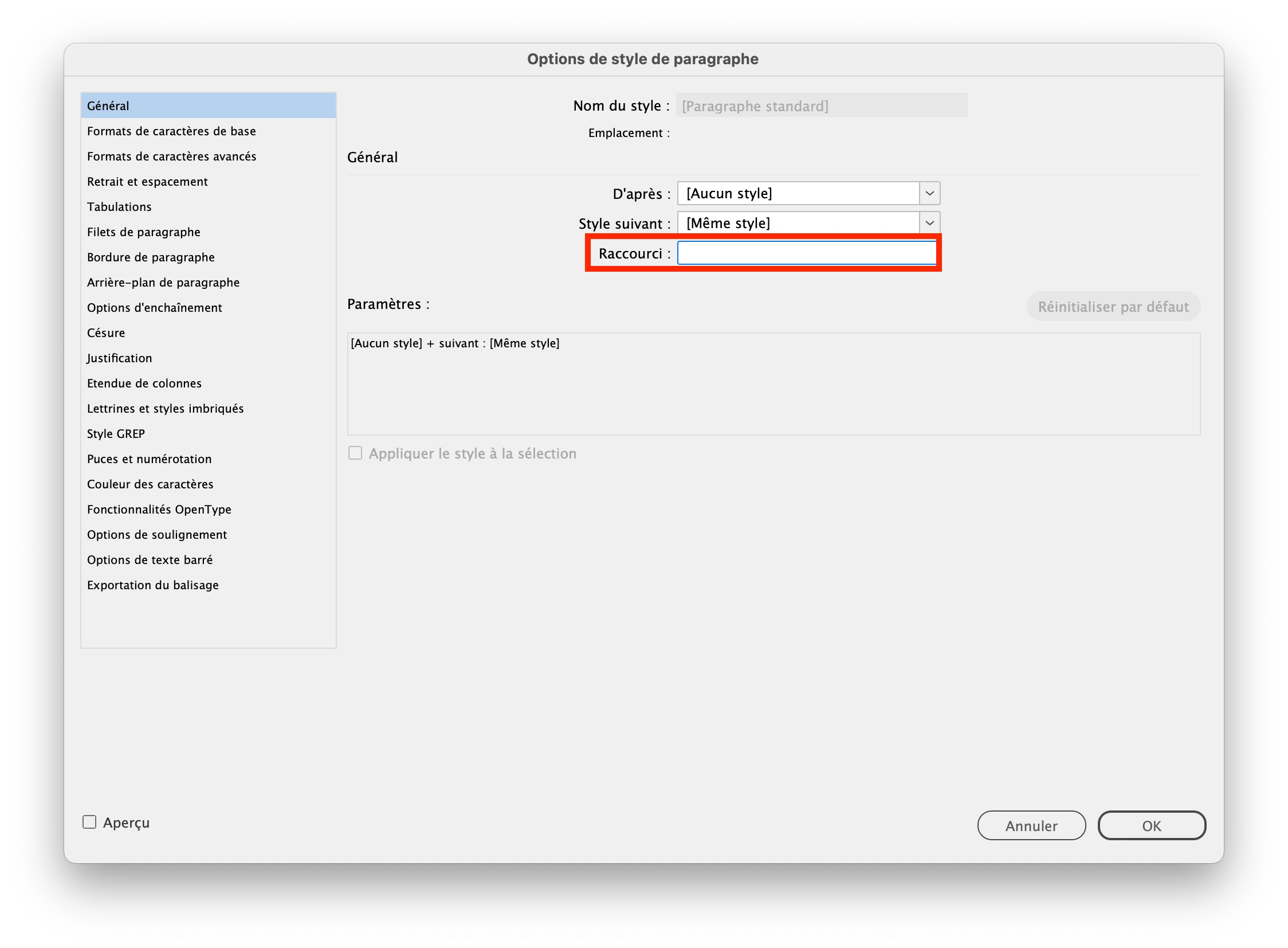
Check all your paragraph and character styles in the problematic documents and look at the assigned shortcuts.
3 replies

davecourtemanche
Inspiring
October 31, 2023

Is it happening with all fonts, or just a particular one?

jmlevy
Community Expert
Community Expert
October 31, 2023

Would it be possible that the S key has been assigned to a paragraph or character style shortcut?

dlink184Author
Participating Frequently
October 31, 2023

Not sure. How would I check that?


Thanks

dlink184Author
Participating Frequently
November 8, 2023

Check all your paragraph and character styles in the problematic documents and look at the assigned shortcuts.


I figured it out. It was an assigned character style to Shift-S.


Thanks

kglad
Community Expert
Community Expert
October 31, 2023

in the future, to find the best place to post your message, use the list here, https://community.adobe.com/

p.s. i don't think the adobe website, and forums in particular, are easy to navigate, so don't spend a lot of time searching that forum list. do your best and we'll move the post (like this one has already been moved) if it helps you get responses.


<"moved from using the community">
dlink184Author
Participating Frequently
October 31, 2023

Thank you!