
Participant
January 4, 2019
Answered

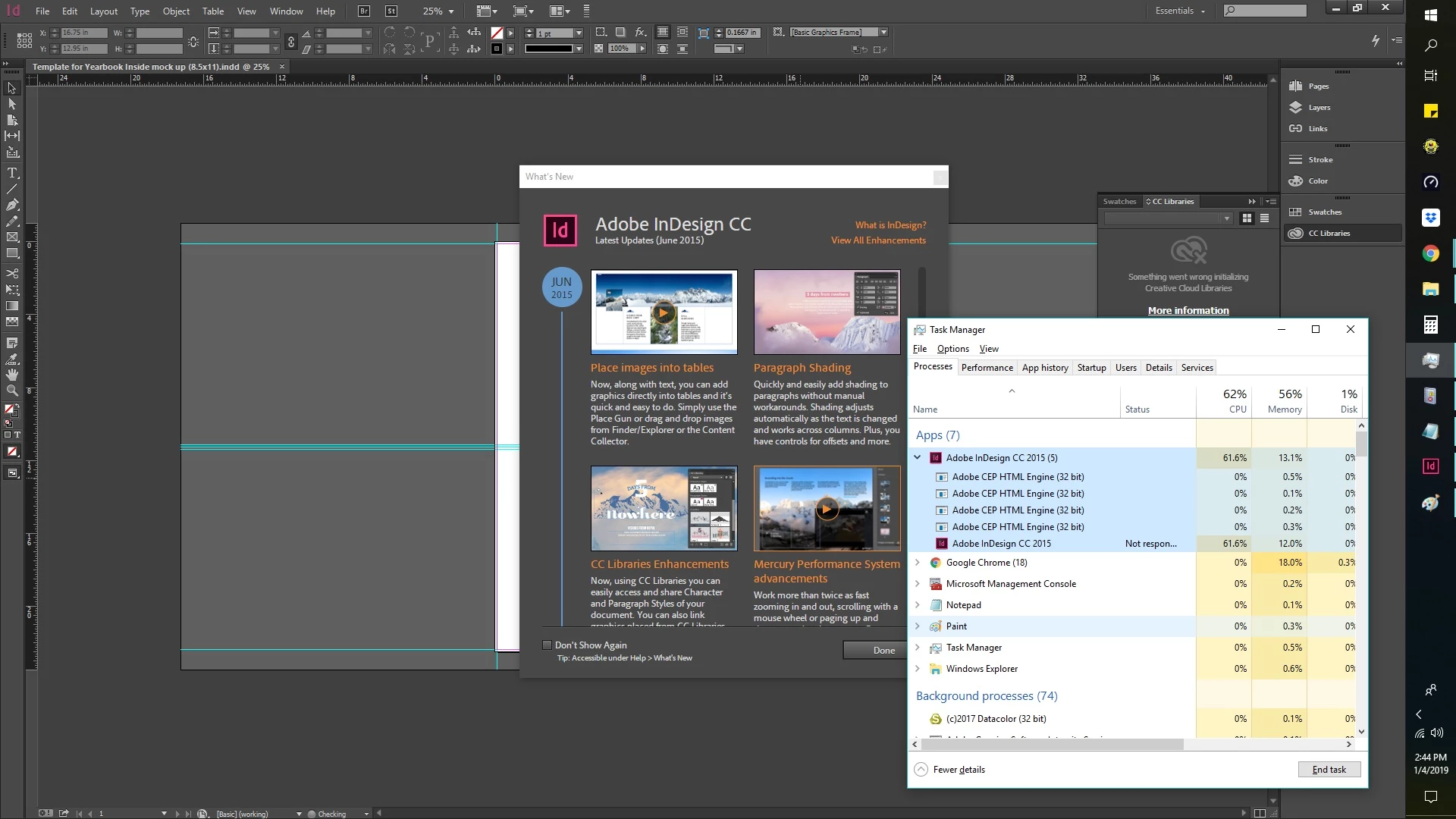
Indesign CC 2015 are not responding on every action

  • January 4, 2019
  • 3 replies
  • 659 views

HI HELLO THERE !

I recently installed the Adobe InDesign CC 2015, but I noticed I could never get past a few seconds of actions with Indesign without it freezing indefinitely on me. Im always forced to end the task every time I open the application.

I also tried to install the lower version of InDesign, hoping that the older version of adobe indesign would work, but they all do the same thing (Not Responding). My inDesign won't let me open documents or create and documents and perform any actions without freezing(Not Responding).

How can i fix this ? or Any help would be appreciated on this issue of Indesign.

Thank you so much!
    This topic has been closed for replies.
    Correct answer Bill Silbert

    Your Creative Cloud subscription entitles you to install all of the versions of Creative Cloud that have come out. If CC 2019 is not showing up for install in the app section of the Desktop app then try signing out of your Adobe account and then signing back in again and see if the latest version shows up ready for install.

    EDIT: Make sure that your version of Windows 10 is up to date. Earlier versions of Windows 10 will not run CC 2019 and the latest version of InDesign would not even show up in the desktop app if that is the version of the OS that you are running.

    3 replies

    Community Expert
    January 4, 2019
    Participant
    January 4, 2019

    Hi! Bill Silbert, i only have cc2015 i don't have yet 2019 version. i used windows 10. I already trashed the InDesign preferences on my PC.
    I also tried the quick way of resetting the Software. I already do the install and uninstall way and I also used the Adobe Creative Cloud CleanerTool . after that its still freezing after the launch of the InDesign.

    Bill Silbert
    Community Expert
    Bill SilbertCommunity ExpertCorrect answer
    Community Expert
    January 4, 2019

    Your Creative Cloud subscription entitles you to install all of the versions of Creative Cloud that have come out. If CC 2019 is not showing up for install in the app section of the Desktop app then try signing out of your Adobe account and then signing back in again and see if the latest version shows up ready for install.

    EDIT: Make sure that your version of Windows 10 is up to date. Earlier versions of Windows 10 will not run CC 2019 and the latest version of InDesign would not even show up in the desktop app if that is the version of the OS that you are running.

    Bill Silbert
    Community Expert
    Community Expert
    January 4, 2019

    Why are you installing CC 2015? The latest version is CC 2019. What version of Windows are you using? Have you tried trashing your InDesign preferences? To do so on a PC:

    You can try the quick way of resetting on a PC which is to hold down Ctrl + Alt + Shift when launching InDesign and respond affirmatively when asked if you want to reset. There have been some recent reports that the window asking if you want to reset is not popping up but that the prefs are being reset anyway. If this works great but if it doesn’t you may have to manually delete them.

    To do so:

    On Windows 7 and above the preference files are hidden. To find them go to the Control Panel and open Folder Options and then click the View tab. Then select “Show hidden files and folders” or “Show hidden files, folders or drive options” in Advanced Settings. Then delete (or rename) the folder at the end of this path: C:\Users\<USER>\AppData\Roaming\Adobe\InDesign\<Version #>\<Language>. Make sure that InDesign is closed when you do this. When you relaunch the program it will create  new preference files and the program will be at its default settings.

    The advantage of manually deleting preference files is that after you’ve reset up the program (make sure that no document window is open) to your liking, you can create copies of your personalized “mint” preference files (make sure that you quit the program before copying them—that finalizes your customization) and use them in the future to replace any corrupt versions you may need to delete.