
Known Participant
January 23, 2018
Answered

InDesign CC 2018 Cannot change spell check language

  • January 23, 2018
  • 3 replies
  • 7685 views

The Adobe documentation at: https://helpx.adobe.com/indesign/using/spell-checking-language-dictionaries.html

contains the following instruction on how to spell check non-English text:

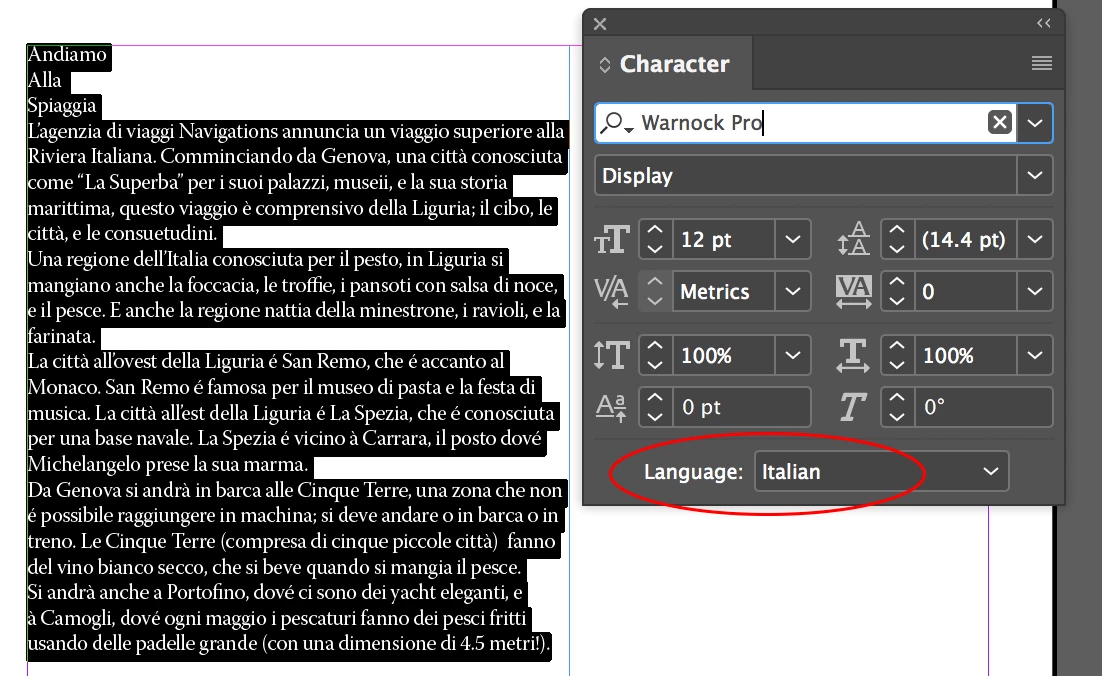
If your document includes foreign-language text, select the text and use the Language menu on the Character panel to specify the language for that text. Choose Edit > Spelling > Check Spelling. Spell-checking begins.

However, it does not work. The language reverts to English when the spell check is initiated. Changing the User Dictionary does not help. Any assistance would be greatly appreciated!
    Correct answer Steve Werner

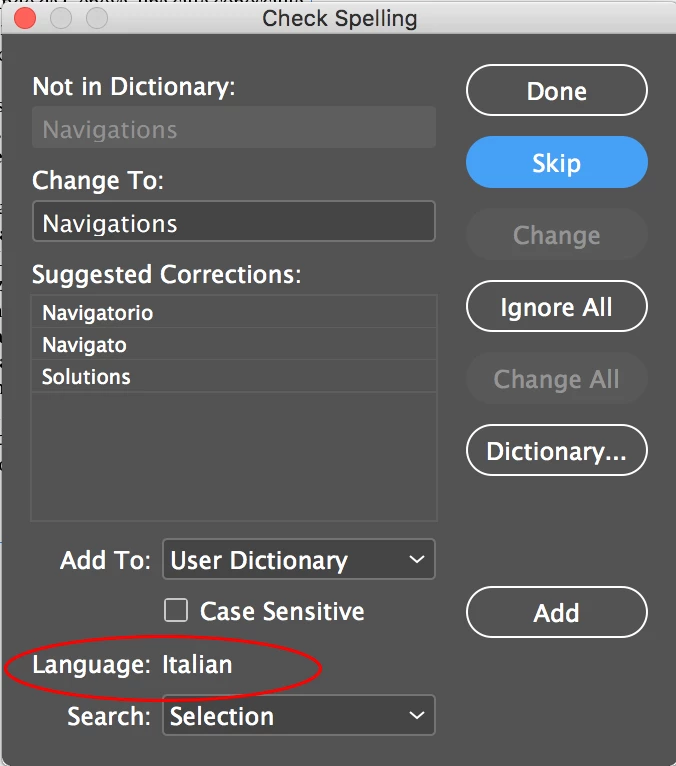
    It's working fine for me in CC 2018. See illustrations below:

    After properly selecting the text and choosing the language, if that language doesn't appear in the Check Spelling dialog, try restoring your InDesign preferences:

    Trash, Replace, Reset, or Restore the application Preferences

    3 replies

    Participating Frequently
    January 23, 2018

    I am used to switch between languages, being german, living in France working in Switzerland. I created a paragraphe style for English, French and German, that I use as basic style, so changing between languages is not an issue any more.

    Steve Werner
    Community Expert
    Steve WernerCommunity ExpertCorrect answer
    Community Expert
    January 23, 2018

    It's working fine for me in CC 2018. See illustrations below:

    After properly selecting the text and choosing the language, if that language doesn't appear in the Check Spelling dialog, try restoring your InDesign preferences:

    Trash, Replace, Reset, or Restore the application Preferences

    Known Participant
    January 23, 2018

    Thank you. It seems to be working now. It's kind of a pain to have to select the text before choosing the language. I can quickly spell check English documents without having to do that. I'm not sure what Adobe's logic is not to offer the same capacity for other languages.

    Jongware
    Community Expert
    Community Expert
    January 23, 2018

    That is because it is a normal text attribute, just like "underline" and "font" and "size". That means that you can apply all supported languages (other than your default) anywhere you want.

    The recommended workflow is to set your default text paragraph style to the 'base' language you are writing in. Any other workflow results in more clicking, more work, less versatile in document-wide changing and a greater chance on errors when you manually apply whatever you want, wherever you want.

    Participating Frequently
    January 23, 2018

    Est ce que votre texte est formaté en tant que texte français ( ou autre langue)?

    Known Participant
    January 23, 2018

    Merci. The text is written in Spanish.

    Participating Frequently
    January 23, 2018

    Lorsque vous sélectionnez le texte, il faut que la bonne langue apparait, ensuite InDesign utilise le bonne dictionnaire