
Participant
July 10, 2018
Answered

Indesign cc 2018 creates additional line spacing at end of paragraph

  • July 10, 2018
  • 1 reply
  • 305 views

The highlighted section shows where the additional space between lines is inserted. The underline is automatic  and not my insertion. it shows the problem without identifying it. Copying and pasting from client's MS Word file. I can't find how to get rid of it.
    This topic has been closed for replies.
    Correct answer Barb Binder

    It looks like the leading (line spacing) if different on the last line.

    Two fixes:

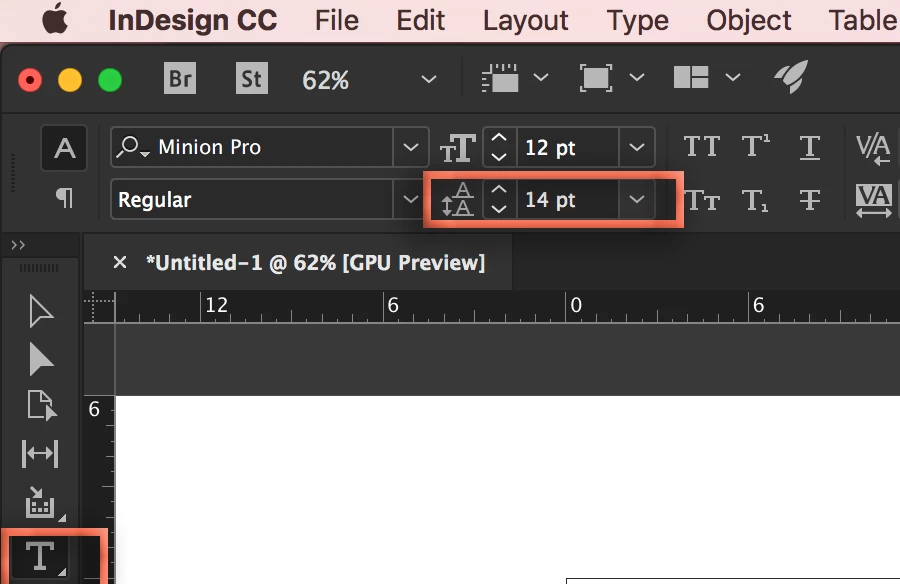
    1. Triple click the paragraph and type in the desired leading value on the Control panel (no parentheses) to standardize it for the entire paragraph:
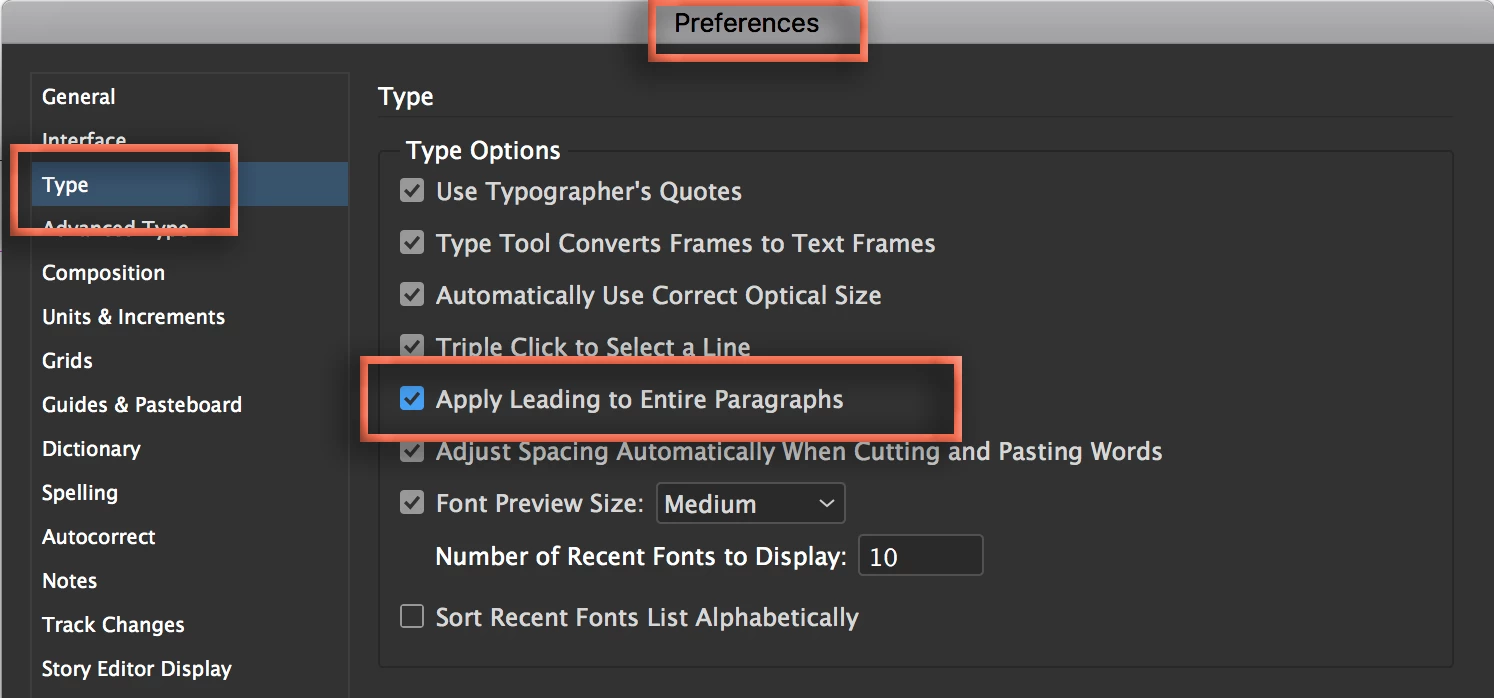
    2. Or, go to Preferences > Type and enable Apply Leading to Entire Paragraphs:

    ~Barb

    1 reply

    Barb Binder
    Community Expert
    Barb BinderCommunity ExpertCorrect answer
    Community Expert
    July 10, 2018

    It looks like the leading (line spacing) if different on the last line.

    Two fixes:

    1. Triple click the paragraph and type in the desired leading value on the Control panel (no parentheses) to standardize it for the entire paragraph:
    2. Or, go to Preferences > Type and enable Apply Leading to Entire Paragraphs:

    ~Barb

    ~Barb at Rocky Mountain Training
    jnartAuthor
    Participant
    July 11, 2018

    Thank you very much! The first solution, changing the font pt, solved the problem. I changed the font by two points, then changed it back to the desired scale and the leading issue disappeared The error was arbitrarily throughout the document, but after the second correction, they all corrected.

    I then went to preferences and the "apply leading to entire paragraph was already checked," so I unchecked and re-checked it.

    Thank You Again

    Barb Binder
    Community Expert
    Community Expert
    July 11, 2018

    That‘s great. Always happy to help.

    ~Barb

    ~Barb at Rocky Mountain Training