

Exit
  • Global community
    • Language:
      • Deutsch
      • English
      • Español
      • Français
      • Português
  • 日本語コミュニティ
  • 한국 커뮤니티
0

InDesign collapsed panels

Explorer ,
Jan 23, 2018 Jan 23, 2018

Hello everyone

Interface issue this time hits in InDesign. Every time I open the program, panels are collapsed, like here:
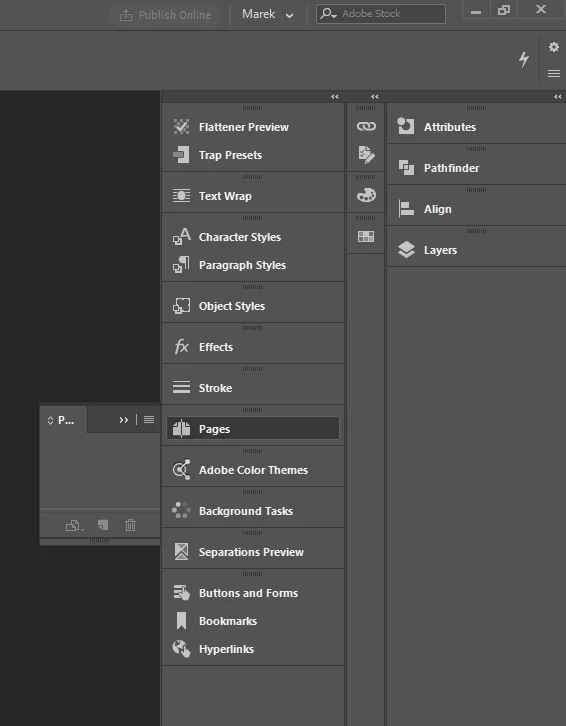
workspace.png

As you can see in the upper part, my profile is selected. So I need to go to the dropdownlist, and choose "reset", and then it is normal again. Even if I re-save it, reinstall program, remove preferences etc, this problem keeps returning every time I start an app, so my interface can be like this:
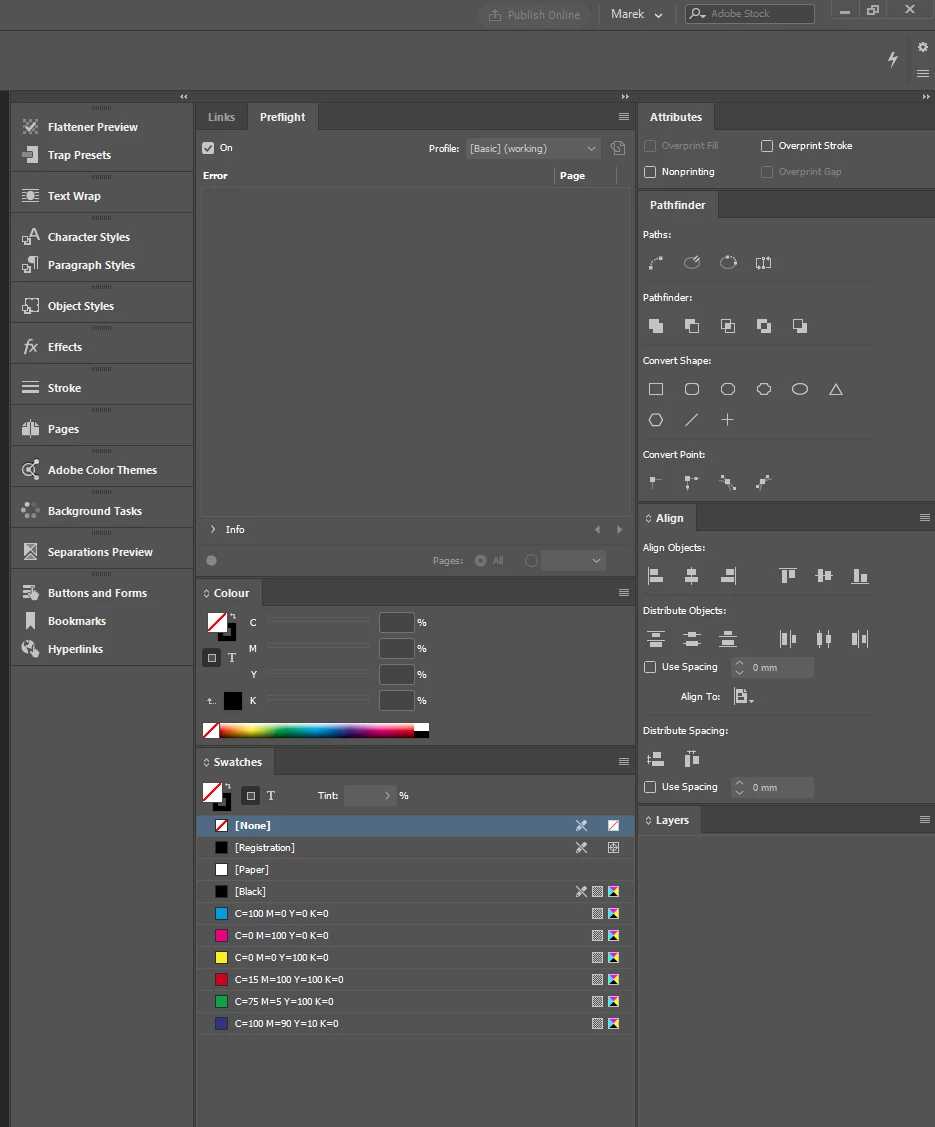
Screenshot_1.png

Any known work-arounds or real solutions?

I am on Win 10 x64 if that matters. Newest version of software.

2.5K
Translate
Report
Community guidelines
Be kind and respectful, give credit to the original source of content, and search for duplicates before posting. Learn more
community guidelines

correct answers 1 Correct answer

Community Expert , Jan 23, 2018 Jan 23, 2018

Problems within panels can be fixed by deleting InDesign cache files rather than preferences. For instructions on how to delete caches on both a Mac and PC please read the last sections of this thread: CC 2018 InDesign—Don't Import previous settings and preferences .

Translate
Community Beginner ,
Jan 23, 2018 Jan 23, 2018

I have the same/similar problem. My panels sometimes have disappeared or are collapsed and won't open when clicking them, even after resetting my own workspace when starting up Indesign. Sometimes restarting Indesign (and/or my iMac completely) does the trick... Often not...  I think I've deleted my two preferences-files for the third time already but problem keeps appearing.

Also when the Pages panel works, it doesn't display the miniatures of the masterpage(s) and I can't scroll to the last page in the miniatures when I have a document that's ± 70 pages.

High Sierra 10.13.2 on a 2015 iMac 27"

Anyone?

Translate
Report
Community guidelines
Be kind and respectful, give credit to the original source of content, and search for duplicates before posting. Learn more
community guidelines
Community Expert ,
Jan 23, 2018 Jan 23, 2018

Problems within panels can be fixed by deleting InDesign cache files rather than preferences. For instructions on how to delete caches on both a Mac and PC please read the last sections of this thread: CC 2018 InDesign—Don't Import previous settings and preferences .

Translate
Report
Community guidelines
Be kind and respectful, give credit to the original source of content, and search for duplicates before posting. Learn more
community guidelines
Community Expert ,
Jan 23, 2018 Jan 23, 2018

I've been able to solve it by deleting my preferences, but I would also follow Bill's advice.

David Creamer: Community Expert (ACI and ACE 1995-2023)
Translate
Report
Community guidelines
Be kind and respectful, give credit to the original source of content, and search for duplicates before posting. Learn more
community guidelines
Explorer ,
Jan 26, 2018 Jan 26, 2018

Thank you, Bil - it work like a charm

Translate
Report
Community guidelines
Be kind and respectful, give credit to the original source of content, and search for duplicates before posting. Learn more
community guidelines
Community Expert ,
Jan 26, 2018 Jan 26, 2018

Happy to help.

Translate
Report
Community guidelines
Be kind and respectful, give credit to the original source of content, and search for duplicates before posting. Learn more
community guidelines
Explorer ,
Feb 20, 2018 Feb 20, 2018

Strange thing is, that after few days the same problem is returning. Deleting cache works onl for limited amount of time, then I have to do it again.

The question is - to the cache goes a certain data package, so it is copied from somewhere, and my guess is, that this "original" data/settings is already incorrect, causing this returning problem. Am I right? Any idea, where can I find it? Or overwrite it for good?

Translate
Report
Community guidelines
Be kind and respectful, give credit to the original source of content, and search for duplicates before posting. Learn more
community guidelines
New Here ,
Jul 12, 2018 Jul 12, 2018
LATEST

I've been having the same issue for the last couple of years. Removing the cache usually sorts it out. Sometime just quitting ID and opening it up again will sort the panels issue. But like you, I find it still happens intermittently.

I can go for days sometimes with no issue. Other times can happen every day.

Another issue I find is that when I assign keyboard shortcuts to styles (Command-keypad-1 etc) these references sometimes disappear. The shortcuts still work but they just don't display next to the style name - very annoying.

Is it the iMac or CC? Either way it would  make my day if somebody could 'fix' the issue permanently.

Here's hoping.

Keith

High Sierra 10.13.5 iMac (Retina 5K, 27-inch Late 2015)

4Ghz i7 32GB  AMD Radeon R9 M395X 4096 MB

Translate
Report
Community guidelines
Be kind and respectful, give credit to the original source of content, and search for duplicates before posting. Learn more
community guidelines