
Answered
InDesign Color Picker Shows "RGB Color Space" and I don't want it to.
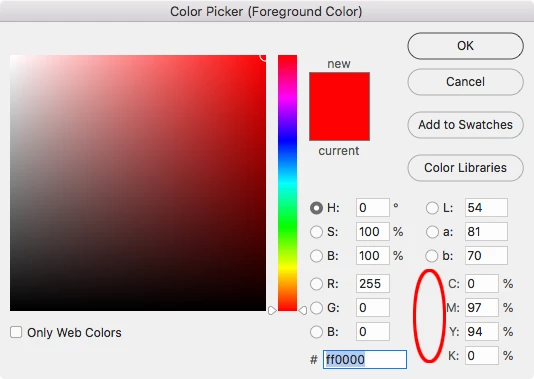
This is driving me crazy. For years, when I work in InDesign and I use the color picker, it shows up in CMYK color space. I did something, I don't know what, and now, the color picker shows RGB color space. Does anyone know how to change this back????
I don't use Bridge and I'm not planning to start, I know how to convert colors from RGB to CMYK... I am not interested in that information. I simply want the program to behave as it has for the past 20 years or more, with CMYK as the default color space, specifically, to show the Color picker in the CMYK color space.
HELP PLEASE!
Thanks!
 AdChoices