Exit
  • Global community
    • Language:
      • Deutsch
      • English
      • Español
      • Français
      • Português
  • 日本語コミュニティ
  • 한국 커뮤니티
0

InDesign colors not matching HEX

New Here ,
Jan 20, 2023 Jan 20, 2023

Hello,

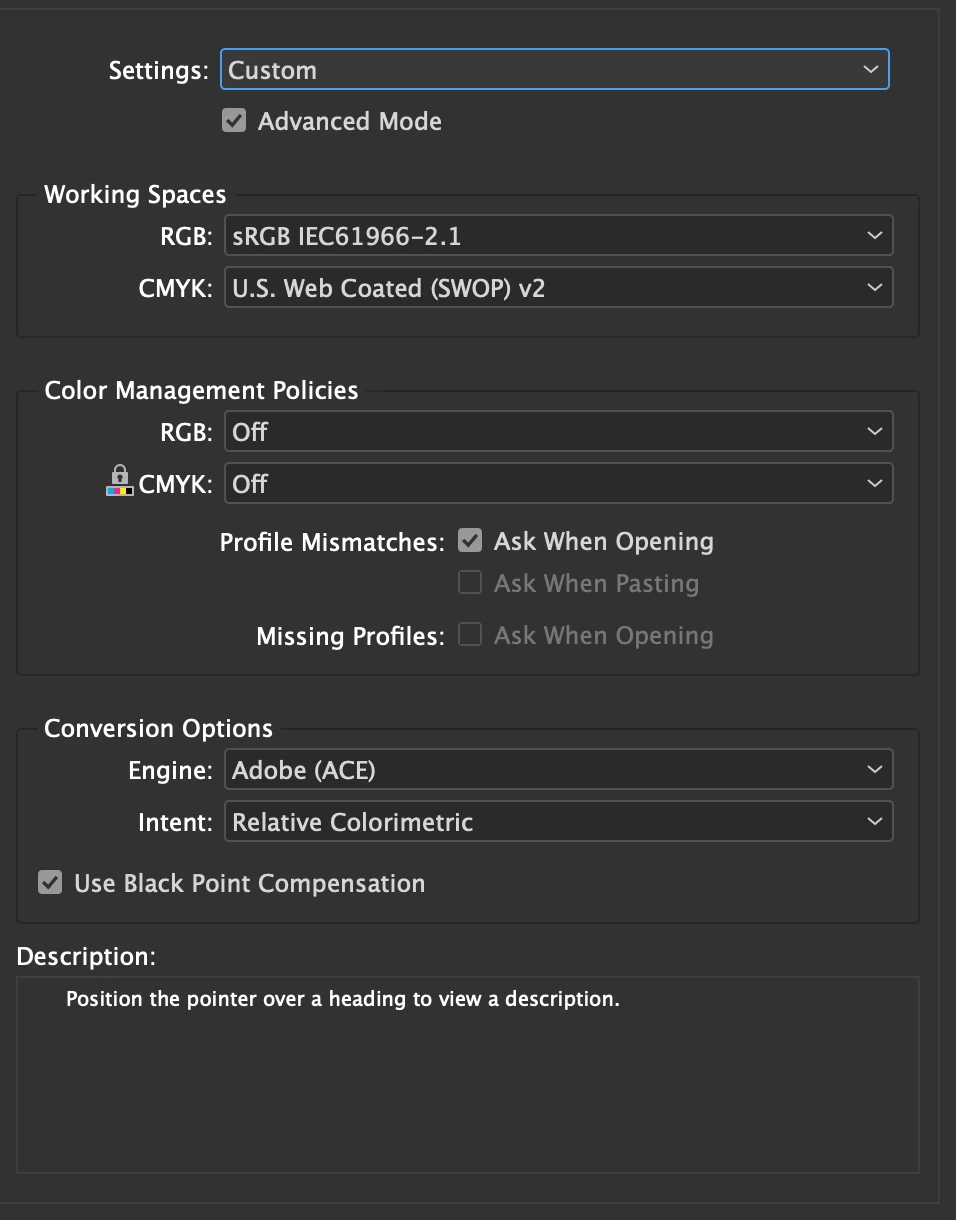
I've checked for Color settings, Transparency blend space, and my file is a Web/RGB file, and still my colors won't match the ones of the HEX code.

This is what I get, but the HEX code is #ff6200, which looks much brighter and flashier.

Does anyone know what the issue can be?


Thanks!

 

Screen Shot 2023-01-20 at 12.15.36 PM.png

Screen Shot 2023-01-20 at 12.16.35 PM.png

TOPICS
How to
245
Translate
Report
Community guidelines
Be kind and respectful, give credit to the original source of content, and search for duplicates before posting. Learn more
community guidelines
Community Expert ,
Jan 20, 2023 Jan 20, 2023
LATEST

Hi @Mirco Oliveri Sofia , Is there a reason you have your Color Management policies set to Off? In that case your document would have no RGB profile embedded, and the appearance of RGB colors in a document with no profile would randomly change in the future depending on the application’s current Color Settings setup.


Also Hex is an RGB color notation and InDesign allows you to mix CMYK, Lab, and RGB define colors within the document. I assume you are looking for a web/HTML appearance, so set your document’s RGB profile to sRGB, and when you pick the color make sure its mode is RGB not CMYK or Lab. Picking from the Color picker make sure your cursor is in an R, G, or B field and Add RGB Swatch shows:


Screen Shot 9.png

 Or from the Color panel make sure the mode is RGB:

Screen Shot 10.png


Translate
Report
Community guidelines
Be kind and respectful, give credit to the original source of content, and search for duplicates before posting. Learn more
community guidelines