Participant
February 8, 2021
Answered
Indesign Colour
- February 8, 2021
- 2 replies
- 543 views

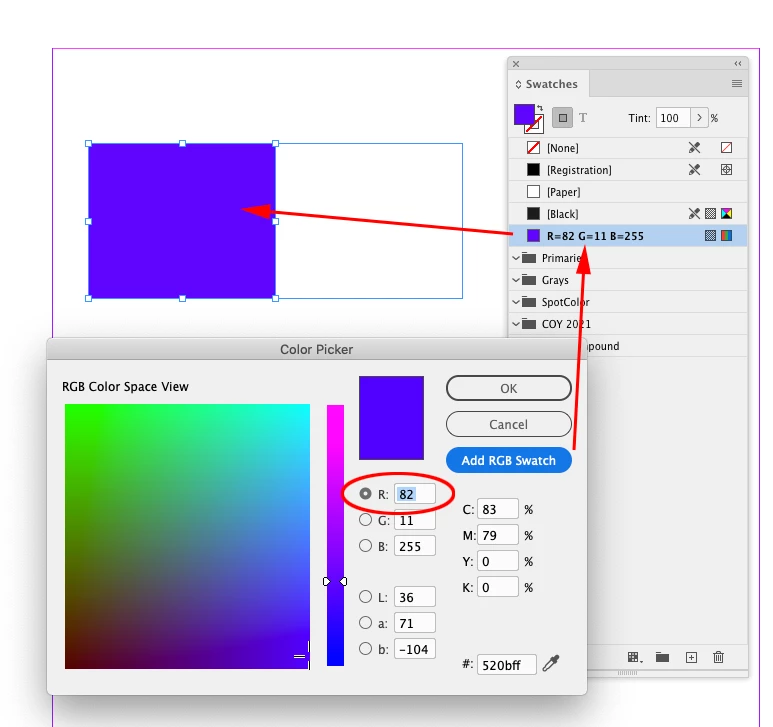
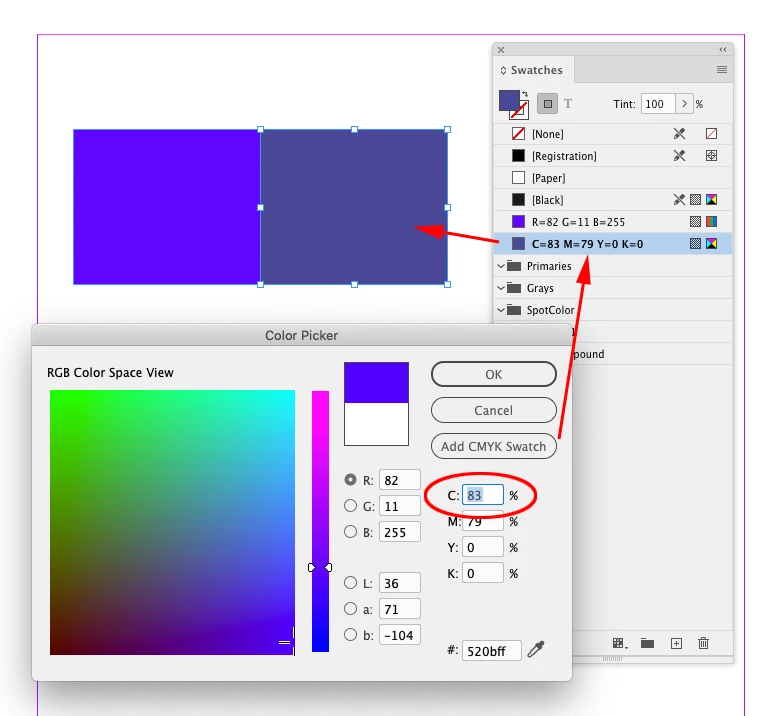
InDesign doesn’t have a document color space (you can mix objects with different color spaces on a page) so it’s Color Picker mode is dependent on where you have your cursor in the dialog.
In your capture your cursor is in one of the C, M, Y, or K fields, so the Add Swatch button reads Add CMYK Swatch—if you click OK, or Add CMYK Swatch, the color will be the nearest in gamut CMYK color. Put your cursor in one of the R, G, or B fields (not the radio button, which controls the Space View) and the button will change to Add RGB Swatch, and the color you pick will be RGB 82,11,255:
Already have an account? Login
Enter your E-mail address. We'll send you an e-mail with instructions to reset your password.
 AdChoices