Participant
August 26, 2021
Question

INDESIGN - Como fazer Índice Remissivo automático

  • August 26, 2021
  • 1 reply
  • 3122 views

Amigos,

A minha pergunta é relacionada com Sumários e Índices nos livros.

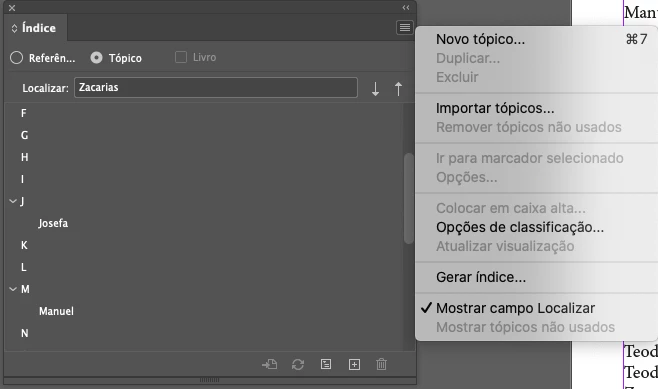
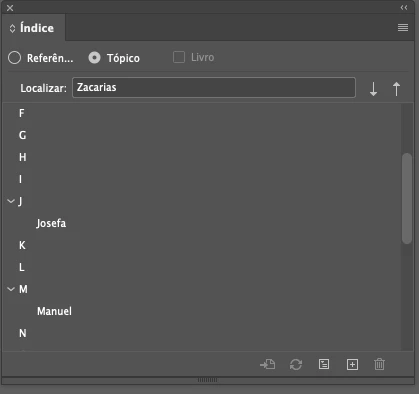
Além do «Sumário» [barra de menu layout - sumario, etc.], em muitas obras que pagino preciso fazer um «Índice Remissivo», ou Onomástico, etc., e tento usar a ferramenta [Janela - Tipo e Tabelas - Indice], mas não entendo como funciona.


Para mim foi sempre um problema no INDD a questão dos Índices: as entradas do índice são fornecidas pelo editor/autor (num documento .doc), depois insiro um marcador nesse termo/nome que corresponde à entrada de índice, mas o número de página a que corresponde essa entrada não aparece quando se executa «gerar índice». E também não consigo importar os tópicos para dentro do documento.

Quem conseguir ajudar, por favor, publique o que souber.

Muito grata

Margarida Diogo
  

1 reply

Ashutosh_Mishra
Inspiring
August 30, 2021

Hi Margaret,


Apologies for the delayed response. I'd request you to check out this help article to know how you can create an index in Adobe InDesign.

Hope it helps.


Regards,

Ashutosh

Participant
November 7, 2024

Olá pessoal, encontrei na internet um ótimo tutorial para criar índice remissivo automático sem precisar ter criado as entradas antes, porém no código do script (em javascript) tem algo errado que não consegui identificar, alguém pode ajudar?

Erros:

  1. Não está considerando somente palavras inteiras, mesmo tendo um "wholeWord: true"
  2. Está considerando as páginas do próprio índice remissivo e as páginas seguintes
  3. Está inserindo as páginas em ordem decrescente
  4. É preciso desligar o case-sensitive e mesmo com "false" não parece ter desligado


Código original fornecido pelo tutorial: https://www.youtube.com/watch?v=rmFoahGs_do

(function () {
var indd = app.documents[0];
var cr_format = indd.crossReferenceFormats.item('xref');
var find, found;
var source, destination;
var i;
var referencedPages = {};

if (!app.selection || !(app.selection[0] instanceof InsertionPoint)) {
alert('Select an insertion point');
return;
}

find = prompt('Enter a search term', '', 'Cross-references');
if (!find) {
return;
}

app.findTextPreferences = app.changeTextPreferences = null;
app.findTextPreferences.properties = {
caseSensitive: false,
wholeWord: true,
searchBackwards: true
};

app.findTextPreferences.findWhat = find;
found = indd.findText();

for (i = 0; i < found.length; i++) {
var currentPage = found[i].parentTextFrames[0].parentPage;
if (referencedPages.hasOwnProperty(currentPage.id.toString())) {
continue;
}

// Ignore the selected paragraph
if (found[i].paragraphs[0] == app.selection[0].paragraphs[0]) {
continue;
}

// Create a cross-reference: a source (an xref source),
// a destination (a text anchor), and a hyperlink
source = indd.crossReferenceSources.add(app.selection[0], cr_format);
destination = indd.hyperlinkTextDestinations.add(found[i]);
indd.hyperlinks.add(source, destination);
referencedPages[currentPage.id.toString()] = true;

// Add comma and space between cross-refs
if (i < found.length - 1) {
app.selection[0].contents = ', ';
}
}
})();


O chat GPT já tentou sugerir zilhões de ideias mas não deu certo, infelizmente.