Exit
  • Global community
    • Language:
      • Deutsch
      • English
      • Español
      • Français
      • Português
  • 日本語コミュニティ
  • 한국 커뮤니티
0

InDesign Corrupt document

New Here ,
Sep 23, 2019 Sep 23, 2019

Hi,


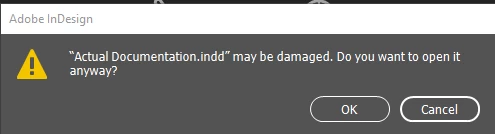
I have an InDesign document that won't open. It is very large, with a lot of links, and very important as it is one of my year 12 students work. I need urgent help if possible and can't find an email address to send the file to.  I have moved the file onto my laptop and when I try to open it I get:
 
clipboard_image_4.png
 

To which when I Ok, this happens.

​​

clipboard_image_5.png

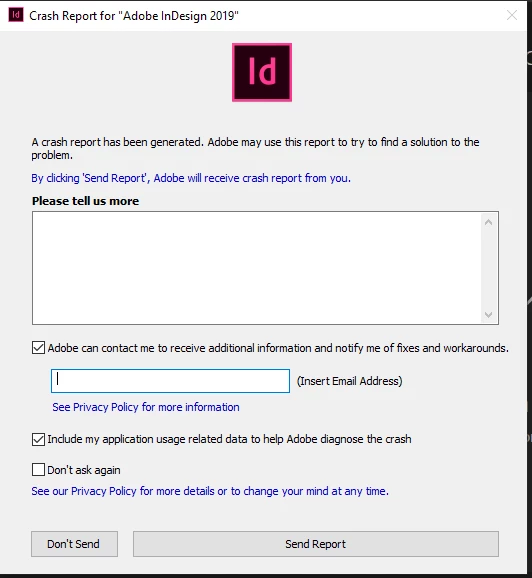
I sent the crash report today, but as I said, I need urgent help!!


This student has has similar issues in the past, so we are not sure if it his laptop, or the USB he saves work on. He is going to buy another USB tonight. 


I have followed all the steps on this website with no luck: https://helpx.adobe.com/au/indesign/kb/troubleshoot-damaged-indesign-documents.html


I am using InDesign 2019 and I have the most recent update. 


Thanks!


{Renamed by MOD}

TOPICS
Performance
215
Translate
Report
Community guidelines
Be kind and respectful, give credit to the original source of content, and search for duplicates before posting. Learn more
community guidelines
Community Expert ,
Sep 24, 2019 Sep 24, 2019

Do you not have a back up?

It is vital, especially with large documents, that you are working on over a periodof time to regularly do a Save As and incrementally name it. This will clear out the crud that builds up and that can cause corruption and gives you a previous version to return to if disaster strikes. Also save copies externally so you are protected if the computer becomes damaged, stolen etc.


If a copy of the InDesign document can be opened you may be able to isolate the issue by dividing the docoment in half to find which half has the issue and continuing dividing it until the culprit issue is discovered.


By the way what is the intended final format for this publication, presumably a digital format?

Translate
Report
Community guidelines
Be kind and respectful, give credit to the original source of content, and search for duplicates before posting. Learn more
community guidelines
Adobe Employee ,
Sep 27, 2019 Sep 27, 2019
LATEST

Hi Grace,


Sorry to hear about this. There are multiple factors both internal and external to InDesign application that can lead to document corruption, however, we can take a look and see if the file can be repaired. Please email your InDesign file to corrupt_indesign_docs@adobe.com and we will take a look at the document.

If the file is larger than 10 Mb, you can  upload to Creative Cloud account (or Dropbox) and send us the document link.


I must also inform that file recovery can't be guaranteed with a 100% success. We'll surely try our best.


Regards,

Srishti

Translate
Report
Community guidelines
Be kind and respectful, give credit to the original source of content, and search for duplicates before posting. Learn more
community guidelines