
Participating Frequently
April 28, 2023
Question

InDesign crashed and now I "do not have permission"

  • April 28, 2023
  • 3 replies
  • 418 views

Hi,


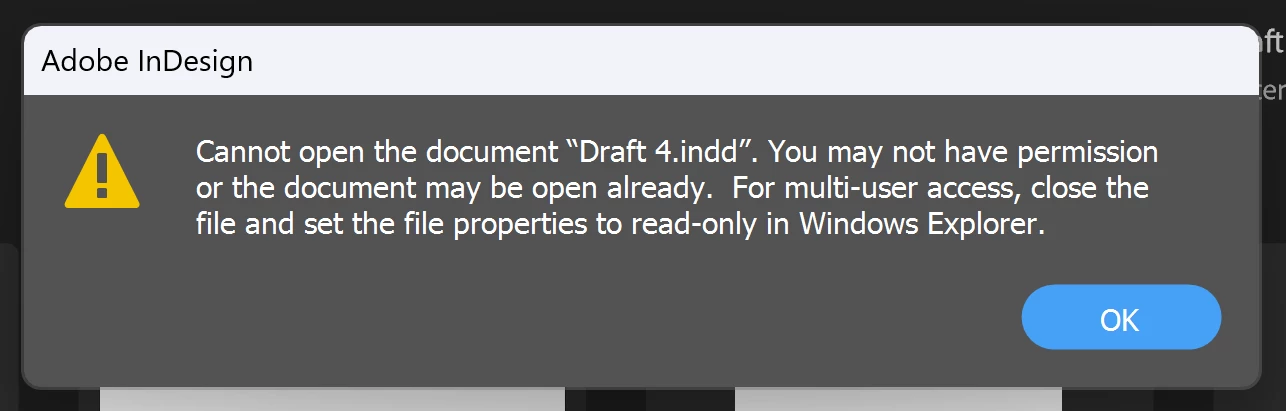
My InDesign file crashed on me and when I now try to open it, it says "you may not have permission or the doc may be open already". It definitely isn't open anywhere else. 


Please see screenshot of window that comes up which does not allow me access to my file.


Does anyone know how to recover my file? I had it saved to the OneDrive. Perhaps this is a OneDrive problem, not an Adobe Indesign one. 


I would be very grateful for any advice!


Many thanks 🙂 
This topic has been closed for replies.

3 replies

Peter Spier
Community Expert
Community Expert
April 29, 2023

If the file crashed the most likely problem is that the lock file was not deleted.

Close InDesign if it's open.

Open the folder where the file is located in File Explorer and make sure you have file extensions showing, then delete any .idlk files. You could also do a general file search for *.idlk with InDesign closed and delete any found. There should not be any lock files unless a file is open (which might be the case if you work with a team).

This appears, from the second screen capture, to also be related to remote storage of some sort and a possibly interrupted synch operation.


Rishabh_Tiwari
Community Manager
Community Manager
April 28, 2023

Hi @Bethany27740932s3q4 ,


Sorry to hear about the trouble. I found a similar discussion on the community, which you can refer to here. Let us know if this helps or if you need any further assistance.


Thanks

Rishabh

Participating Frequently
April 28, 2023

I see others have had a similar problem and people have suggested to rename the file. I tried this but couldn't rename. Please see attached window that popped up when I tried to rename.