
November 6, 2016
解決済み

InDesign CS6 Margins and Columns don't show up

  • November 6, 2016
  • 返信数 5.
  • 45592 ビュー

Hi everyone.

Since yesterday I have a problem in InDesign CS6.
I created margins and columns on my Master Pages, but they don't show in the documents pages...
My guides are activated, also my Baseline Grid and I can see them. (I now created guides, so I can work somehow, but I want to know what's the problem).
Is it a bug?
Can anyone help?

Thanks!

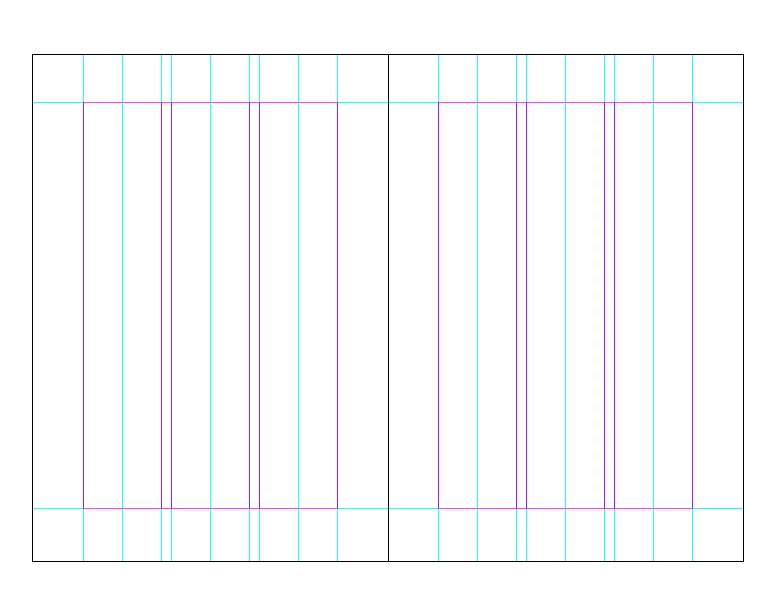
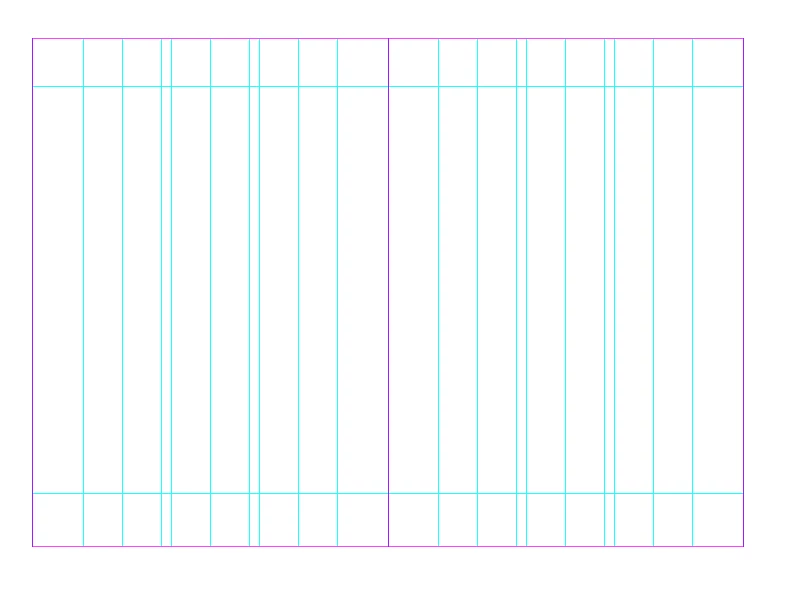
Here two pictures to clarify the situation:

My Master Pages:
Pages in the document:
解決に役立った回答 Peter Spier

Thanks you.
The Method with IDML unfortunately didn't work. Maybe I will try out the other option in the next days.


Try moving the pages to a new file.

返信数 5

Participant
December 13, 2023

I solved this by placing a random guide with the ruler, then boom, the margins magically appeared 

shabbyking45
Participant
September 25, 2020

You pressed a quick key and turned off guides. Just go to view-grids & guides-show guides

Participant
January 30, 2020

Actually that could be a big waste of time, especially depending on how big the document is. The best way to get them to show up is to pull a guide down from the ruler bar and your guides will show. Just a trick for when the software is not working correctly with showing guides.

Participant
April 14, 2020

Brilliant! so simple and yet I didn't think of doing this. thanks!

kristenm64851320
Participant
September 26, 2019

Adding this for someone in my situation -- turned out I was in Preview mode rather than Normal, so margins weren't showing and the pasteboard looked different (View > Screen Mode > Normal).

JPKPhila
Participant
January 29, 2020

Thanks, Kristen, for a simple answer to a perplexing problem.  I'm new to InDesign and it obviously has loads of little 'gotchas' as well as some bugs that can torment you until you have the experience. 

Derek Cross
Community Expert
Community Expert
November 6, 2016

Try: View > Grid and Guides > Show Guides.

November 6, 2016

That's activated already.
As you can see on my screenshots, guides are shown. This doesn't help me to see my margins and columns.
But thanks for your suggestion!

Peter Spier
Community Expert
Community Expert
November 6, 2016

Is it possible you have something filling the background that would be obscuring the guides?