
InDesign Displaying images blurry when exporting at High Quality PDF
- March 29, 2024
- 6 replies
- 11435 views
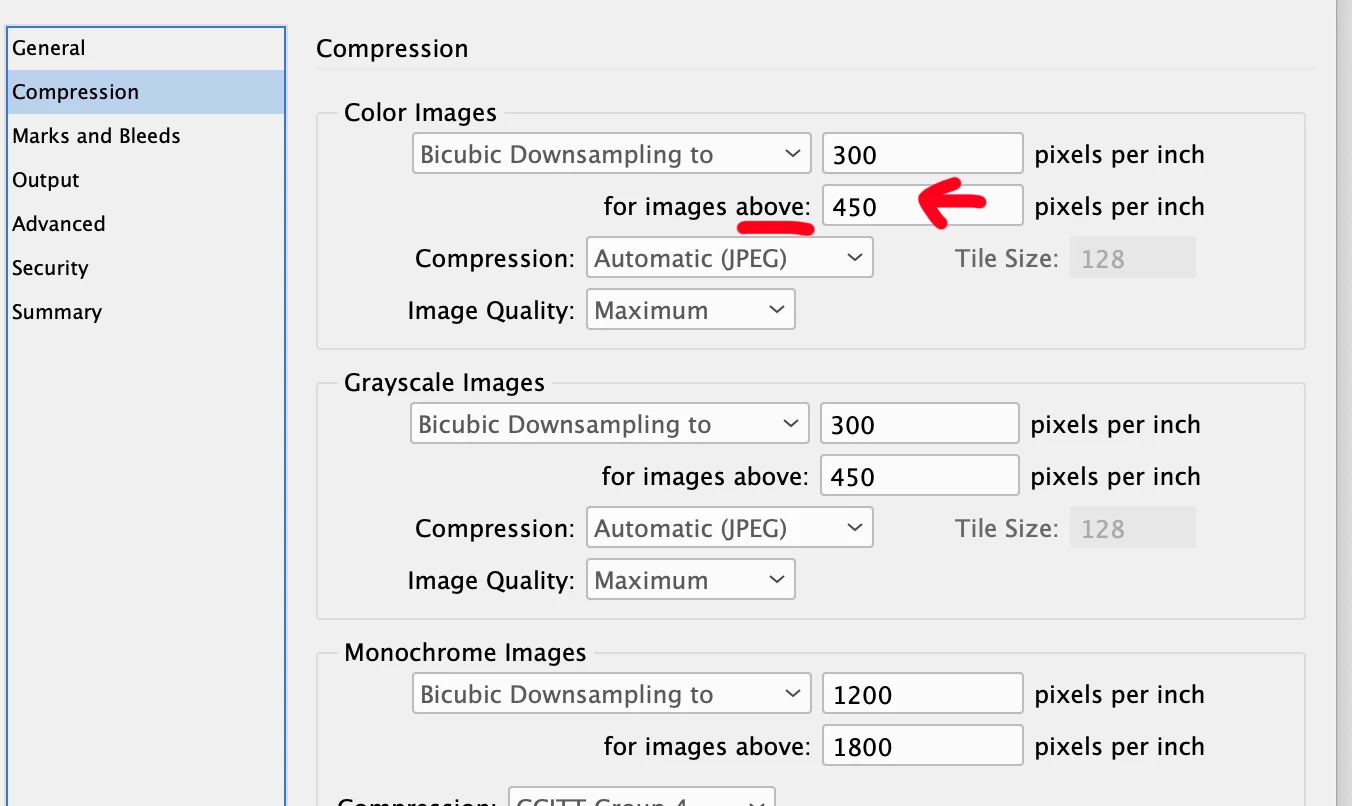
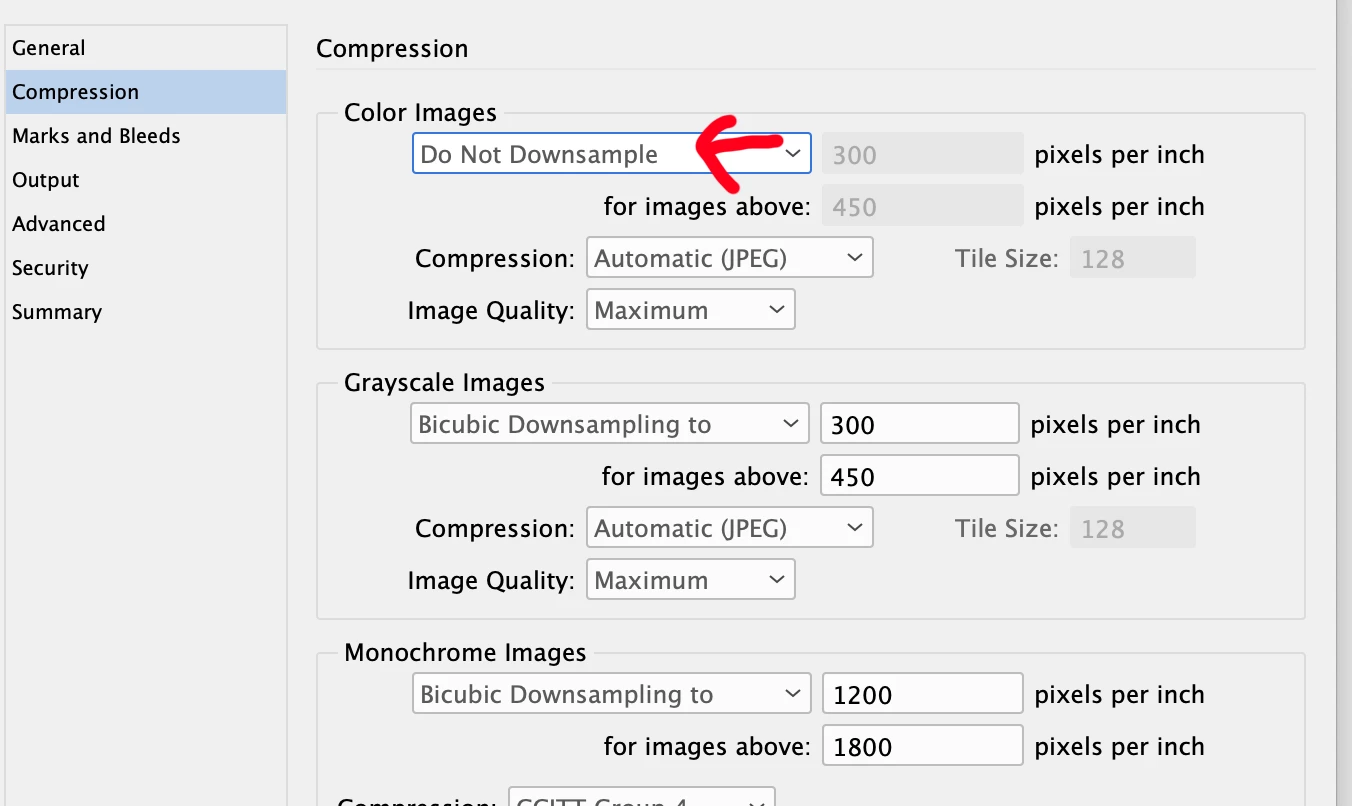
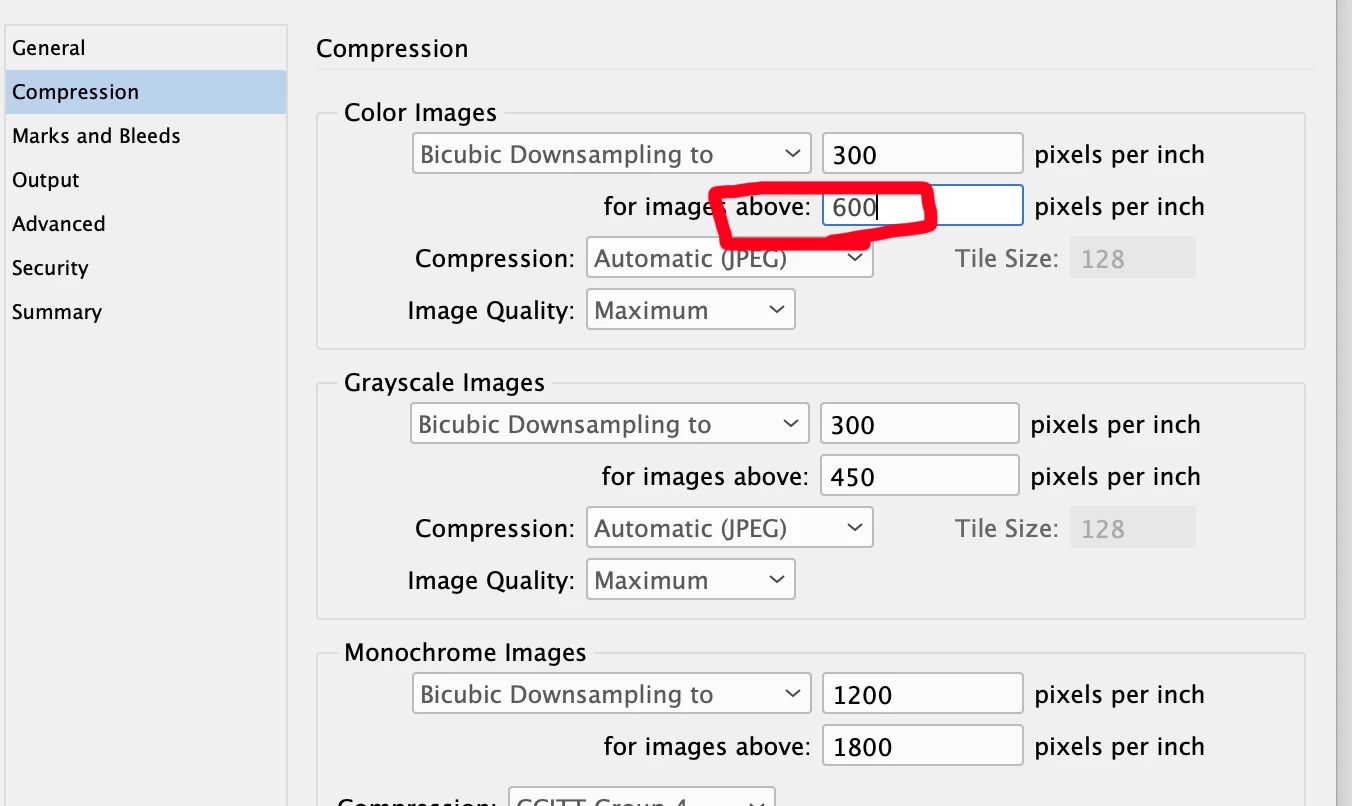
Hi, I'm putting together a small print ad (3.5 x 2.25), but my InDesign images export grainy in my High-Quality Print PDF (default from InDesign). This was a struggle from last week that I'm still curious about. I asked Adobe Chat, and they said to update my OS and InDesign, which I did. But I'm still getting the same results. I place the bottle in my InDesign file, and it looks good. Displays high quality. Not missing an image, large enough, 300 res, CMYK, all that. But when I export as a HQ Print PDF, it looks grainy.
I've just never had the issue before with any size doc and images. I ended up having to recreate in Illustrator to get the images to display properly on my PDF. I'm attaching an image to show what an example looks like. Thank you for any help or suggestions!
 AdChoices