Vintage TV
New Participant
August 10, 2018
Answered

InDesign doesn't export background color - HELP

  • August 10, 2018
  • 4 replies
  • 29595 views

Hi guys,

I made a document in InDesign. On the A-Master page, I set the background color to yellow. Nevertheless, when I export the document (pdf/png ecc.), I don't get the yellow background! all the pages exported have a white background.

Why is that happening?


At the end of the export process, I get this message: version 4 ICC Profiles were converted to version 2 ICC profiles during PDF Export. Is this the source of the problem?

Thank you so much,
    This topic has been closed for replies.
    Correct answer rob day

    At the end of the export process, I get this message: version 4 ICC Profiles were converted to version 2 ICC profiles during PDF Export. Is this the source of the problem?

    The profile message is not related.

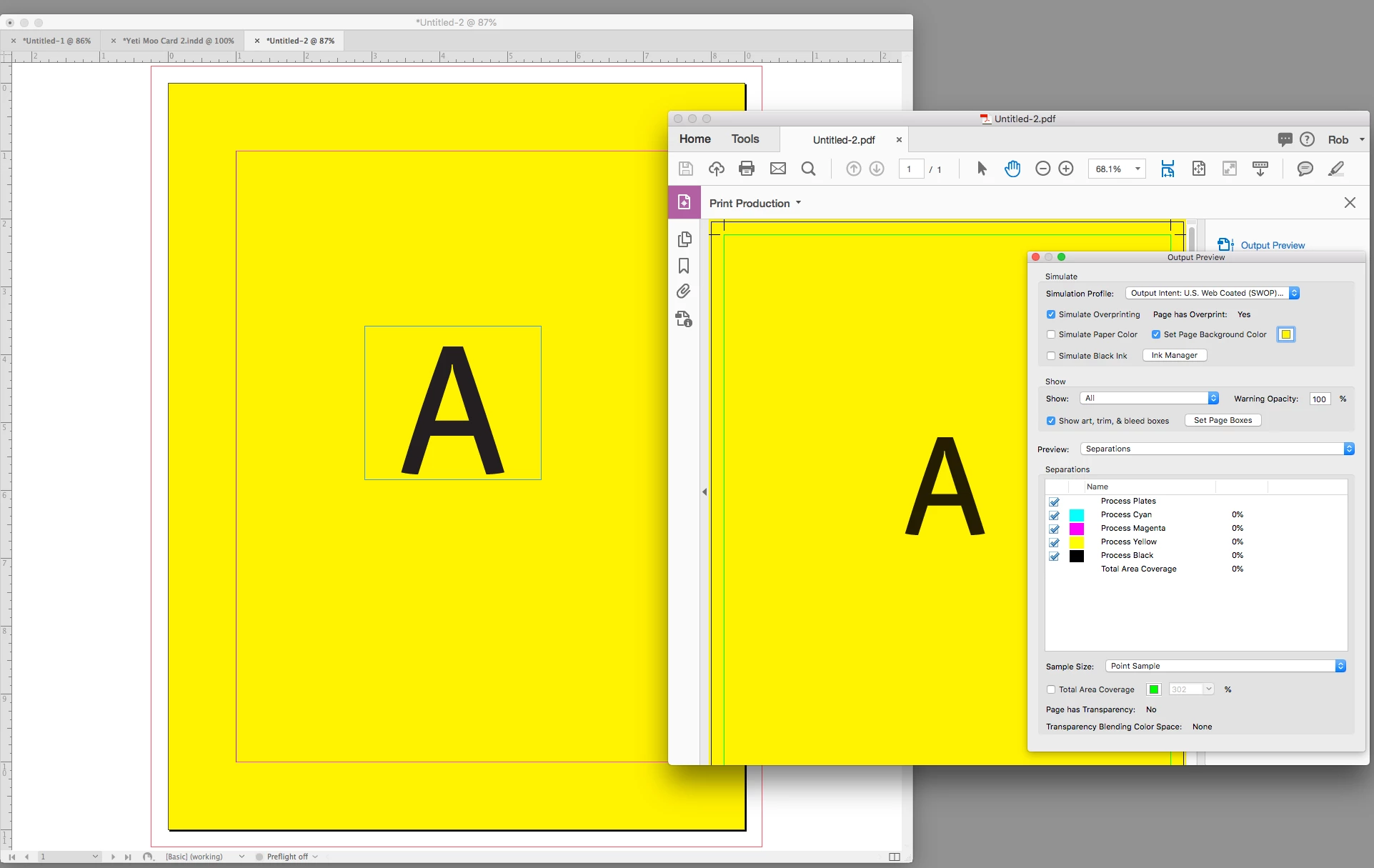
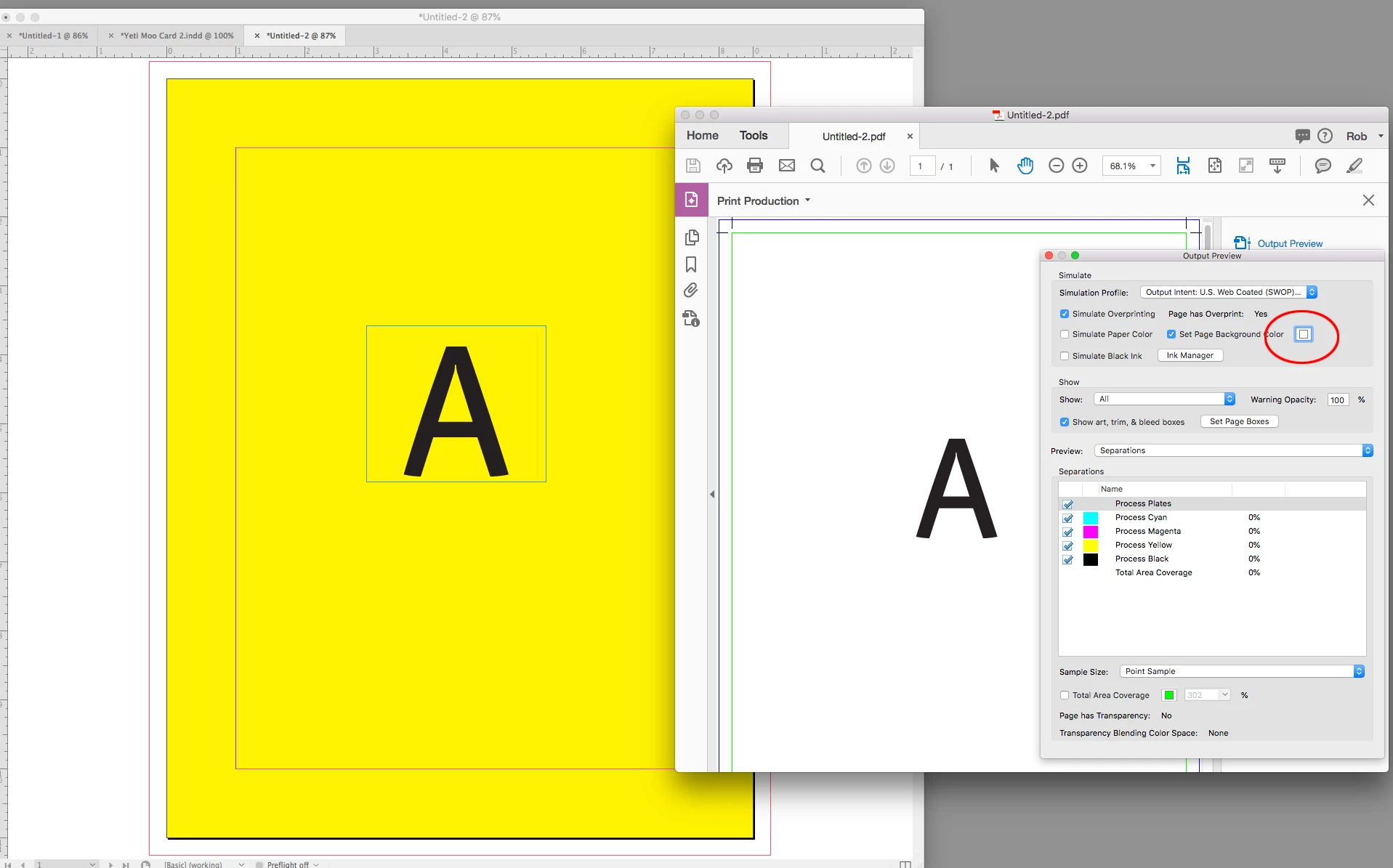
    If you are actually printing on yellow paper (the yellow is the paper color and not ink) then setting the [Paper] swatch to the paper color is correct. To view the paper color in AcrobatPro you have to do the same there. Just be aware that the Page Background color will not print.

    4 replies

    rob day
    rob dayCorrect answer
    Adobe Expert
    August 10, 2018

    At the end of the export process, I get this message: version 4 ICC Profiles were converted to version 2 ICC profiles during PDF Export. Is this the source of the problem?

    The profile message is not related.

    If you are actually printing on yellow paper (the yellow is the paper color and not ink) then setting the [Paper] swatch to the paper color is correct. To view the paper color in AcrobatPro you have to do the same there. Just be aware that the Page Background color will not print.

    barbara_a7746676
    Adobe Expert
    August 10, 2018

    Paper color will not export. It is just for viewing. You'll need to draw a large yellow rectangle and put it behind all objects or put it on a master page.

    New Participant
    July 29, 2021

    Still not happening 😕😕


    Peter Spier
    Adobe Expert
    July 29, 2021

    Might be best to start a new thread and show some screen shots of what you actually have on the page.

    Brainiac
    August 10, 2018

    Did you create a frame on your Master Page and fill it with yellow, or did you edit the color called [Paper]? 

    If it was by changing the appearance of [Paper], then you got the expected result. The Paper color does not print or export. It's a screen simulation of the physical paper you will be printing on.

    Vintage TV
    New Participant
    August 10, 2018

    I did it in this way:

    Is this the 'paper'? Otherwise, how can I apply a background color to the page?

    Thank you!

    BobLevine
    Adobe Expert
    August 10, 2018

    Set it to yellow, how?

    Vintage TV
    New Participant
    August 10, 2018

    Hi Bob,

    I did it this way: