Exit
  • Global community
    • Language:
      • Deutsch
      • English
      • Español
      • Français
      • Português
  • 日本語コミュニティ
  • 한국 커뮤니티
0

Indesign Dotted Line is splitting

Community Beginner ,
Apr 10, 2017 Apr 10, 2017

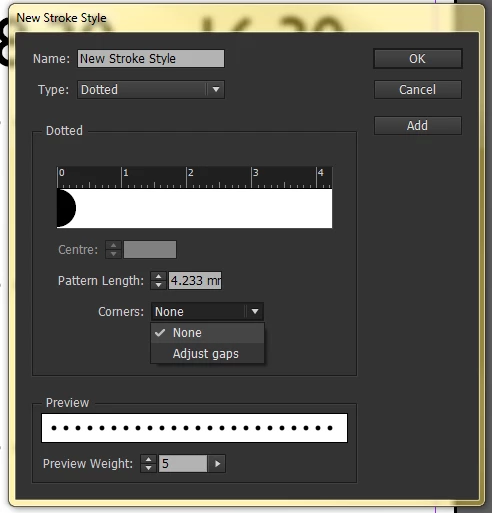
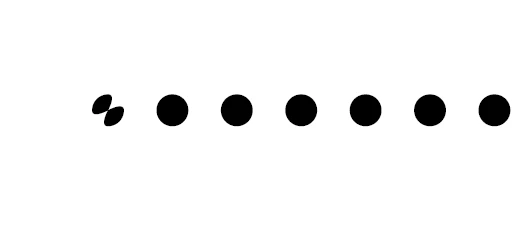
I am having a little issue with the current dotted line options indesign has,
Screenshot_11.png

Screenshot_10.png

It is splitting at the ends and i cant fathom how to fix it.

It actually shows up in the preview as well
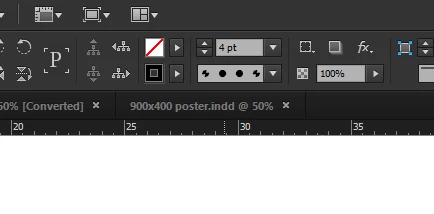
Screenshot_12.png

I've had the issue since the 2017 CC update and it is effect past work i open as well as the current line option.

Any clues?
1.3K
Translate
Report
Community guidelines
Be kind and respectful, give credit to the original source of content, and search for duplicates before posting. Learn more
community guidelines

correct answers 1 Correct answer

Community Beginner , Apr 10, 2017 Apr 10, 2017

Thank you for this!

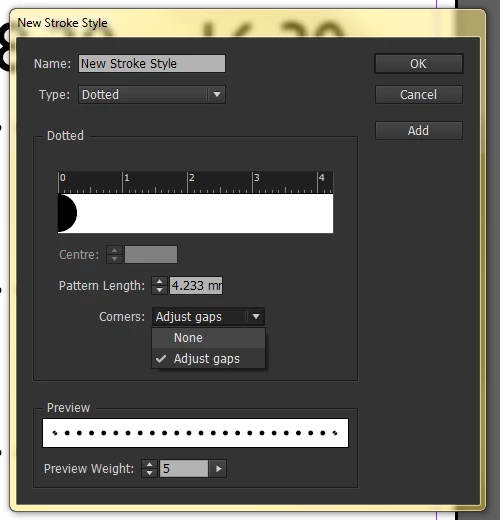
I've go into the "Stroke Styles" panel as you suggested and though on default it still has the same issue:

Screenshot_13.png

If turn off the "Adjust gaps" option, it fixes the problem for the custom line:

Screenshot_14.png

Do you know if there is a mirror for this on the uneditable preset list that I've had the issue with.

I work at a  graphics business and this issue has effected everything i have on file with a dotted line, so i really don't want to have to replace them all if i can avoid it.

Thanks!

Translate
Community Expert ,
Apr 10, 2017 Apr 10, 2017

Well, if this dotted line is one of InDesign presets then it is corrupted. Meanwhile, till a solution is found, you may design your own dotted line by going to Stroke Panel's fly-out menu and choose "Stroke Styles", click on the "New" button to display new stroke options window, and choose Dotted from Type menu as shown below.

Create your own dotted line, be creative

dotted-line.jpg

Translate
Report
Community guidelines
Be kind and respectful, give credit to the original source of content, and search for duplicates before posting. Learn more
community guidelines
Community Beginner ,
Apr 10, 2017 Apr 10, 2017

Thank you for this!

I've go into the "Stroke Styles" panel as you suggested and though on default it still has the same issue:

Screenshot_13.png

If turn off the "Adjust gaps" option, it fixes the problem for the custom line:

Screenshot_14.png

Do you know if there is a mirror for this on the uneditable preset list that I've had the issue with.

I work at a  graphics business and this issue has effected everything i have on file with a dotted line, so i really don't want to have to replace them all if i can avoid it.

Thanks!

Translate
Report
Community guidelines
Be kind and respectful, give credit to the original source of content, and search for duplicates before posting. Learn more
community guidelines
Community Expert ,
Apr 10, 2017 Apr 10, 2017

Try restoring your InDesign preferences:

Trash, Replace, Reset, or Restore the application Preferences

Translate
Report
Community guidelines
Be kind and respectful, give credit to the original source of content, and search for duplicates before posting. Learn more
community guidelines
Community Beginner ,
Apr 10, 2017 Apr 10, 2017
LATEST

I will try this if my current potential method doesn't play out.

Thank you very much!

Translate
Report
Community guidelines
Be kind and respectful, give credit to the original source of content, and search for duplicates before posting. Learn more
community guidelines