
BrittWarner
Participant
November 23, 2015
Question

Indesign: evented I/O for v8 javascript has stopped working

  • November 23, 2015
  • 18 replies
  • 13878 views

Hi Support team,

As of this morning every time I open In-design I am now getting the below error.
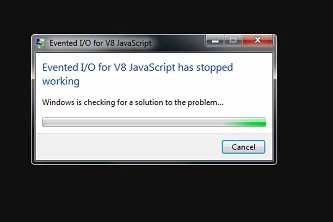
It pops up every 10 or so seconds.

I am running a windows 7 PC, I have updated java (after the error started), no windows updates have been installed. no plugins or add-ons added.

Event logs don't show any application error for in-design.

Can you please help me in rectifying this issue.

    This topic has been closed for replies.

    18 replies

    silver stories
    Participant
    November 25, 2015

    Has anyone's been fixed? Mine all of a sudden happened today? I waited about 2-3 hours for support to help me on that pathetic online chat and no one got back to me..

    It was fine yesterday (but my indesign wasn't working properly) so I reinstalled in and then this happened... just my luck!

    chrisbryant13
    Participating Frequently
    November 25, 2015

    I have the same issue with all my CC apps and my CC libraries don't work now after I downloaded the latest CC update it is driving me insane, come on Adobe fix it!!!!

    Participant
    November 25, 2015

    I had the CC libraries issue with a previous update. If you go into task manager > processes > 'end task' for the CC libraries process you should have access to your libraries again. But I had to do this each time I opened the app.

    chrisbryant13
    Participating Frequently
    November 25, 2015

    Thanks I tried that and still not working in any App..

    Participating Frequently
    November 24, 2015

    I've had this problem since the latest update affecting hundreds of users.  I've tried downloading more recent node.exe file and replacing the current files at play from node.js.  this doesn't work.

    I did a search on the system for node.exe and it appears in 3 locations.  I renamed each node.exe to node.exe.bak and this seems to have put the issue at bay for now. 

    Also ensured Enable Generator is disabled within Photoshop. 

    Waiting for appropriate fix from Adobe as it's affecting multiple customers.

    Known Participant
    November 25, 2015

    Having the same problem - I followed


    Participant
    November 25, 2015

    I'm absolutely positive it's the file in Adobe Creative Cloud\CCLibrary. Renaming it eliminates the error message. The drawback is that CC Libraries can not be used at all.

    ZippoS
    Participant
    November 24, 2015

    Having the same issue here. CC2015 running on Windows 7. Hope it's fixed soon! I'm not able to do any system restores here on my work computer.

    Peter Spier
    Community Expert
    Community Expert
    November 24, 2015

    Have any of you tried going back in time with Windows System Restore?

    Participant
    November 24, 2015

    Our IT department loaded Adobe CC and software onto a brand new computer and got this problem!! There are more people in the office this morning with the same issue. None of us can use InDesign - this is ludicrous when will Adobe sort this out?

    Peter Spier
    Community Expert
    Community Expert
    November 24, 2015

    patches require both writing code and testing before they can be released. You wouldn't want them to break something else, too.

    Participant
    November 24, 2015

    I just got through to Adobe web support.

    their response:

    "I would like to inform you that so many users have reported for this issue and we have reported the same issue to engineering team and they are working on it"

    So they know about it, have passed it to the engineers, and they are working on it.

    No idea of the problem, no ETA - but they are on it.

    If this turns out to be a drip-fed patch from Adobe that has knackered InDesign then I'm not a happy camper...

    Richard_of_Opus
    Participant
    November 24, 2015

    Hi, We've got 3 users with this problem. Only with InDesign CC 2015 (2014 is fine but there are obvious problems when the file was created in 2015)

    I'm fairly sure that it is to do with the CC desktop app as I have an earlier version installed (3.3.0.151) and it's fine, this is the same with other users.

    Participant
    November 24, 2015

    Same here.

    Only affecting In-Design as part of creative cloud, broke for us sometime overnight.

    I've checked firewalls, proxy servers, removed and re-installed In-Design - still no joy.

    I'm out of ideas - reckon it's time to call Adobe.  Wish me luck!

    Participant
    November 24, 2015

    same here. Can't use InDesign at all as the same message pops up every couple of seconds. This was after the automatic Creative Cloud app update this morning. I didn't update the InDesign app itself.