
Known Participant
August 1, 2017
Question

InDesign, Export to PDF with 300DPI image results in 21600DPI image?

  • August 1, 2017
  • 5 replies
  • 13982 views

I place a 300 DPI Bitmap (B&W, 1-bit) image into an InDesign document, export it to PDF, and in Acrobat Print Preview it shows as 21600 DPI.  Is anyone else seeing something similar, or able/unable to recreate the issue?  Thanks in advance.  (Note, the final PDF looks and prints properly, it's just that on inspection the DPI is wrong, and I fear that the recipient might take issue with the PDF files).

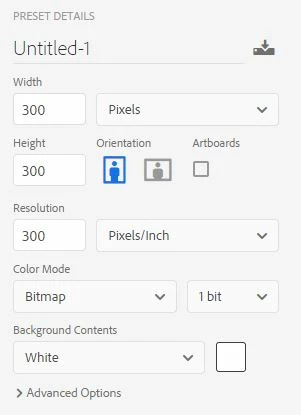
1. I Create a 300x300 pixel image, at 300 DPI, as a bitmap B/W image, and save as TIF

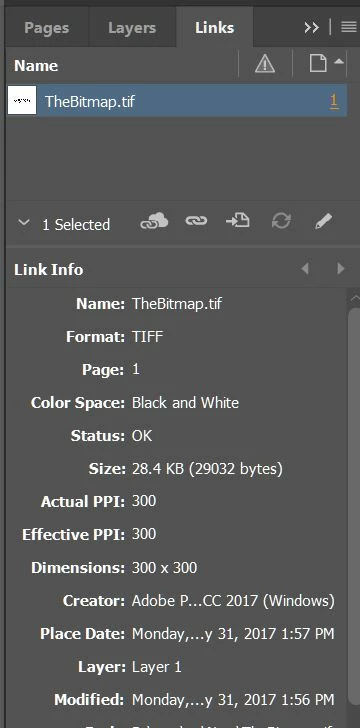
2. I create a new InDesign document, and place the Black and White image into the document.

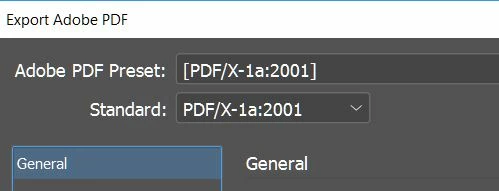
3. I export the InDesign document as PDF/X-1a

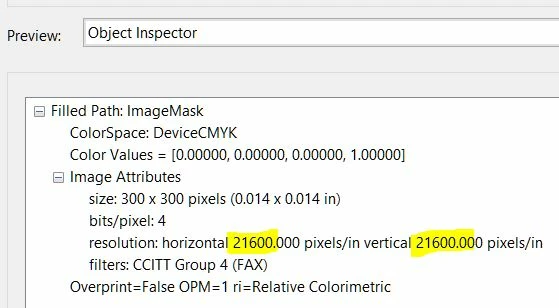
4. I open the PDF with Acrobat DC, Print Production, Output Preview, Object Inspector.
    This topic has been closed for replies.

    5 replies

    valerismirnov
    Participant
    March 4, 2023

    image height and width must be in millimeters and not in pixels
    if in pixels then 72 dpi

    John Mensinger
    Community Expert
    Community Expert
    August 1, 2017

    I can reproduce here.

    1" x 1" image @300ppi, bitmap mode

    Placed in InDesign, unaltered; Link Info values identical to OP's screenshot (size in bytes slightly different).

    Export using PDF/X-1a:2001 preset

    Acrobat DC Pro Object Inspector report identical to OP's screenshot

    rob day
    Community Expert
    Community Expert
    August 1, 2017

    The output dimensions always get listed as .014"x.014" even when the aspect ratio isn't square. The pixel dimensions are always correct. Can't remember if it happened in earlier versions.

    Preflight doesn't do any better:

    Known Participant
    August 1, 2017

    Also, it's really the output dimensions that are wrong. If I resize in Photoshop I can see Acrobat's reported resolution is correct relative to the misreported .014" output dimension:


    Thank you again for the helpful information.

    Unfortunately, I sometimes get very specific and exacting specifications for the required output that I must abide by.  One example, though not for this case, is FADGI.  As I try to verify that my output meets the guidelines, I have to be able to demonstrate this to the file recipients and I have to feel confident it will pass whatever internal testing they will do.  I am sure most of you have more experience in that area than I do.

    And in this case, I don't believe that PDFs made with Acrobat and 1-bit monochrome bitmaps had the same resolution issue as ones made with InDesign (though I have not tested).  This leaves an ambiguity that I'm not comfortable with.  Another tool to check PDF contents would be great, but who do you trust if you don't trust Adobe?

    rob day
    Community Expert
    Community Expert
    August 1, 2017

    I've noticed that AcrobatPro's Output Preview's Object inspector does that with all 1-bit images. i don't think there's anything you can do about it.

    John Mensinger
    Community Expert
    Community Expert
    August 1, 2017

    https://forums.adobe.com/people/rob+day  wrote

    I've noticed that AcrobatPro's Output Preview's Object inspector does that with all 1-bit images. i don't think there's anything you can do about it.

    Right. Can't matter much. Obviously the mis-report doesn't change content materially.

    mariog69599891  wrote

    ...I fear that the recipient might take issue with the PDF files

    Direct them to this thread.

    Bill Silbert
    Community Expert
    Community Expert
    August 1, 2017

    Check in InDesign whether the image is in at 100%. In order to get a resolution close to what you got in the pdf the image would be in the InDesign file at approximately 1%.

    BobLevine
    Community Expert
    Community Expert
    August 1, 2017

    Did you scale the image?