Answered
Indesign exporting
InDesign has no access to export one page, it will only export all. How do I fix this?

InDesign has no access to export one page, it will only export all. How do I fix this?
Hi Pam,
there are several options in your dialog for PDF Export to achieve what you want.
From my German InDesign where "Seiten" mean "Pages".
Currently "All" is enabled. Next to that option is "Range:" where "All Pages" is visible.
That's the default.
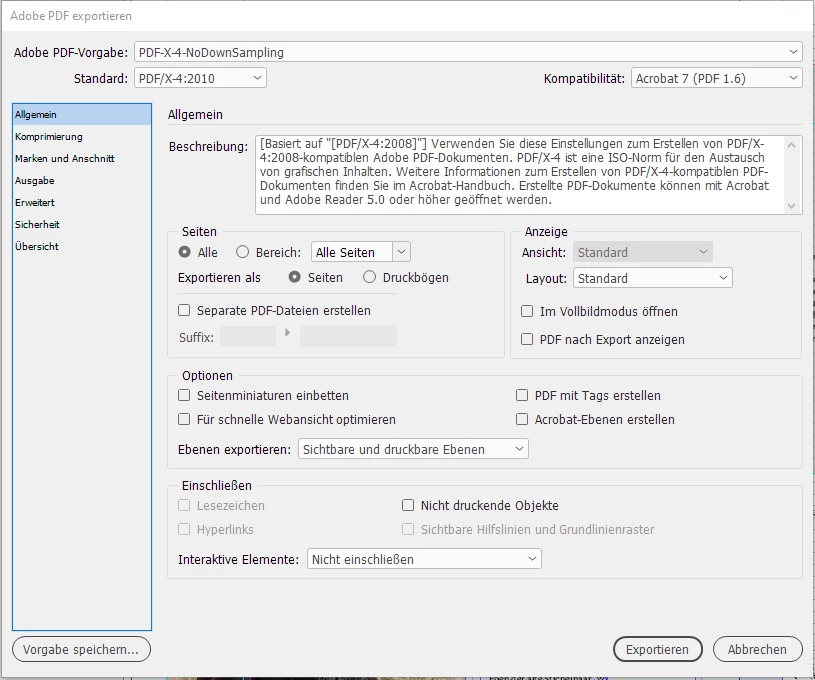
To export a single page simply type the name of the page you want to export to the Range field.
In my sample below the page with the name 52:
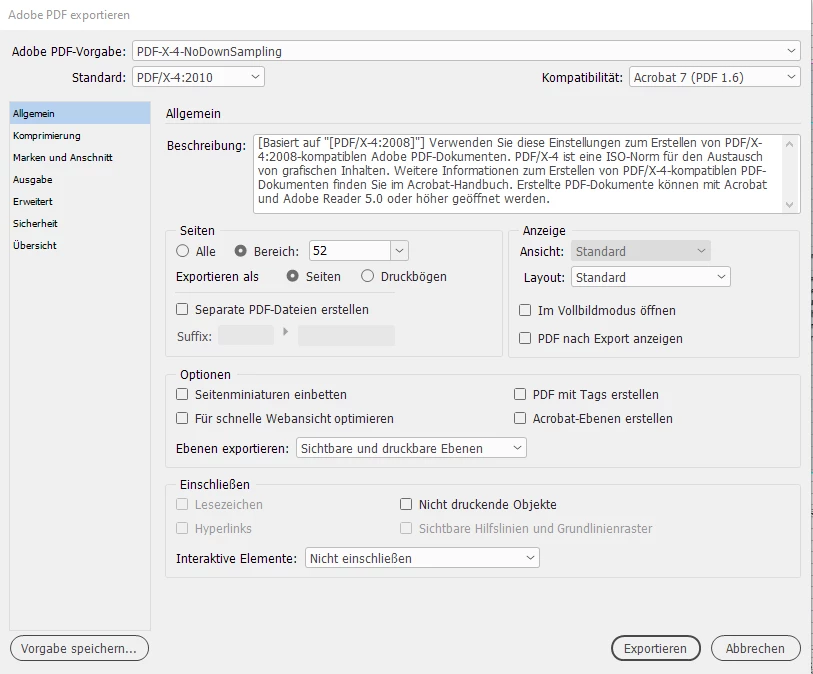
The Range field can also hold page name ranges like:
52-56 or 52,53,54,55,56
You could also dicatate a different order:
56,55,54
Or that one page will be exported more than one time to the exported PDF:
56,56,56
And then you could also use the position of a page in your document.
+1
would be the first page in your document whatever the actual name is.
Also doable, set a range from a distinct page to the end of a document or from the beginning of the document to a specific page.
Page named 56 to the end of the document:
56-
All pages to and including page 56:
-56
Regards,
Uwe Laubender
( ACP )
Already have an account? Login
Enter your E-mail address. We'll send you an e-mail with instructions to reset your password.
 AdChoices