

InDesign falsely claims a font is missing
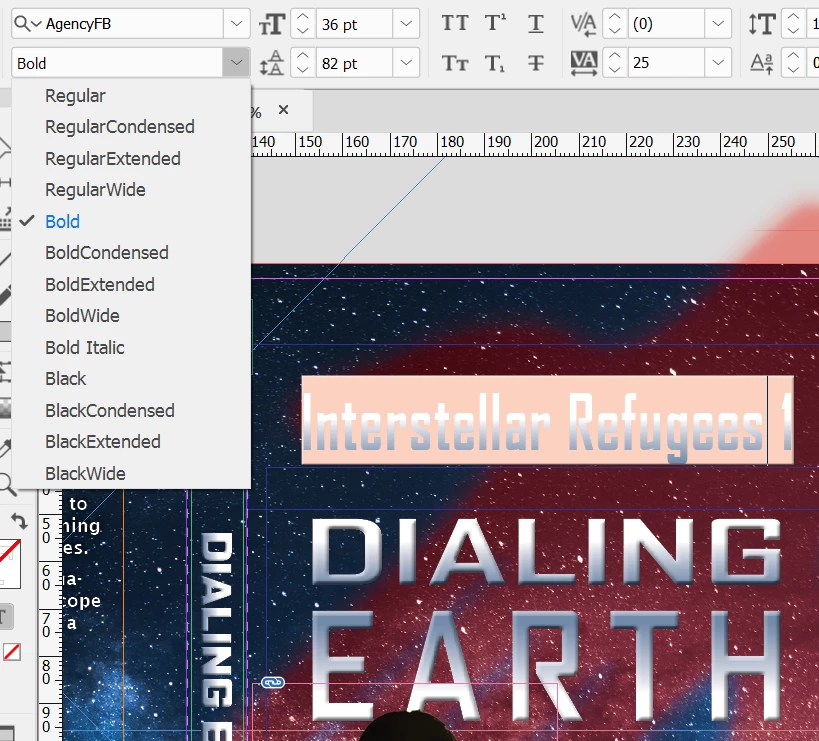
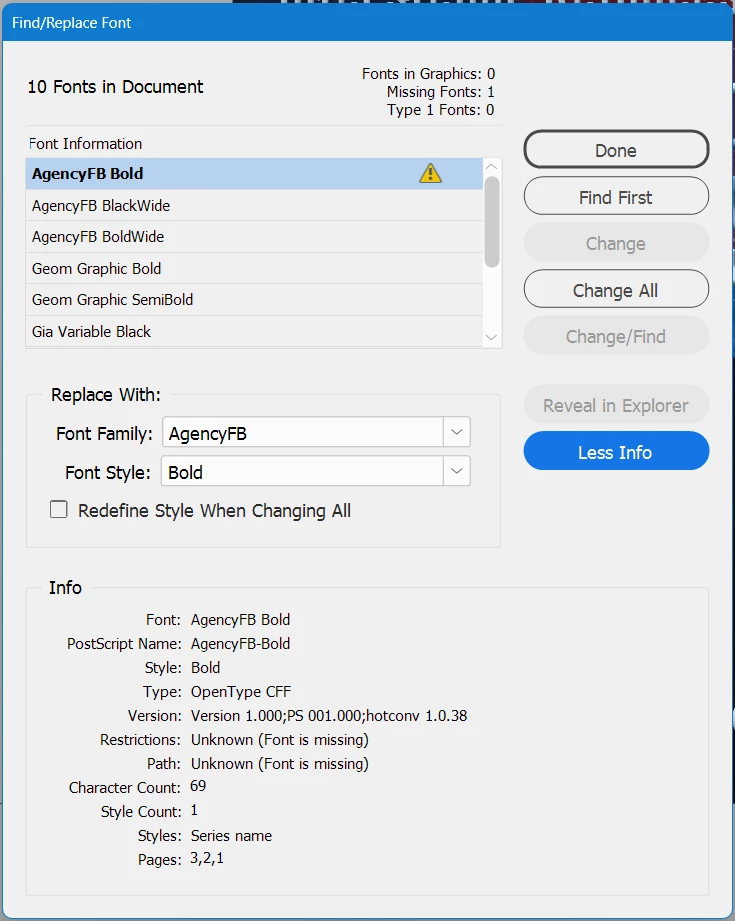
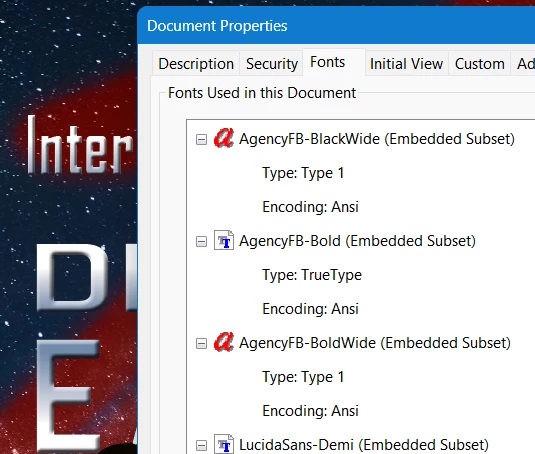
I added several Adobe fonts from the family AgencyFB, and then used three of them (Bold, BoldWide, and BlackWide) in an InDesign document. A day or so later, InDesign started claiming that the Bold version is missing, but it's definitely not. I removed and re-added it on the Adobe Fonts page, but there was no change in InDesign. I can still choose that font variation in the pulldown, and InDesign will render it properly and even embed it in exported PDFs, while continuing to claim it's missing! I did notice that in the list of embedded fonts in the PDF, Bold is rumored to be TrueType while BoldWide and BlackWide are Type 1 Open Type - it seems unlikely that different fonts in the same family would be different types, so that got my attention. In InDesign's Find/Replace Font dialog, the More Info area says the font is supposed to be OpenType CFF, not TrueType, so that's definitely odd. What should I do to try and fix this?
Here are three screenshots to support what I just wrote: (1) a view in InDesign showing the font pulldown and one of the pieces of text being displayed by InDesign in classic "I can't find this font" pink, (2) Find/Replace Fonts with the full info showing, and (3) the relevant part of the font list in an exported PDF.
 AdChoices