- Home
- InDesign
- Discussions
- Re: Indesign File Size Absurdly Large
- Re: Indesign File Size Absurdly Large
Indesign File Size Absurdly Large

Copy link to clipboard
Copied
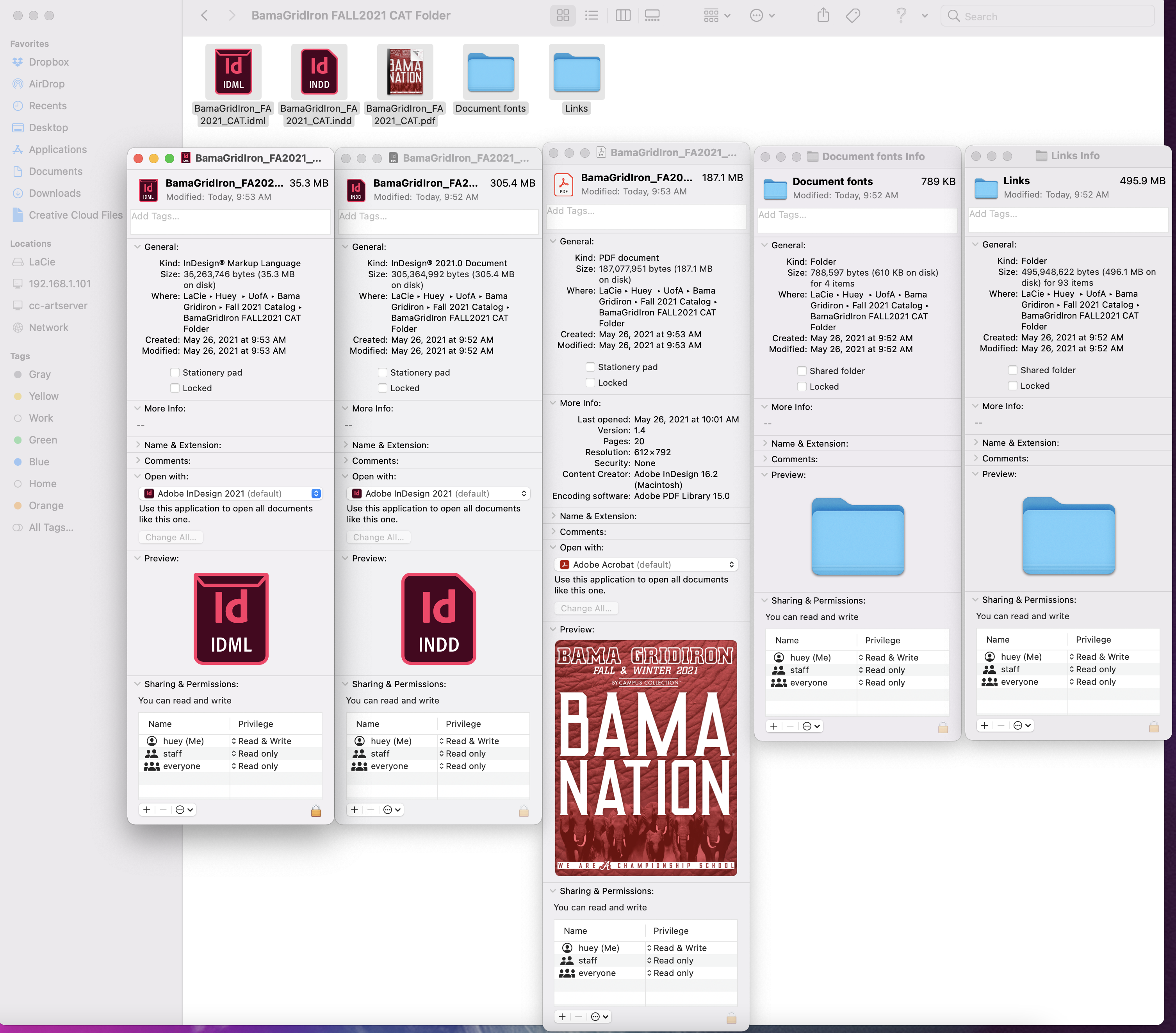
I am working on a catalog project (I do roughly 6 a year). I basically use the old catalog, and update the links and text in the document. My previous file was 28 pages, 127 links and 32.3 MB in size. I used this file, updated links to new images, no settings changed. The new file is 20 pages, 98 links, but 288.9 MB. I have ABSOLUTELY NO idea what has increased the file size so much. I have done every thing exactly the same as my previous catalogs.
Possibly related: When saving JPEGS in photoshop, randomly files will be 4+MB, when other comparable files are all under 500KB.


 24
Replies
24
24
Replies
24




Copy link to clipboard
Copied
Copy link to clipboard
Copied
Yes, I have. Multiple times.

Copy link to clipboard
Copied
Saved as idml, opened that and then save as indd yet?
Copy link to clipboard
Copied
I just did, no luck with that either. However the idml is only 35.2 MB. When resaved as indd jumps back up to 288.6
Copy link to clipboard
Copied
Copy link to clipboard
Copied
Just double checked, I have no embedded images. All links... I'm beyond confused.

Copy link to clipboard
Copied
Strange. If the .indd file is 288.9 MB, what is the size of a PDF document when you use the standard “high quality print” PDF export preset without making any changes to the output settings? I’m curious if the size issue is only within the InDesign software or with your entire system. In other words, if the size of the individual pieces of content in your file aren’t this large, then I’m thinking the PDF would reflect that.
Copy link to clipboard
Copied
The high quality PDF is 187.1 MB. I have no idea what is going on with the sizes! I've done this exact same thing for years with no issues, and now it's crazy big for what it is and comparable files.
Copy link to clipboard
Copied
Wow, okay, so it’s certainly the content in the file that is large. Maybe the new images you linked to are unusually large files or have dimensions far exceeding the layout size. Are there are 98 images total in the file? I’m assuming they are 300 dpi CMYK for print but maybe you are running them at 3x4 and they are sized at 18x24 or something crazy! What is the total size of all the image files by themselves?
Copy link to clipboard
Copied
I have them linked to psd files. But these files are all roughly the same size as the links in previous catalog, that has more images, and is only 33MB... I've done everything exactly the same as I have in the past from creating the images to updating the indesign file.
Copy link to clipboard
Copied
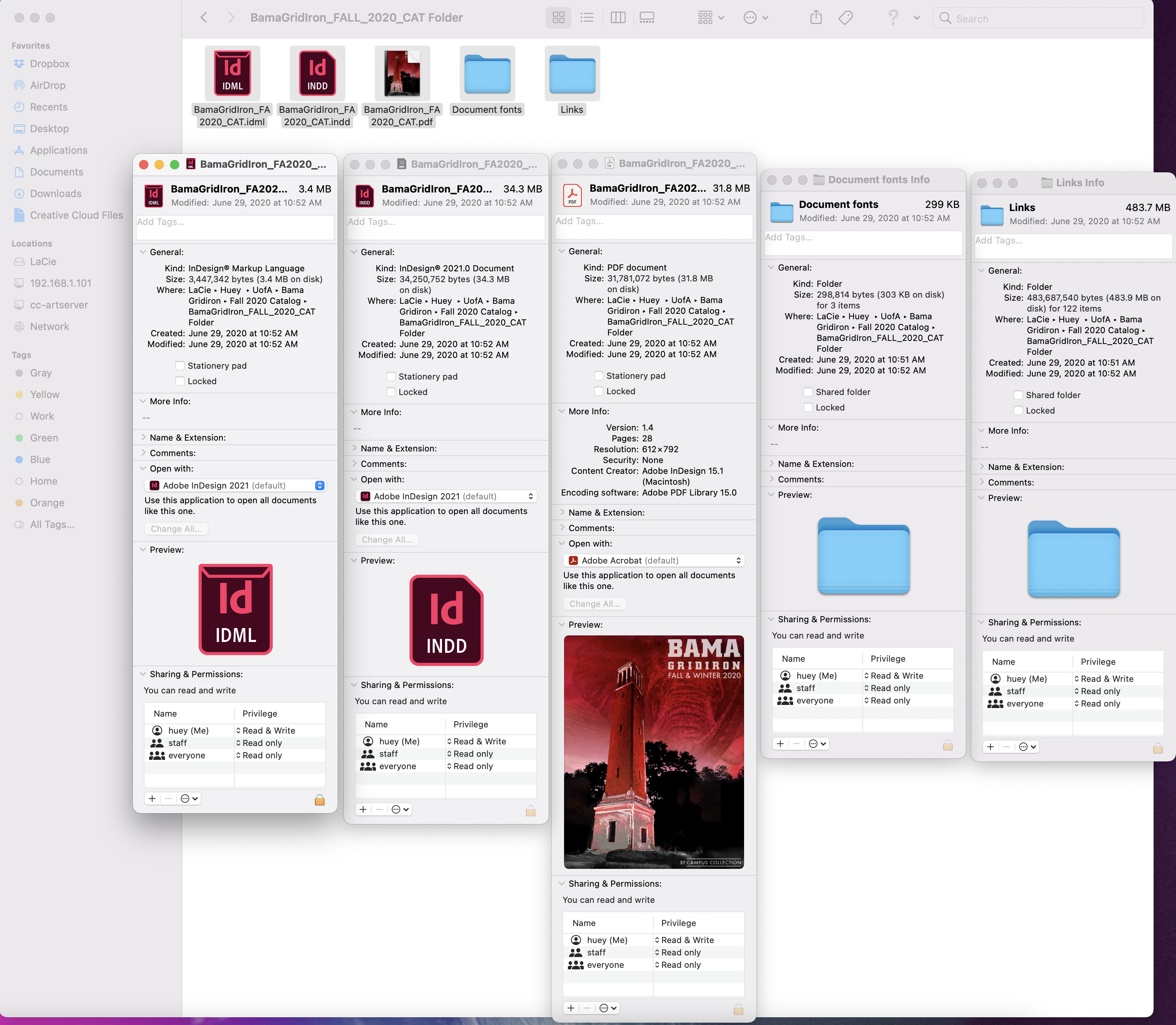
Sorry, the previous indesign file was 60MB, the high res print quality PDF was 33MB.
Copy link to clipboard
Copied
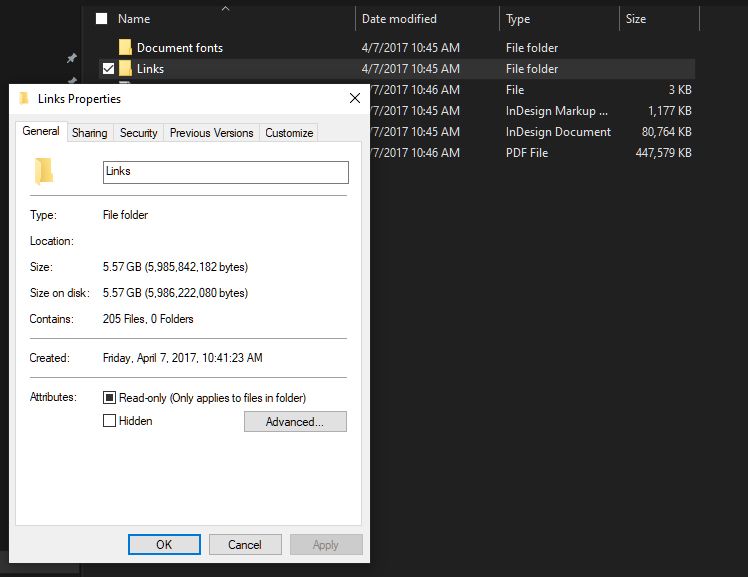
Okay. Have you tried packaging the .indd file, then looking in the directory to see the total size of your links? For example, here is a cookbook I designed with lots of image files that totaled 5.57 GB! But my .indd file is only 80 MB. Maybe the .psd is the issue? Can you batch convert to TIF or JPG and relink them to see if that changes anything?
Copy link to clipboard
Copied
Copy link to clipboard
Copied
Crazy. It seems to be the 2021 ID version is causing it but why? v.16.2.1, right? Maybe the reinstall will help! Please let us know what you discover.

Copy link to clipboard
Copied
Are the images you linked to low resolution? By that I mean the pixels size is large (72 ppi instead of 300 ppi) not that there is not enough resolution in the image.
InDesign embeds a low resolution proxy for placed images. If you place a 300 ppi image that’s 4 inches by 5 inches InDesign will generate and embed a copy of the image that is 72 ppi. If you were to place the same image at 72 ppi then scale it to 24% you would have the same image at the same effective resolution. But the embedded preview would be 16.67 inches by 20.83 inches.

Copy link to clipboard
Copied
Where you been all these years, Scott? 😄
(Did you mean to reply to the new query below, or just not catch the zombie dating here?)
Copy link to clipboard
Copied
Didn’t see the mold on the thread.
Copy link to clipboard
Copied
A persistent problem on most informational forums. I've often argued for a thread-age flag, or at least a warning when someone adds a new comment after X amount of time. But nobody listen to Zathras.
I mean, it's 2024. Instead of a dull administrative notice and scaring away a newcomer who doesn't note that a discussion is old, we could have animated zombies crawl all over the screen. Yeah! That's the ticket!
Copy link to clipboard
Copied
Someone posted something and pushed this back to the top. I'm going to lock it to avoid that happening again.

Copy link to clipboard
Copied
Are you sure you haven't pasted any graphic content tatyher than placing?
> I basically use the old catalog, and update the links and text in the document.
This is not a good workflow, and I would say you've been lucky so far. Continuous "recycling" of files tends to lead to a build-up of minor corruptions until they reach the fatal error stage. Much better is to create a template for work of this type containing master pages and all needed styles, then create each new iteration from the template.

Copy link to clipboard
Copied
The file size could be from metadata coming with placed files. There have been a number of threads discussing the problem, this thread has a link to a script that will remove ancestor metadata in placed files.

Copy link to clipboard
Copied

Copy link to clipboard
Copied
If nothing helps, create a new file with the same size, 2 pages, no styles, no masters and move all pages with the command from the Layout menu from the old document to the new one. Rember layers turned on. And save the new file with a new name.

Copy link to clipboard
Copied
Did this ever get figured out?


Find more inspiration, events, and resources on the new Adobe Community
Explore Now
 AdChoices