
Known Participant
August 26, 2024
Question

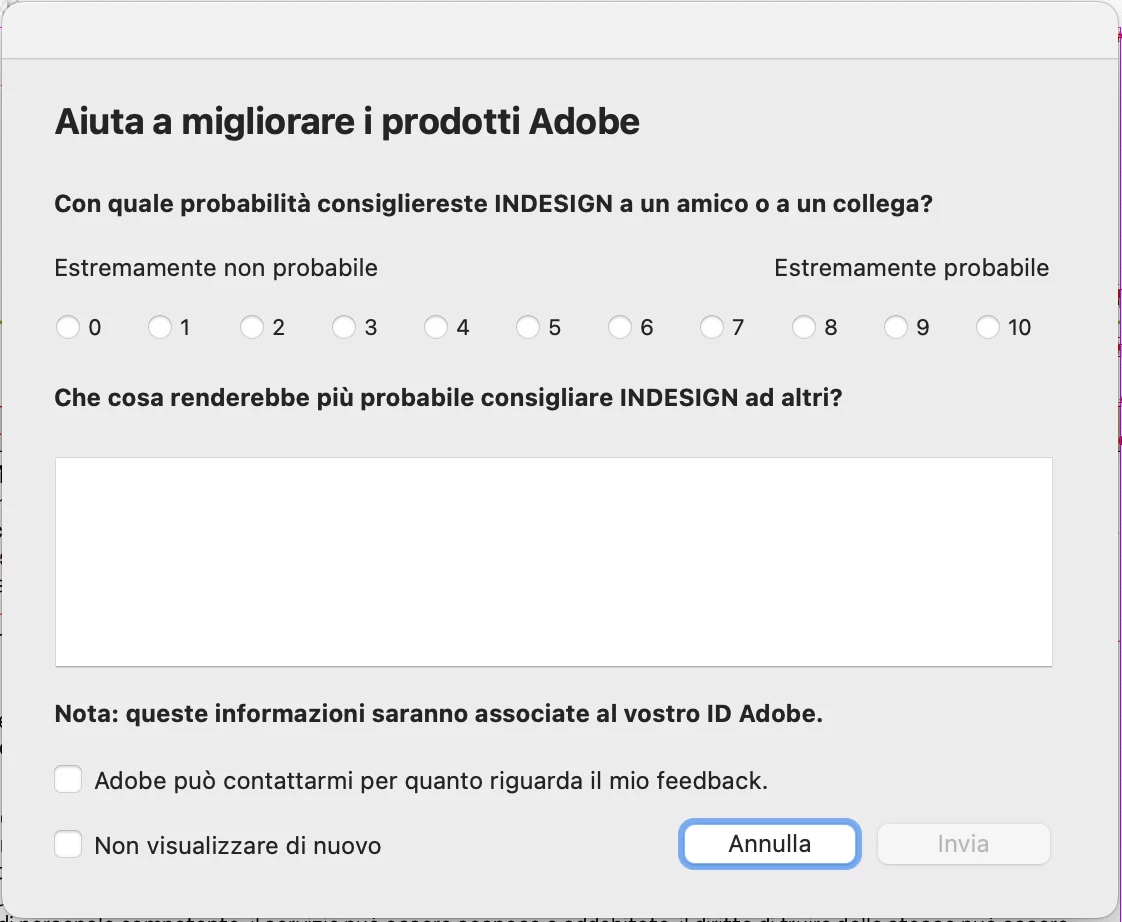
InDesign Freezing After "Help Improve Adobe Products" Prompt

  • August 26, 2024
  • 3 replies
  • 1465 views

it is the second time Indesign freeze after showing the "Help improve Adobe products" window.

first time last week and now, today morning. may be the monday morning... ?

anyway I must cmd+alt+esc to close indesign.


<Title renamed by MOD>


3 replies

Abhishek Rao
Community Manager
Community Manager
May 13, 2025

Hi @hare-in-moon,


Thanks so much for sticking with us through this frustrating experience.

I've checked with the product team and they've confirmed that a fix for the hang issue with the 'Help Improve Adobe Products' dialog has been added in the 20.4.0.25 pre-release build of InDesign.

This pre-release is now available, and it would be great if you could try it out and see if it resolves the issue on your end. If you don't already have access to the InDesign pre-release program, you can follow the steps in this post to join:
Invitation to InDesign Prerelease

https://adobe.ly/44UmU4b

Once you're in, download the latest available build from the Creative Cloud desktop app and give it a try. If the issue continues, just let me know and I'll work with the team to help you further.


Looking forward to your update.

Abhishek

Known Participant
May 15, 2025

Hi Abhishek

Thanks for confirming that this is a real issue and that Adobe is addressing the problem. I regret to say I've never been an 'early adopter' for software that I use for work so without knowing how other changes in the 20.4.0.25 prerelease might affect my workflow I'm not going to install it. I look forward to reports from users braver than I.


Community Expert
May 13, 2025

Hi together,

in the meanwhile I think this is a known bug and will be addressed in the next point update of InDesign 2025 after the current version 20.3.


Regards,
Uwe Laubender
( Adobe Community Expert )

Abhishek Rao
Community Manager
Community Manager
August 26, 2024

Hi @Milko37656671vnte, 


Sorry about the freezing! I know that's really frustrating. I would request you to please share a few more details like:

  • Please confirm the exact version of the InDesign. Also, please share the operating system details. 
  • Do you perform a specific task when it crashes? Is the issue intermittent? If yes, any patterns notes ? 
  • Did you use the CC Cleaner tool to uninstall the app?
  • Please submit the crash report by following the steps suggested here (  https://adobe.ly/4dVUBDl).
    While submitting the crash report, please use the same email address with which you are signed in on this community. This will help us find the crash report and help accordingly.


Also, I would suggest you try the following steps and let us know if it helps:

  • Try running the app in Safe Mode  (Mac) & Root account (Mac)? (If using a macOS)
  • Close all Adobe applications and manually reset preferences by renaming the folders from the following locations:
    ~/Library/Caches
    ~/Library/Preferences
    Rename Adobe InDesign and com.adobe.InDesign to Adobe InDesign.old and com.adobe.InDesign.old and
    launch InDesign from the Creative Cloud app
  • Rename the CEP folder to CEP.old from the following location:
    /Library/Application Support/Adobe
  • If that doesn't help, rename the UXP folder to UXP.old in the following location:
    /Library/Application Support/Adobe
    ~/Library/Application Support/Adobe

Reference article:Fix crash issues when launching InDesign (https://adobe.ly/4cD88i8)

Set preferences in Adobe InDesign


We are here to help. We just need more information.


Thank you, 

Abhishek Rao

Known Participant
April 16, 2025

I have the same problem.  M1 mac mini 2020, Sequoia 15.4. InDesign 20.1.
Window popped up when I opened the document to begin work.
Spinning beachball of death on the 'Help improve Adobe Products' window and elsewhere on *the InDesign document I was working on*. 
This happened before but I was too busy to report it here. 
The following is not aimed at the people who are helping on the forums: I don't want to hurt your feelings. It's aimed at Adobe.
'How likely are you to recommend INDESIGN to a friend or colleague?' Right now? 5
'What would make you more likely to recommend it?'
Stop interrupting my work to ask whether I like Adobe products. 
Stop adding AI to everything. Stop suggesting I try your AI (Illustrator). I and my clients value HUMAN artistry, not mean/median/mode machine-generated mediocrity.
Be more ethical: stop stealing other people's words and art to train your AI.

Abhishek Rao
Community Manager
Community Manager
April 16, 2025

Hi @hare-in-moon,


Really sorry to hear that you're running into this. This is definitely not the experience we want you to have.

The "Help improve Adobe products" dialog box is not supposed to cause any freezes, so it’s concerning that it’s locking up the app for you. Could you let me know if this happens every time you launch InDesign or only occasionally? Knowing whether it’s persistent or intermittent will help us understand the issue better.

I'll make sure your feedback reaches the product team. Your voice matters, and it's important we hear it.

Looking forward to your update, so we can get this resolved for you.


^
Abhishek Rao