
Participant
December 4, 2017
Answered

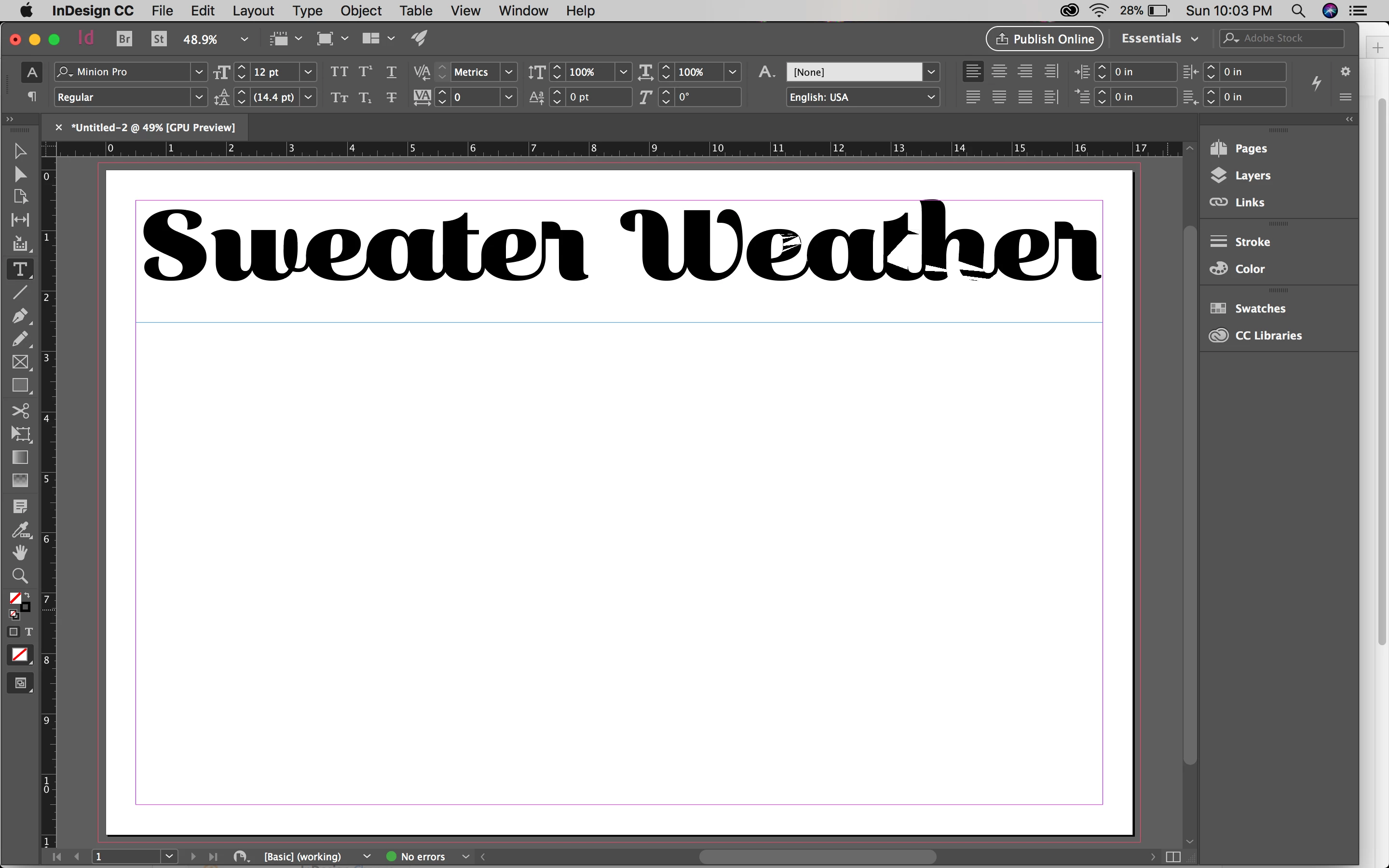
InDesign Glitch, Distortion, etc...

  • December 4, 2017
  • 3 replies
  • 509 views

Hello.

I'm fairly new to using InDesign and like programs, I'm in school for graphic design currently. Lately, I've been having a lot of trouble with Adobe programs on my computer. First, it was only trouble using files from my teachers on my personal computer because I have the up-to-date programs and the school does not, but now, even creating a new files on my computer and doing something simple like typing text in InDesign is not working. I don't know what's happening with my computer/programs, does anyone have any knowledge of this?

Edit: I don't need help with the file problem, I resolved that. I'm just having serious trouble with the glitch, distortion issue or whatever it is
This topic has been closed for replies.
Correct answer Sumit_Garg

This issue is specific to macOS 10.13 and with specific Intel graphic cards on machines.

We are actively working with Apple for possible resolution of this issue and will keep you all posted once we have more information from Apple.

Till then, you can switch off GPU rendering as a workaround

Thanks

-Sunit

3 replies

Participant
December 4, 2017

That worked! Thank you both so much for the help!

Sumit_Garg
Adobe Employee
Sumit_GargCorrect answer
Adobe Employee
December 4, 2017

This issue is specific to macOS 10.13 and with specific Intel graphic cards on machines.

We are actively working with Apple for possible resolution of this issue and will keep you all posted once we have more information from Apple.

Till then, you can switch off GPU rendering as a workaround

Thanks

-Sunit

Steve Werner
Community Expert
Community Expert
December 4, 2017

It could be an issue with the GPU. Go to Preferences > GPU Performance and turn it off (or alternatively choose View > Preview on CPU.