Exit
  • Global community
    • Language:
      • Deutsch
      • English
      • Español
      • Français
      • Português
  • 日本語コミュニティ
  • 한국 커뮤니티
0

InDesign Graphical Distortion

Community Beginner ,
Nov 21, 2016 Nov 21, 2016

Hey Everyone, running a IMAC,27" 3.2GHZ QC I5, TURBO BOOST UP TO 3.6GHZ, AMD RADEON R9 M380 WITH 2GB GDDR5, 16GB 1867MHZ DDR3L MEMORY - 1TB SSD.

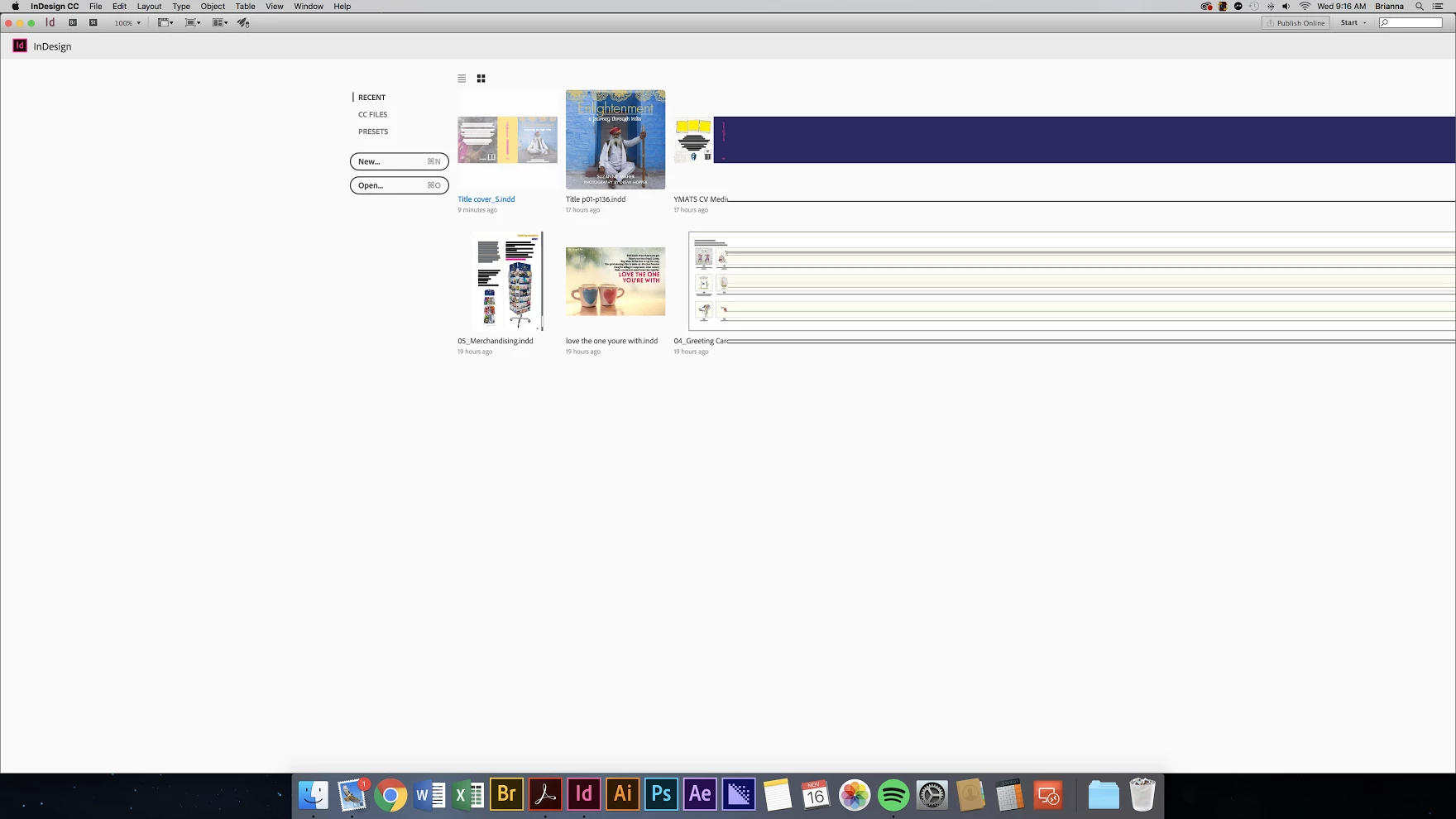
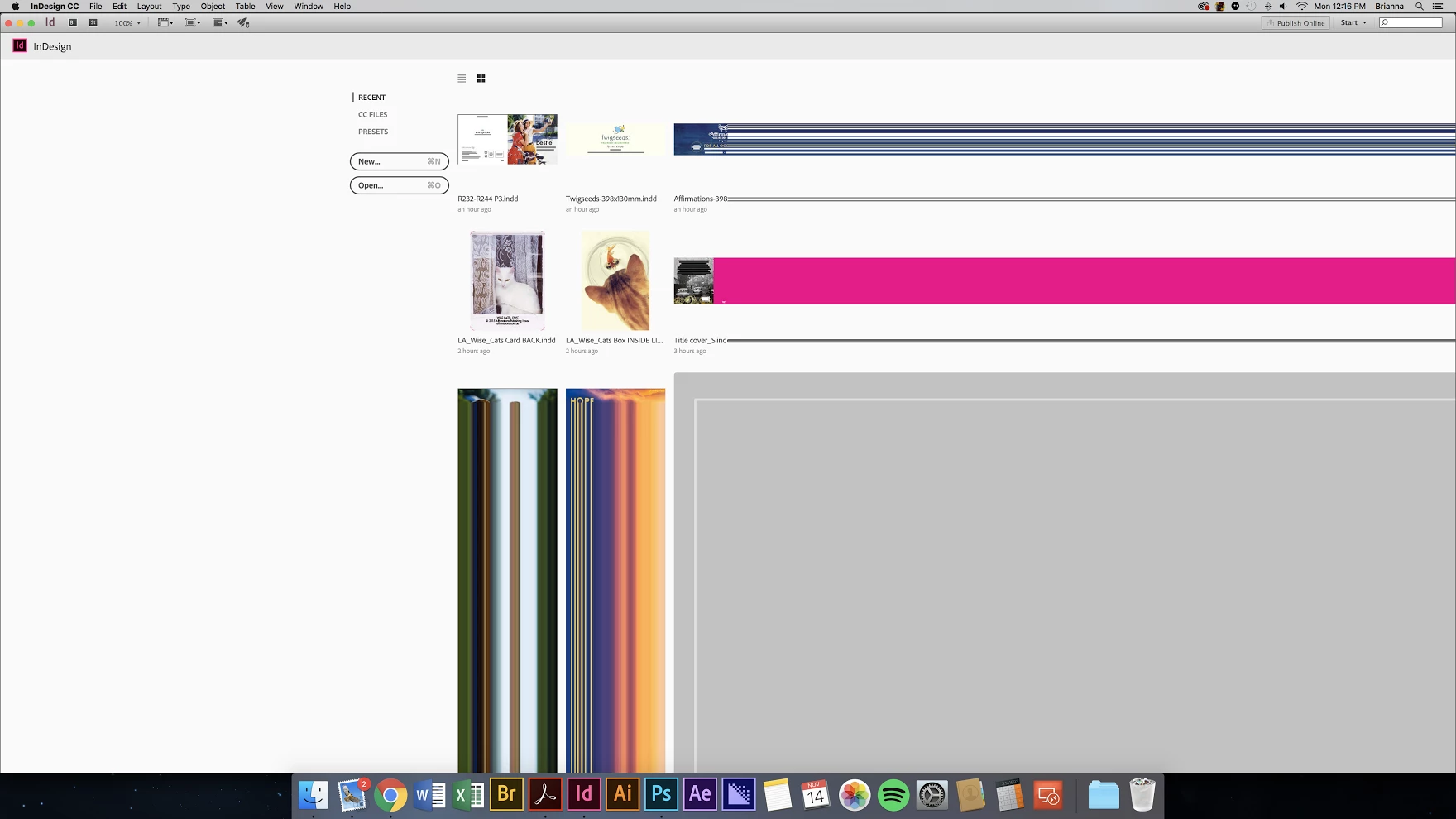
InDesign has been having some graphical issues on startup; Please find images attached; Can anyone advise any fixes or ?

Have attempted backing up and removing the following files, issue still happens.

Application "Roaming Data Folder"

/Users/[User Name]/Library/Preferences/Adobe InDesign

Application "local cached data folder"

/Users/[User Name]/Library/Caches/Adobe InDesign
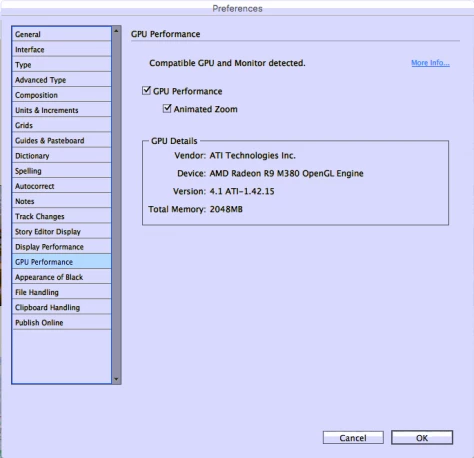
Screen Shot 2016-11-17 at 13.27.39.pngunnamed-1.pngunnamed.png

316
Translate
Report
Community guidelines
Be kind and respectful, give credit to the original source of content, and search for duplicates before posting. Learn more
community guidelines

correct answers 1 Correct answer

Community Beginner , Dec 07, 2016 Dec 07, 2016

Thats not a real setting to disable. I corrected my issue by migrating to a new user account, the apps settings could not be removed/purged or the account was corrupt. Issue resolved.

Translate
Community Expert ,
Nov 21, 2016 Nov 21, 2016

Turn off the graphic processor: View > Preview on CPU.

Translate
Report
Community guidelines
Be kind and respectful, give credit to the original source of content, and search for duplicates before posting. Learn more
community guidelines
Community Beginner ,
Dec 07, 2016 Dec 07, 2016
LATEST

Thats not a real setting to disable. I corrected my issue by migrating to a new user account, the apps settings could not be removed/purged or the account was corrupt. Issue resolved.

Translate
Report
Community guidelines
Be kind and respectful, give credit to the original source of content, and search for duplicates before posting. Learn more
community guidelines