
Participating Frequently
June 6, 2022
Answered

InDesign - How to align first lines only in 2 columns

  • June 6, 2022
  • 7 replies
  • 2519 views

Hi All,
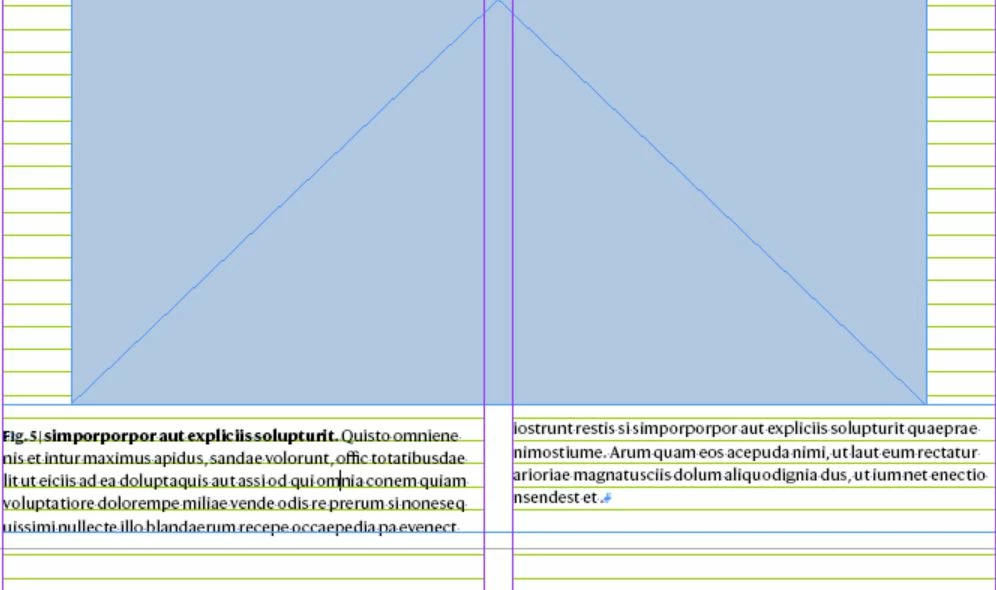
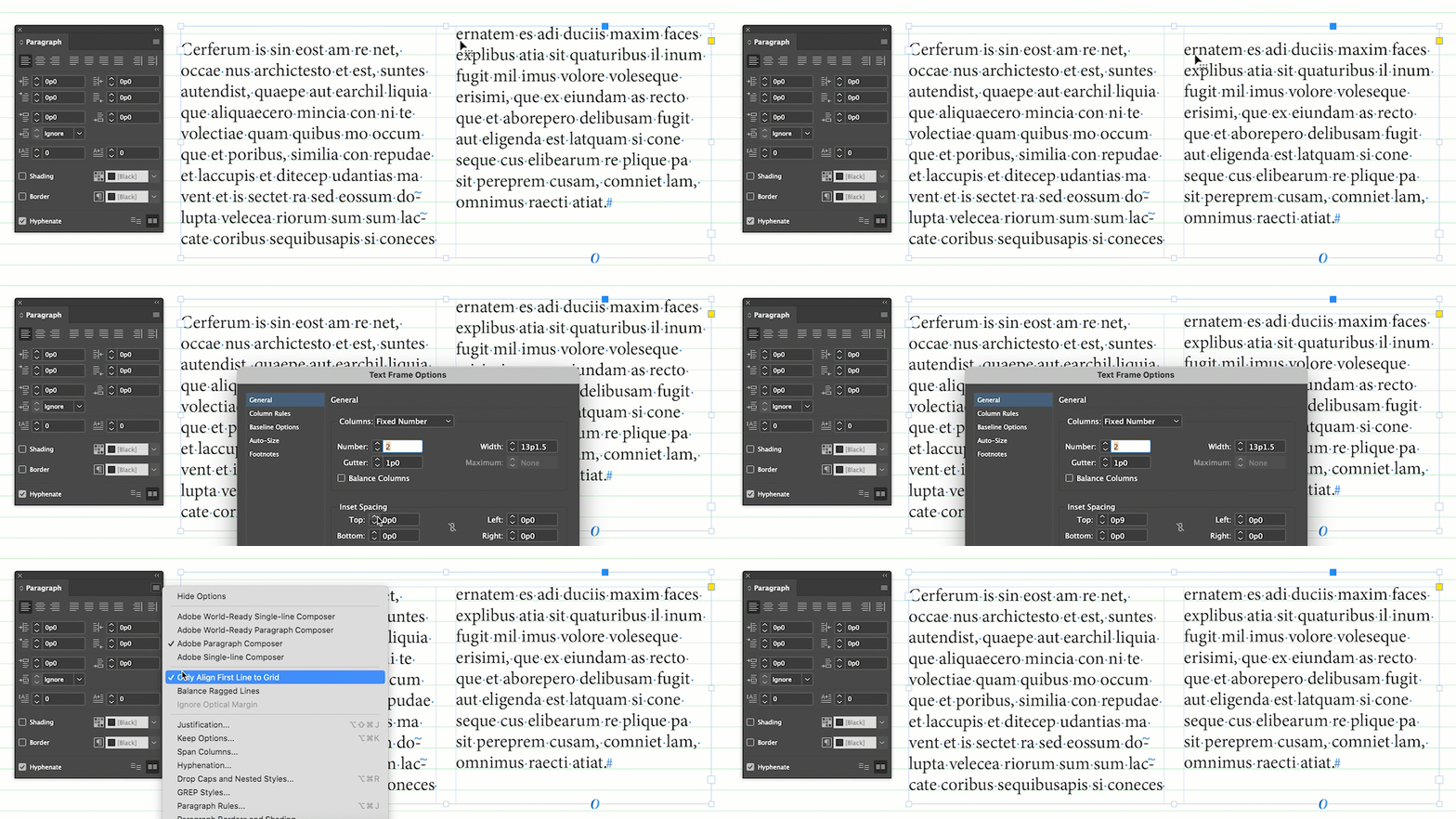
I have single width text frame split in to two columns, where I have a request to align only the first lines (in both columns) but I could able to align only first line in first column using align to grid "First line only" option. Is there any options to align first line in second column as well. Kindly suggest if any workaround to achieve this in InDesign CS6.
This topic has been closed for replies.
Correct answer Barb Binder

Hi @Saravanan RM:


Align first line to grid means the first line of a paragraph, not the first line in each column. If you go ahead and remove that option, you will get what you are looking for. If for some reason you are not allowed, then you can increase the top inset, but the result is the same, and it's more work, so why?


~Barb


7 replies

Participant
July 5, 2023

Just had a very similar situation arise that I worked through with a colleague and it turned out they'd copied the text in from Word and it had introduced some hidden formatting which needed to be removed with 'Clear overrides'.

Peter Kahrel
Community Expert
Community Expert
June 7, 2022

Try 'Skip by leading', it's set in the preferences:


Willi Adelberger
Community Expert
Community Expert
June 7, 2022

Make a 2 column frame for this text, align to baseline grid, but create its own baseline grid for this frame (do not use the global baseline grid from the document).

Participating Frequently
June 10, 2022

We have to match the first line alignment to global baseline grid.

Barb Binder
Community Expert
Barb BinderCommunity ExpertCorrect answer
Community Expert
June 6, 2022

Hi @Saravanan RM:


Align first line to grid means the first line of a paragraph, not the first line in each column. If you go ahead and remove that option, you will get what you are looking for. If for some reason you are not allowed, then you can increase the top inset, but the result is the same, and it's more work, so why?


~Barb


~Barb at Rocky Mountain Training
Participating Frequently
June 7, 2022

Thanks Barb, this option sounds good, I have also tried using Ascent offset to align 2nd column 1st line but as we move the group the alignment get changed, is there any option to lock the basealign offset for the 2nd column 1st align.

Barb Binder
Community Expert
Community Expert
June 10, 2022

No. The Align first line to grid command only impacts the first line of a paragraph, but not the first line in each column. There is no other option to align the first line of each column, other than the approaches we've already explained.


~Barb

~Barb at Rocky Mountain Training
Dave Creamer of IDEAS
Community Expert
Community Expert
June 6, 2022

Is the leading/line spacing set to a single, absolute number? You can also set your preferences so the leading applies to the entire paragraph.


David Creamer: Community Expert (ACI and ACE 1995-2023)
Participating Frequently
June 6, 2022

Thanks for your reply. Actual leading for figure caption style is lesser than the body text and not suppose to change the leading.

jmlevy
Community Expert
Community Expert
June 6, 2022

Why don't you simply uncheck align the first line to baseline grid? Since this is a two columns frame, the text in the second column will be at the same position than in the first one.

Participating Frequently
June 6, 2022

Thanks for your reply. Base align is required for the 1st lines across column.

jmlevy
Community Expert
Community Expert
June 6, 2022

Base align is required for the 1st lines across column.

Can you explain why? As I wrote and as @Barb Binder also wrote, removing this option will allow you to align the first line of each column.

Scott Citron
Legend
June 6, 2022

I can suggest two options. 1) Set all lines in the paragraph to Align to Baseline Grid, or 2) Break the paragraph into two and set both paragraphs to align to grid using First Line Only.

Participating Frequently
June 6, 2022

Hi Scott Citron,

Thanks for you reply. Regarding option 1, request is to align only the first line to grid and option 2 will work but incase if compositor want to track the whole paragraph and this option will affect.