Participating Frequently
June 20, 2024
Answered

Indesign is making my white objects grey???

  • June 20, 2024
  • 1 reply
  • 1165 views

Im using a 2015 mac book pro on Monterey version 12.6.4.
Indesign has started to make all objects coloured in the paper swatch or a physically made white swatch (0,0,0,0 #FFFFFF) appear grey and export beige. (see screenshots attached)


Is this a compatilibilty issue? Did I do something wrong?

This topic has been closed for replies.
Correct answer rob day

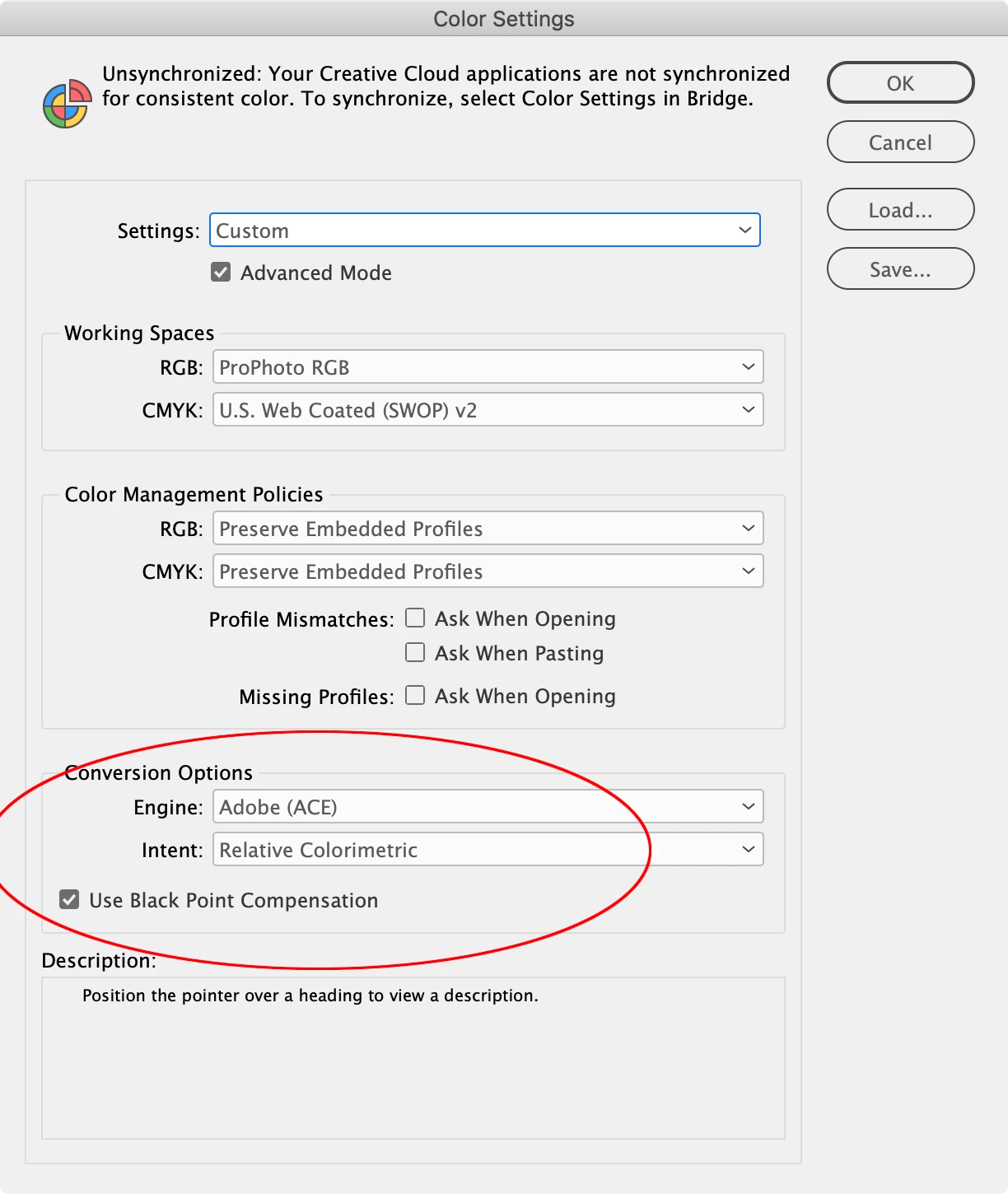
Edit>Color Settings...


1 reply

rob day
Community Expert
Community Expert
June 20, 2024

Hi @Aimee38157675n70n , Check your Color Settings and make sure the Convesrion Options Intent is not set to Absolute Colorimetric—normally it should be Relative Colorimetric with Black Point Compnsation checked. Also, if you have Proof Colors turned on, turn it off and turn on Overprint Preview.

Participating Frequently
June 21, 2024

Hi there i appreciate the help, but where can I find those settings? 
Ive managed to turn overprint preview on and off and on again. that sorts the indesign issue. But still exporting with the beige block which should be paper white.

Ive hunted around in preferences and in the export for pdf settings but cant find the following for:

  •  "absolute colormetric" 
  • Black point compnastion


Ive even tried opening a brand new file from the indesign defualt A4 file page set up, and chosen to export a the pdf using indesigns high res export settings. But I still get the beige sqaure when i open the pdf in acrobat.

rob day
Community Expert
rob dayCommunity ExpertCorrect answer
Community Expert
June 21, 2024

Edit>Color Settings...