Inspiring
February 23, 2024
Answered

InDesign is not Typing ' Single Quote Marks Correctly after installing English with Arabic Version

  • February 23, 2024
  • 1 reply
  • 428 views

https://helpx.adobe.com/indesign/kb/access-install-hebrew-arabic-indesign-illustrator-CC.html

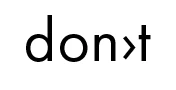
I installed the English with Arabic version, and now every time I type a single quote / possessive mark in ANY font, it displays as an arrow instead.

' is rendered as >.

So don't displays as don>t.


This topic has been closed for replies.
Correct answer Joel Cherney

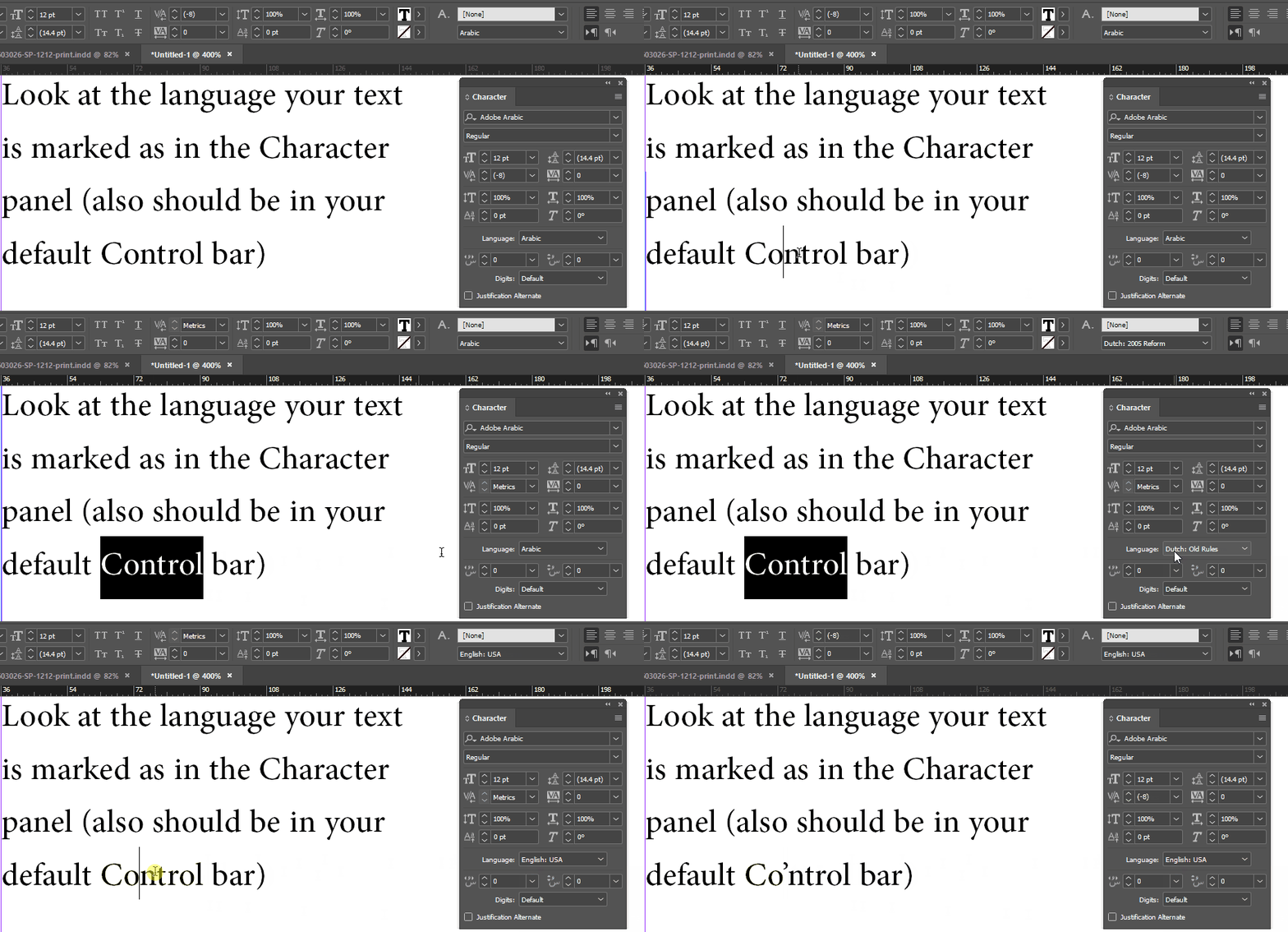
Your Text tool probably defaults to being marked with Arabic language:


Reset it to default to English by choosing "English" from that Langauge dropdown when no documents are open.

1 reply

Joel Cherney
Community Expert
Joel CherneyCommunity ExpertCorrect answer
Community Expert
February 23, 2024

Your Text tool probably defaults to being marked with Arabic language:


Reset it to default to English by choosing "English" from that Langauge dropdown when no documents are open.

bren87Author
Inspiring
February 23, 2024

Yep.  You are right.  We also played around and we unchecked Typographer's Quotes on this document and it fixed it.  Thank you.  I will watch for the setting defaulting back to Arabic moving forward!

Joel Cherney
Community Expert
Community Expert
February 23, 2024

I will watch for the setting defaulting back to Arabic moving forward!


... every time it updates! Unless, that is, Creative Cloud forgets your language settings, and updates to standard US English, which happens to me maybe 80% of the time.