
Known Participant
March 13, 2018
Question

InDesign is shutting down. A Serious Error was detected

  • March 13, 2018
  • 4 replies
  • 9439 views

Hi,

Since I updated to Indesign CC 2018, I've had problems with Indesign unexpectedly quitting as well as anytime I move something, anything on a page or try to move to the next page in a document, I get the spinning wheel for about 15/30 seconds which is slowing down my workflow.

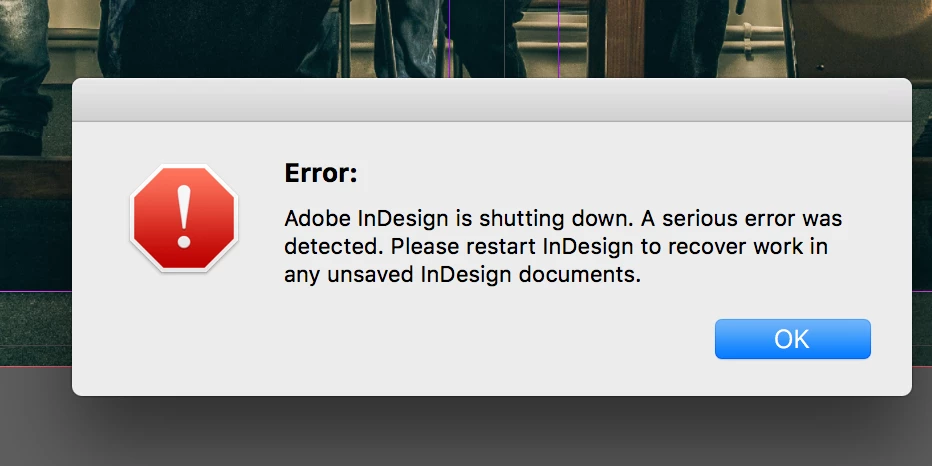
I also have had a message on 3 occasions to say Indesign is shutting down due to a serious error (please see attached screen grab).

Any help would be appreciated.

Thanks.
This topic has been closed for replies.

4 replies

Mike Witherell
Community Expert
Community Expert
July 24, 2018

Here is a medley of things you can investigate:

InDesign CC 2018 Troubleshooting How-to Guide

Mike Witherell
Known Participant
July 24, 2018

Thanks, Michael. The only one I've not tried in that guide is #12. All the others I've done. It happens in any larger document. I design newspapers; anywhere from 12 to 48 pages. It will crash in either publication – the smaller one or the larger one – doesn't matter which.

What's frustrating is I can't isolate it as there's no rhyme or reason. I can be scrolling in the middle of a file or accessing Story Editor or importing a photo tif or updating a link – crash. It'll work fine for hours, but it seems it happens right when I'm just about done and ready to upload to the printer (like usual!) – crash. By that time, the program will have been open for 10-12 hours. I've taken to shutting down, restarting, relaunching InDesign, etc. But all that is exceptionally frustrating as I don't have time to restart every few hours. It kills my productivity.

Known Participant
July 23, 2018

I get this same exact message at least 1-2 times a week. I am extremely frustrated with InDesign shutting down unexpectedly. I've done EVERYTHING that's been recommended. I've went through my fonts with a fine tooth comb. Reset preferences. Reinstalled. There is absolutely NO rhyme or reason as to when it will crash. Just now, I was in Story Editor, doing a search/replace and it crashed. No warning.

It will crash at least 3-5 times every time I'm on deadline with my weekly newspaper. When it does, it will sometimes delete columns of copy, so I'll have to redo them. One minute it'll be there, it crashes, then when I re-open, blocks of copy will actually be missing. I've taken to creating copies of the original file, just in case.

I'm running Mac OS 10.12.6 with 32GB RAM and plenty of hard drive space. Any help would be appreciated as I'm beyond frustrated!

I did paste the crash report in another thread, but the admin deleted it and told me I couldn't do that. Sorry I don't have that to share here. I'll have to wait until it crashes again, which it will, especially given I'm on deadline. :/

Om Nath Jha
Legend
July 23, 2018

Hi jade786,

You can use Pastebin to share the complete crash log. Do you work on files stored on a network drive? If yes, it could be a protective shutdown. Do share the crash log so that we can try to analyze the cause of the crash.

Regards,

Om

Known Participant
July 23, 2018

Hi, ohmnath. No, I don't work on a network drive; all my files are local on my hard drive. I'll have to let it crash again to get the complete crash log as the other thread deleted it. I'm sure I'll have one before the day is over – guaranteed.

Om Nath Jha
Legend
May 8, 2018

Hi Laurence,

Please feel free to update the thread if the issue still persists so that we can assist you further.

Regards,

Om

Srishti Bali
Community Manager
Community Manager
April 25, 2018

Hi laurencer,

Sorry for the inconvenience. Please try resetting preferences for InDesign: Set preferences in Adobe InDesign

If it does not work, try deleting preferences folders manually:

  • Close all Adobe applications.
  • Go to Locations C:\Users\user\AppData\Roaming\Adobe and C:\Users\user\AppData\Local\Adobe.
  • Delete InDesign folders.
  • Launch InDesign from CC.

If it still does not work: Please share crash report from Event Viewer.

Regards,

Srishti