
Participant
November 11, 2022
Answered

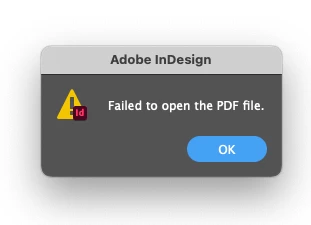
InDesign issues importing AI file "Failed to open PDF file" error

  • November 11, 2022
  • 3 replies
  • 451 views

I just updated ALL Adobe Creative Cloud apps a few weeks ago.  I used InDesign to make an interactive brochure last week- no issues whatsoever.  All pages were "placed" directly from an existing multipage AI file and it worked perfectly.  


Today I tried to create another almost duplicate brochure from last one using an almost identical AI file from last week and I kept getting the attached error, even if the file wasn't a PDF but an AI file.  All settings are the same as the last file I was able to create successfully.  I even tried saving the AI file as a PDF but still got the same error.  Any insight on this issue?  I've never had it happen before.
This topic has been closed for replies.
Correct answer Steve Werner

Also, you place (File > Place) an AI Illustrator file. You don't open it (File > Open).

3 replies

BobLevine
Community Expert
Community Expert
November 12, 2022

If you are placing them, use show options when doing so. There may be a setting in there that won't apply to your file which can throw this error. That setting is sticky.

Willi Adelberger
Community Expert
Community Expert
November 11, 2022

AN AI file is technically a PDF file and is seen as such one.

As other wrote, do not open but place external files.

Steve Werner
Community Expert
Community Expert
November 11, 2022

InDesign places PDF files. It  cannot open PDF files.


Steve Werner
Community Expert
Steve WernerCommunity ExpertCorrect answer
Community Expert
November 11, 2022

Also, you place (File > Place) an AI Illustrator file. You don't open it (File > Open).