Okay. Sorry. I didn't being specific. Its changing the first character to normal. But, the occurrences sometimes, more than one letter in the word.
For example,
Test
"Test
"Test
These scenario texts are not getting affected. Maybe the code needs some updation.
Thanks and Regards,
Eswari
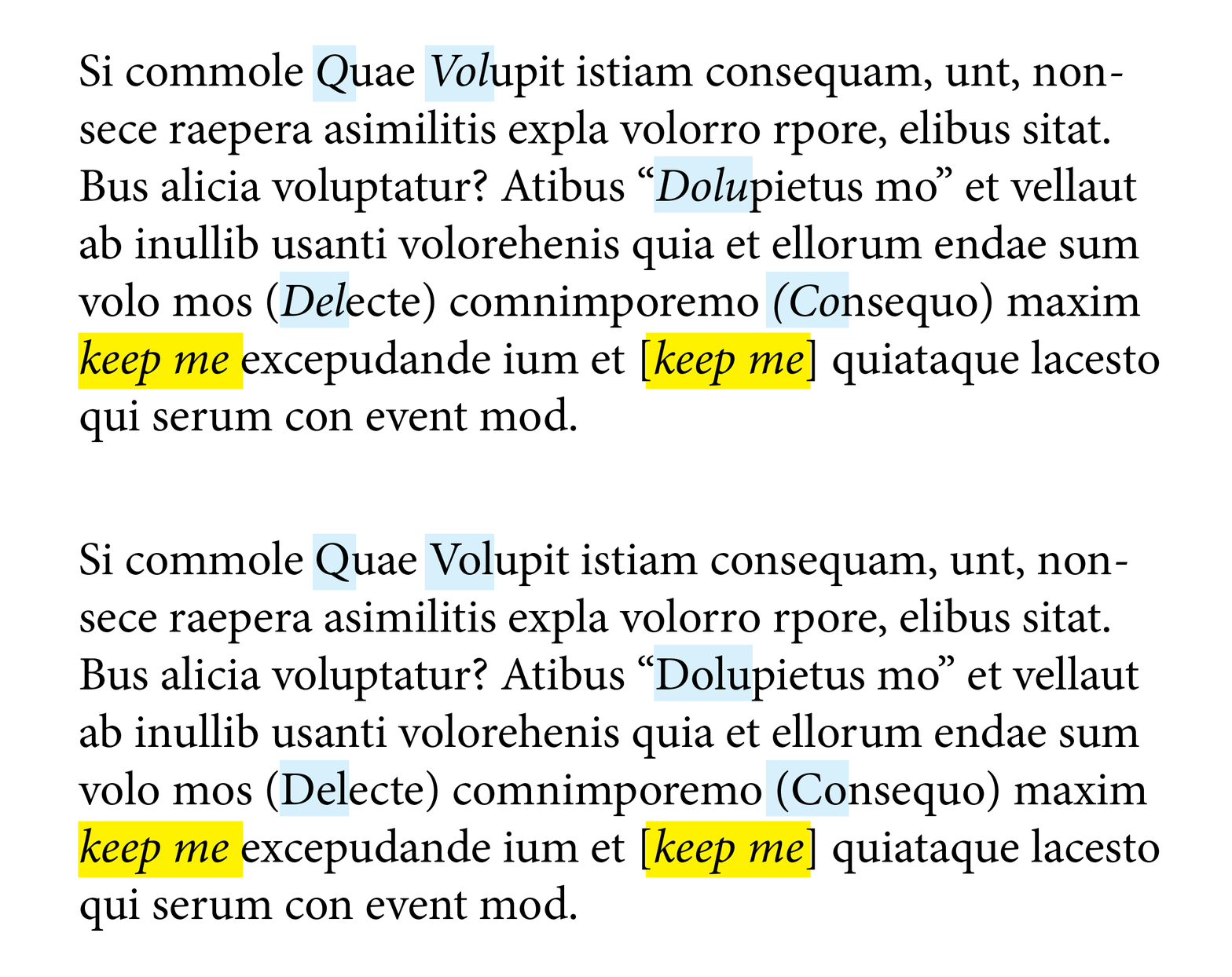
Okay, I'm going to assume that you want to keep the italics if the whole word is italic. So here's a revised script that should work with your test. And screen shots of my test results.
- Mark
/**
 * Removes italics fontStyle in an any word that is not completely italicized.
 * @7111211 m1b
 * discussion https://community.adobe.com/t5/indesign-discussions/indesign-italic-words-issue/m-p/13601388
 */
function main() {

    var findFontStyle = 'Italic',
        changeToFontStyle = 'Regular';

    app.findGrepPreferences = NothingEnum.NOTHING;
    app.changeGrepPreferences = NothingEnum.NOTHING;
    app.findGrepPreferences.findWhat = '[[:punct:]]?\\b[\\l\\u]+';
    app.findGrepPreferences.fontStyle = findFontStyle;

    app.findChangeGrepOptions.includeFootnotes = true;
    app.findChangeGrepOptions.includeHiddenLayers = true;
    app.findChangeGrepOptions.includeLockedLayersForFind = false;
    app.findChangeGrepOptions.includeLockedStoriesForFind = false;
    app.findChangeGrepOptions.includeMasterPages = true;

    var doc = app.activeDocument,
        found = doc.findGrep(),
        lettersOfWord = /[A-Za-z]+/,
        counter = 0;

    for (var i = 0; i < found.length; i++) {

        var word = found[i].words.item(0);

        if (!word.isValid)
            continue;

        var wordLettersMatch = word.contents.match(lettersOfWord);

        if (wordLettersMatch && wordLettersMatch[0].length > found[i].contents.length) {
            found[i].fontStyle = changeToFontStyle;
            counter++;
        }
    }

    alert('Changed ' + counter + ' partially italicized words.');

} // end main

app.doScript(main, ScriptLanguage.JAVASCRIPT, undefined, UndoModes.ENTIRE_SCRIPT, 'Un-italicize Partial Words');




 AdChoices